
Check the acquisition promise
Read the store headline, screenshots and description. What problem is the app promising to solve?
Study the storefront ↗
Wegmans Food Markets · iOS
Explore the ad evidence, study the storefront, and build your next acquisition hypothesis.
01 / Creative research
Read the store headline, screenshots and description. What problem is the app promising to solve?
Study the storefront ↗Explore apps with direct store-link matches. Compare their hooks and formats without assuming the same approach works here.
Browse observed advertisers ↗Store rankings and revenue estimates describe market context. They do not establish ad spend, conversions or ROAS.
Review the market context ↗02 / Storefront & product
Study the product story and store experience behind the acquisition funnel.



03 / Market context
Keep revenue, downloads and store rankings separate from advertising performance.
I’ve been using my own shopping bags and since the pandemic started (and actually didn’t even use a grocery cart). When this app came along I was thrilled!!! If you use ApplePay, the Wegman’s SCAN app makes checking out even faster and so simple!! My one request would be to clearly let users know how the settings need to be configured for the app to run. After changing some of the privacy settings on my iPhone 11, I was getting an error message when starting up the app in the store - and could not use it. After about 10 minutes of trial and error at the store, it somehow works. However, I have no idea which setting did the trick. Other than “must be connected to Wegman’s Wi-Fi”, The website doesn’t clearly shows what settings have to be ON or OFF i.e. “Local Network” or “Location.”
Overall: I like the app. Used it for the first time tonight and I am pleased. I’d have to agree with previous comments that it is a little annoying to constantly have to hit that Scan Barcode button but I am sure it will improve over time. I did lose connection to the wegmans wifi twice but the order stayed in tact. One thing to note is that if you scan an item while the connection is poor or lost wait for a second before you try scanning the item again - otherwise you may have an item scanned twice. I had one item twice and it was easy to remove. Check out was fast. I am glad you can scan alcohol too - just have to show ID at register. If I were to suggest two improvements or future developments: 1. Verify age based on shopper data from the wegmans card for alcohol purchases 2. Create a history of purchases section and/or make it easier to jumpstart a(n) cart/order
First time using this and my expectations were kinda low given some of the comments I’ve read in reviews. Overall, it worked pretty well, but some improvements would be welcomed. Every now and then, I would scan something and it would say item not found. I eventually figured out that my phone lost connection with the store WiFi so after I scanned something, it couldn’t look it up. I also figured out that if I waited 4-5 seconds for my phone to reconnect to the WiFi, the item would appear in my list. I can see how people would think they need to scan again and then the item would show up twice, but if you have a little patience, your scan will be registered. Don’t like that I have to press the scan button every time, especially if you purchased multiples of one item. Ideally, let us enter a quantity or keep the scanner up so we can quickly scan again. On a couple of occasions, I would unlock my phone to scan an item only to find the app had closed itself. Fortunately, when I relaunched the app, you click the get started button again and everything I had previously scanned came up. Upon checkout, just walk up to one of the self checkouts, scan the barcode on screen, pay, and walkout. Would like to be able to store my Wegmans card and ideally, this would just be part of the Wegmans app versus a separate app.
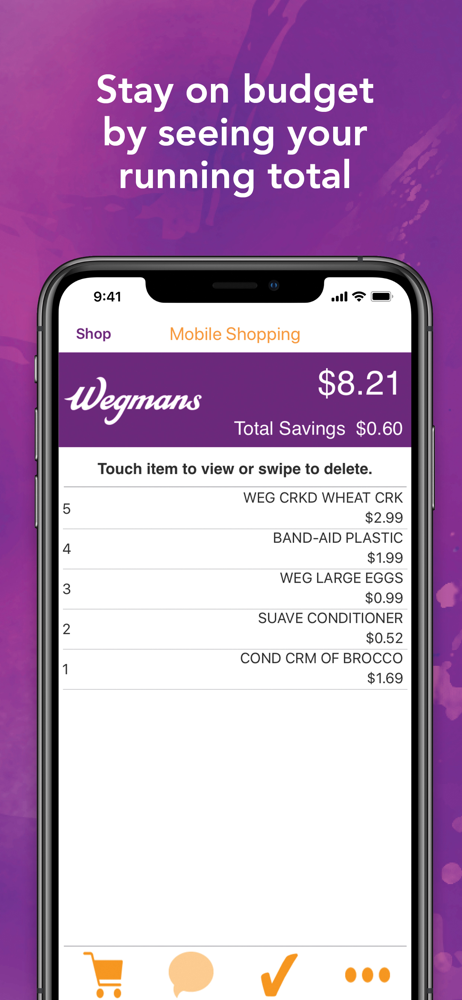
Enjoy faster checkout, view your running total while you shop to stay on budget, and automatically see discounts all within the app. You can also bag...


