
Check the acquisition promise
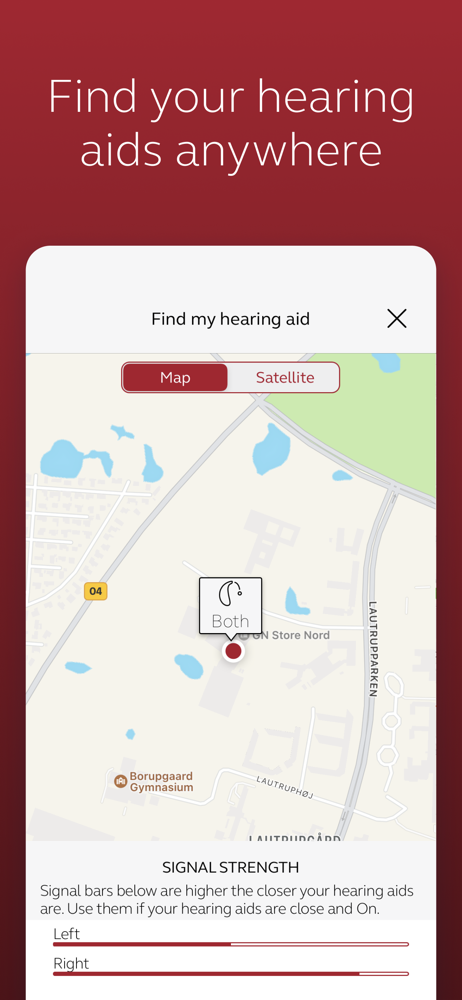
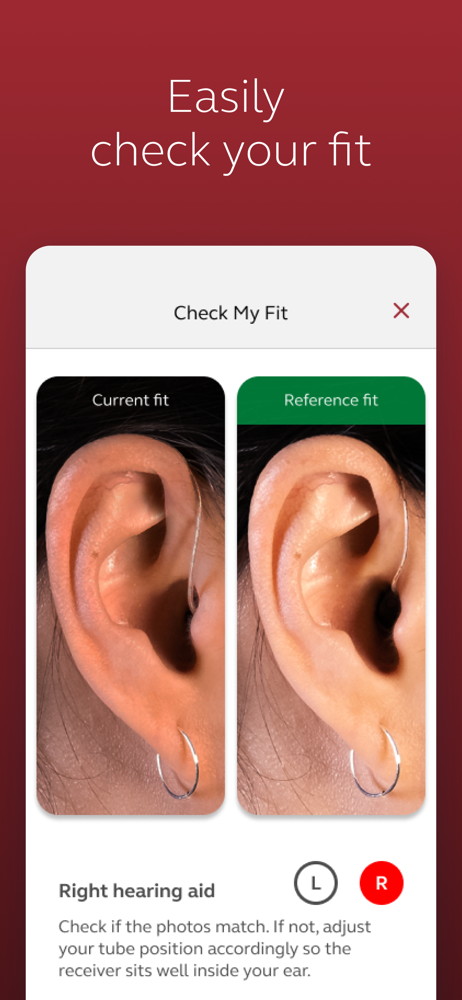
Read the store headline, screenshots and description. What problem is the app promising to solve?
Study the storefront ↗
ReSound · iOS
Explore the ad evidence, study the storefront, and build your next acquisition hypothesis.
01 / Creative research
Read the store headline, screenshots and description. What problem is the app promising to solve?
Study the storefront ↗Explore apps with direct store-link matches. Compare their hooks and formats without assuming the same approach works here.
Browse observed advertisers ↗Store rankings and revenue estimates describe market context. They do not establish ad spend, conversions or ROAS.
Review the market context ↗02 / Storefront & product
Study the product story and store experience behind the acquisition funnel.



03 / Market context
Keep revenue, downloads and store rankings separate from advertising performance.
Changing from 1 star to 3 since this app is all over frosting as it is but I got it connected to my iPhone 16 finally. Prior to this phone you had to connect to the app then the phone. Now you connect via phone settings/accessibility FIRST then go into the app to finish. Took waiting on hold with resound app support for 25 minutes to trouble shoot that. Truly should have tried it on my own but I’ve always know that won’t work so I didn’t. Silly me. Save yourself some time and frustration. Haven’t had any problems connecting my hearing aids the last 8 and a half years I’ve had this app and hearing aids. Just upgraded my phone to a 16 pro and the app just keeps giving me a loop of finding connecting go to settings then come back and restart all over again. Sometimes it even says I see you’ve connected mifi hearing aids before do you want to use those? When I click continue it just starts the whole process over. Can’t make any phone calls without being able to connect via Bluetooth which is a big problem
7/8/23 While we lost a lot of functionality and ease of use going from the Resound app to the “Smart” app, since this is where we are, I have a request. We have two hearing aids. Sometimes we need two different profiles running in the different sides. For example, you’re driving in a car with the windows down. You have wind noise in your left ear, which you need to filter out, but on your right is your spouse, and you need the right side profile set for speech. We can’t do that today. So, our choice is between blocking wind noise and hearing our spouse. My request is to be able to select separate profiles, other than just volume, for each ear. I see no reason that can’t be done. Clearly you can communicate with each of them individually. I’d appreciate a response from the developers.
Before getting the audio settings tweaked this morning, I updated the Smart app. It said the hearing aids were connected but not sure they were. (The audiologist checked as well.) This evening I read the info from the developer and tips in the reviews. Forget hearing devices, delete app, install app, etc. with restarting phone. The reason I bothered is that if my Bluetooth is turned on, I can’t hear any audio on my phone - streaming or otherwise! And when I took a call with it streaming to my ear, people couldn’t always hear me. So I have been leaving the Bluetooth turned off most of the time. But I like being able to stream a podcast to my right hearing aid. Sadly, after updating the Smart app I can’t even do that any more. I am using iOS version 14.8 on an iPhone 12. Wishing that I could go back to the old version of this app. Not quite ready to invest in smarter (more up to date) hearing aids, but when I do I will carefully compare brands…. And I will check the reviews for apps before updating them!
The ReSound Smart™ app is compatible with the following hearing aids: • ReSound LiNX2™ • ReSound LiNX™ • ReSound LiNX TS™ • ReSound ENZO2™ • ReSound...


