
Check the acquisition promise
Read the store headline, screenshots and description. What problem is the app promising to solve?
Study the storefront ↗
Camera Control Apps sp. z o.o. · iOS
Explore the ad evidence, study the storefront, and build your next acquisition hypothesis.
01 / Creative research
Read the store headline, screenshots and description. What problem is the app promising to solve?
Study the storefront ↗Explore apps with direct store-link matches. Compare their hooks and formats without assuming the same approach works here.
Browse observed advertisers ↗Store rankings and revenue estimates describe market context. They do not establish ad spend, conversions or ROAS.
Review the market context ↗02 / Storefront & product
Study the product story and store experience behind the acquisition funnel.


03 / Market context
Keep revenue, downloads and store rankings separate from advertising performance.
I’m a bird photographer and I got this so I can place the camera closer to the birds than they would permit if I was holding the camera directly. Way better than the Canon app (which is free) - once you have the connection it keeps it well. I’ve used the camera-WiFi connection mostly but after working with Support we got the usb cable working too. Like everything there is a little bit of a learning curve but support was very responsive and I’m taking backyard bird photos I probably couldn’t have taken without setting up a blind etc.
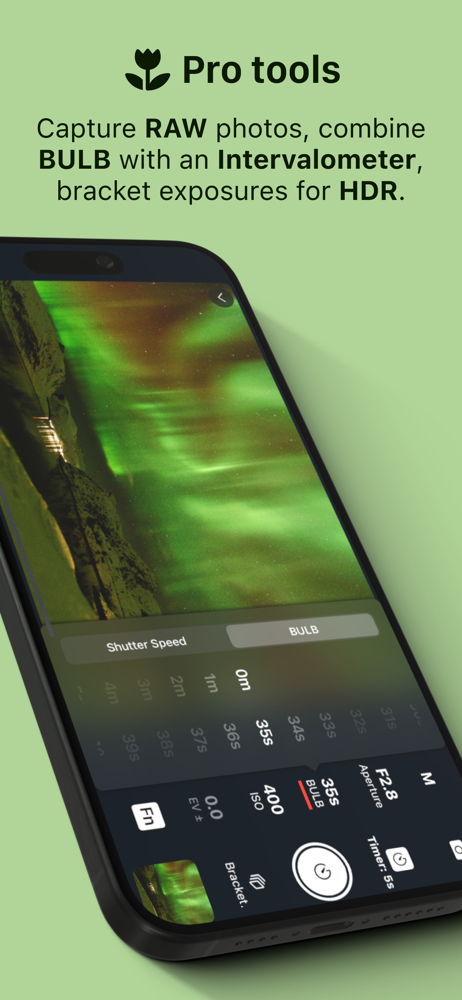
I’ll forgo a lengthy complaint about the trial. I wish I had longer to evaluate it than 7 days. Coercing people into a subscription is wrong. That’s all to say about that. It’s already covered in other reviews Visually the app is nice, much nicer than Canon. But it stops there. Functionally the connectivity isn’t much better. I had several occasions where Wi-Fi just wouldn’t pick up. I was hoping for more shutter options such as custom lengths of time in BULB but the app only supports a maximum 30s exposure and only allows shutter speeds native to the camera. In that manner, it doesn’t function like an actual shutter controller. I found that importing RAW files from my camera didn’t work; only received JPEG files in my photos app. The transfer wasn’t very smooth either failing a few times, and drained battery life off my camera I believe due to the JPEG conversion. Also it’s unfortunate that this robs you of being able to use the Canon app altogether, because the Bluetooth and Wi-Fi connections must be totally reset between the two apps. While the Canon app is a pain, it offers much more features such as firmware updates, GPS coordinates, time sync, etc. that this app does not (and likely could not, especially on the firmware updates side). I was willing to pay for a lifetime subscription but this app fell short in too many ways that left it no better than the free Canon app. Evaluated using a Canon R5 mark ii.
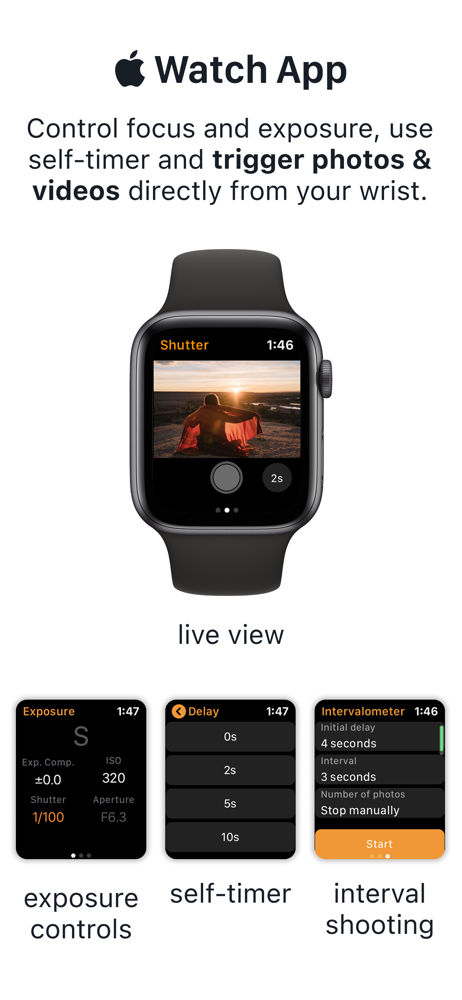
I often prefer to use an iPad to the touchscreen on my EOS RP, especially to show other people what the camera is seeing, such as during the solar eclipse. I also wanted to use the intervalometer to record an image every minute, but that functionality is disabled on the camera while connected to wi-fi, and Connect does not have that feature. So I can view on an iPad, or use the intervalometer, but not both. Shutter does have this functionality, as well as the standard shutter, aperture, etc controls. Also, my model allows a bulb timer, but only for one shot. So I can take one image of 60 seconds, for instance, but the intervalometer function is then disabled. I can’t take a series of images longer than 30 seconds. Shutter also resolves this, allowing me to take any number of long exposures.
Remote control for Canon EOS and PowerShot cameras. Capture flawless self-portraits, breathtaking travel shots, professional real-estate photos, stunn...
| Name | Price | Type |
|---|---|---|
| Monthly | $3.49 | Monthly |
| Monthly | $4.49 | Monthly |
| Annual | $24.99 | Yearly |
| Annual | $29.99 | Yearly |
| Lifetime | $65.00 | One-time |
| Lifetime | $79.00 | One-time |


