Check the acquisition promise
Read the store headline, screenshots and description. What problem is the app promising to solve?
Study the storefront ↗
Whova Inc. · iOS
Explore the ad evidence, study the storefront, and build your next acquisition hypothesis.
01 / Creative research
Read the store headline, screenshots and description. What problem is the app promising to solve?
Study the storefront ↗Explore apps with direct store-link matches. Compare their hooks and formats without assuming the same approach works here.
Browse observed advertisers ↗Store rankings and revenue estimates describe market context. They do not establish ad spend, conversions or ROAS.
Review the market context ↗02 / Storefront & product
Study the product story and store experience behind the acquisition funnel.



03 / Market context
Keep revenue, downloads and store rankings separate from advertising performance.
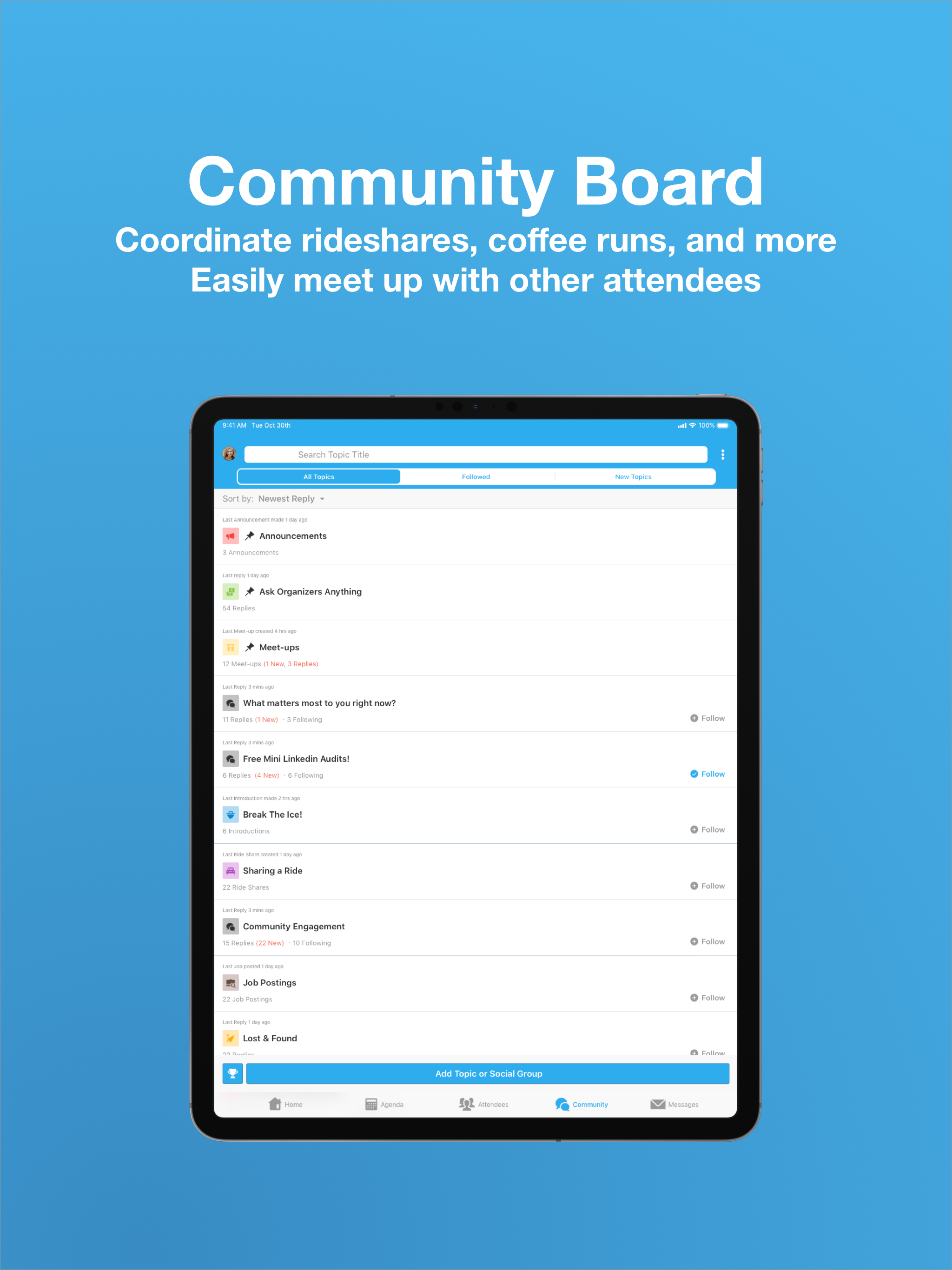
As someone attending meetings organized through the Whova app, I can say it’s been a game-changer for staying informed and organized. Having all the necessary information conveniently located in one app makes my life so much easier. I appreciate being able to access meeting details and updates on the go, ensuring I never miss important information, even if the meeting location changes last minute. The photo-sharing feature is fantastic for sharing all our memories with other attendees. It’s incredibly helpful to see images related to the discussions right within the app. Additionally, the Agenda functionality keeps me on track and ensures I’m always aware of upcoming meetings and any changes. What impresses me most about the Whova app is how it fosters seamless communication among all participants. Whether it’s receiving instant notifications about meeting updates or being able to quickly share feedback, the app enhances collaboration and ensures everyone is on the same page. Overall, as someone who relies on the app during meetings, I highly recommend it for its convenience, efficiency, and effectiveness.
I have to say that I truly enjoyed the features provided through this app. One of the most important features that really helped me stay organized and plan for the event was the fact that it gave all of the sessions and once you decided which one you were interested in, you could add it to an agenda and then when you’re done, you can see the agenda for the entire event and you can see the agenda from the selections you made. On the day of the event, I didn’t have to open up the hard copy of the agenda. It was already loaded in my phone. I knew exactly where to go. I knew what was going to be discussed which helps alleviate the stress of trying to figure out where to go next, and increase my time with collaborating with my colleagues. Another feature that I enjoyed was the reminder so I knew that 10 minutes before my next session. I would get an alert on my phone to let me know it was time to head to my next session, that was very helpful for me. Lastly, the listing of other participants allowed me to see what professional educators I was in the mist of throughout the conference, and that helped me make informed decisions about which sessions to go to, to meet the needs of the education institution that I support. All events should have this app for their participants, so that participants can maximize the time spent during the event/conference. It like a personal assistant at the conference!
A favor inquiry wasn't in my plans today, but I wanted acknowledge NAKHEs work with Whoa. Before becoming a co-presenter at the NAKHE 2021 conference I was unaware of "Whova." It's clear that NAKHE organizers put a lot of work and time to construct the conference's virtual space. I can't speak to other apps besides Eventbrite—to access or gain access to an event, for example. And I can't speak to organizing a virtual conference either. However, as a co-presenter at this particular conference using Whova for the first time, the way that it was created (and this is my assumption because I did not organize the event) and co-constructed by Whova and NAKHE organizers (I presume as well) was instrumental in its flexibility to meet the needs of a wide range of "digital/virtual" users experiences/expertise from all over the U.S. and perhaps nationally. Then again, I wasn't on the "help desk" side of the app/conference so I don't know anyone else's experience. For me, the instructions regarding how to navigate Whova for our presentation, having the ability to engage as much or as little as I'd like within the confines of the app, to "attend," the ability to go back to the app days after the conference ended to access the presentations, or attendees contact information, would all be things I'd mention if someone were in search of a virtual conference organization that happens to have an app as well. I would most definitely ask or provide a NAKHE organizer to contact about their experience with Whoa as well—I wasn't privy to that side of the conference.
Whova is an award-winning event and conference app. It helps you gain insights about people you meet at events. Whova is one of the most widely used m...