
Check the acquisition promise
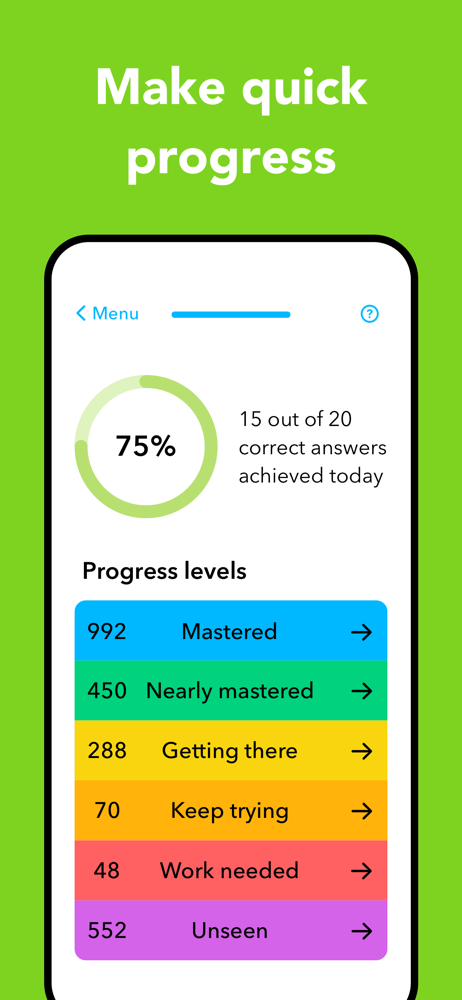
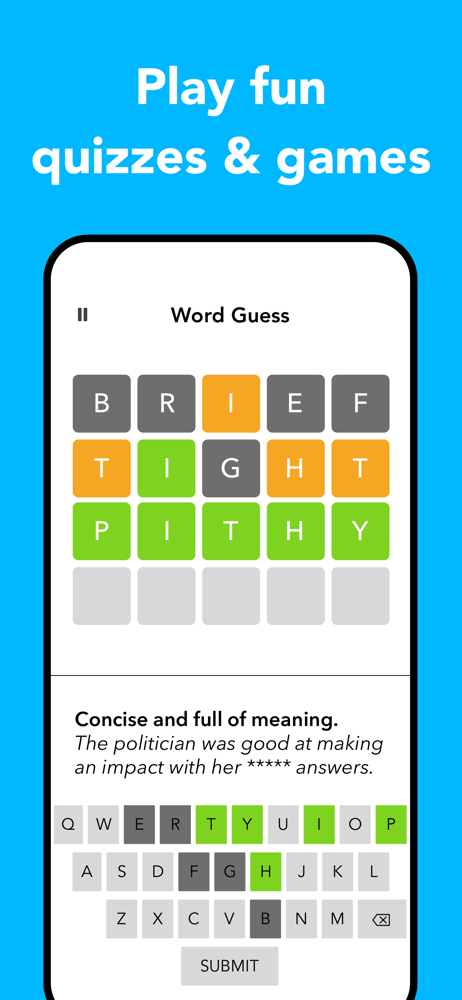
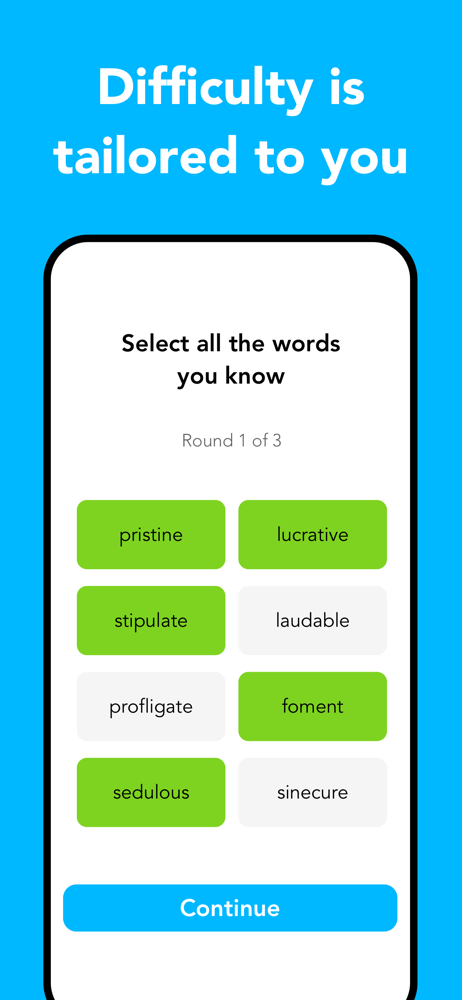
Read the store headline, screenshots and description. What problem is the app promising to solve?
Study the storefront ↗
Dynamic Apps Ltd · iOS
Explore the ad evidence, study the storefront, and build your next acquisition hypothesis.
01 / Creative research
Read the store headline, screenshots and description. What problem is the app promising to solve?
Study the storefront ↗Explore apps with direct store-link matches. Compare their hooks and formats without assuming the same approach works here.
Browse observed advertisers ↗Store rankings and revenue estimates describe market context. They do not establish ad spend, conversions or ROAS.
Review the market context ↗02 / Storefront & product
Study the product story and store experience behind the acquisition funnel.




03 / Market context
Keep revenue, downloads and store rankings separate from advertising performance.
I have been using this app for a couple of weeks now to expand my vocabulary. I’m enjoying it because it’s quick. I am able to retain a lot of the words and definitions because they repeat. I would like to categorize words on my own rather than always have the app decide whether I know a word or not-sometimes I just guess right. I especially enjoy the crossword because it requires me to come up with the word on my own, which is very different than picking it out of a multiple choice. The problem is, if I can’t think of a word, I don’t have any way of finding out what it was within the app. I just have to stop playing the crossword and leave it blank? A hint option could help. I realize I could go outside of the app and try and figure it out but the whole point of this is that it’s quick, for busy people. I think I should be able to make my own group of words to play with so that I can reinforce them as the app cannot necessarily accurately gauge my understanding.
I think I’ve tried every vocab app. A lot of them are more for English as a 2nd language, but I’ve always just wanted to have a richer vocabulary for reading and communicating. Only a few are really good and worth using long term, and this is one of them. Pros: - well-made with good concise definitions and an attractive interface - nice set of games to practice alongside the standard practice format - has a spaced repetition structure - gives definitions and example sentences for learning, but also gives practice questions with single synonyms. Very effective - though I would prefer to also have printed pronunciations, the built-in pronunciation tool is great Cons: - not much customization. I wish I could look up and add words to the mix. Also, even with existing words, you can add favorites, but you can’t tell the app to focus more or less on any particular words. For example, the app might decide that you have mastered a word, but you might want to work on the word more. This app doesn’t let you do that. - take a look at their updates in the App Store. They have lots of updates, but they’ve all been saying the exact same thing for years, which makes me suspect that they’re just putting that in there to make us feel like the app is regularly updated. - though there are more overpriced apps out there, I still think it still should be a little cheaper for what it is
First of all, I’ve been searching for an app to enhance and deepen my vocabulary by application. This is a strong start by offering the daily challenge synonym match and the various word games. In order for me to fully conceptualize words I’m learning I have to write or type my own sentences using the words I get wrong on the daily challenges. It would be amazing if WordPal implemented that system within their App. The next step would assign AI to proofread and determine if the use of the word in that context is strong, moderate or weak. It could starkly sharpen the user because we are using our own voices and ideas to determine how we visualize and understand the words we’re learning. Plus it will ignite the overall experience and spark creativity within the user because we’re learning what the words mean and how to use it in context. That’s my initial thought. Second of all, the GUI is a little austere to me however, the benefits outweigh visualization. Step by step in the right direction will place Word Pal as the number 1 vocabulary learning app that yields everlasting results! Great work overall!
Make building your vocabulary fun and simple with WordPal. WordPal is a useful app that can be used to improve your English vocabulary, whether it be...
| Name | Price | Type |
|---|---|---|
| WordPal Premium Monthly | $2.99 | Monthly |
| WordPal Premium Monthly | $4.99 | Monthly |
| WordPal Premium Monthly | $7.99 | Monthly |
| WordPal Premium Monthly | $9.99 | Monthly |
| WordPal Premium Annual | $19.99 | Yearly |
| WordPal Premium Annual | $29.99 | Yearly |
| WordPal Premium Annual | $29.99 | Yearly |
| WordPal Premium Annual | $39.99 | Yearly |
| WordPal Premium Annual | $59.99 | Yearly |
| WordPal Premium Annual | $59.99 | Yearly |


