
Check the acquisition promise
Read the store headline, screenshots and description. What problem is the app promising to solve?
Study the storefront ↗
Fullpower® · iOS
Explore the ad evidence, study the storefront, and build your next acquisition hypothesis.
01 / Creative research
Read the store headline, screenshots and description. What problem is the app promising to solve?
Study the storefront ↗Explore apps with direct store-link matches. Compare their hooks and formats without assuming the same approach works here.
Browse observed advertisers ↗Store rankings and revenue estimates describe market context. They do not establish ad spend, conversions or ROAS.
Review the market context ↗02 / Storefront & product
Study the product story and store experience behind the acquisition funnel.




03 / Market context
Keep revenue, downloads and store rankings separate from advertising performance.
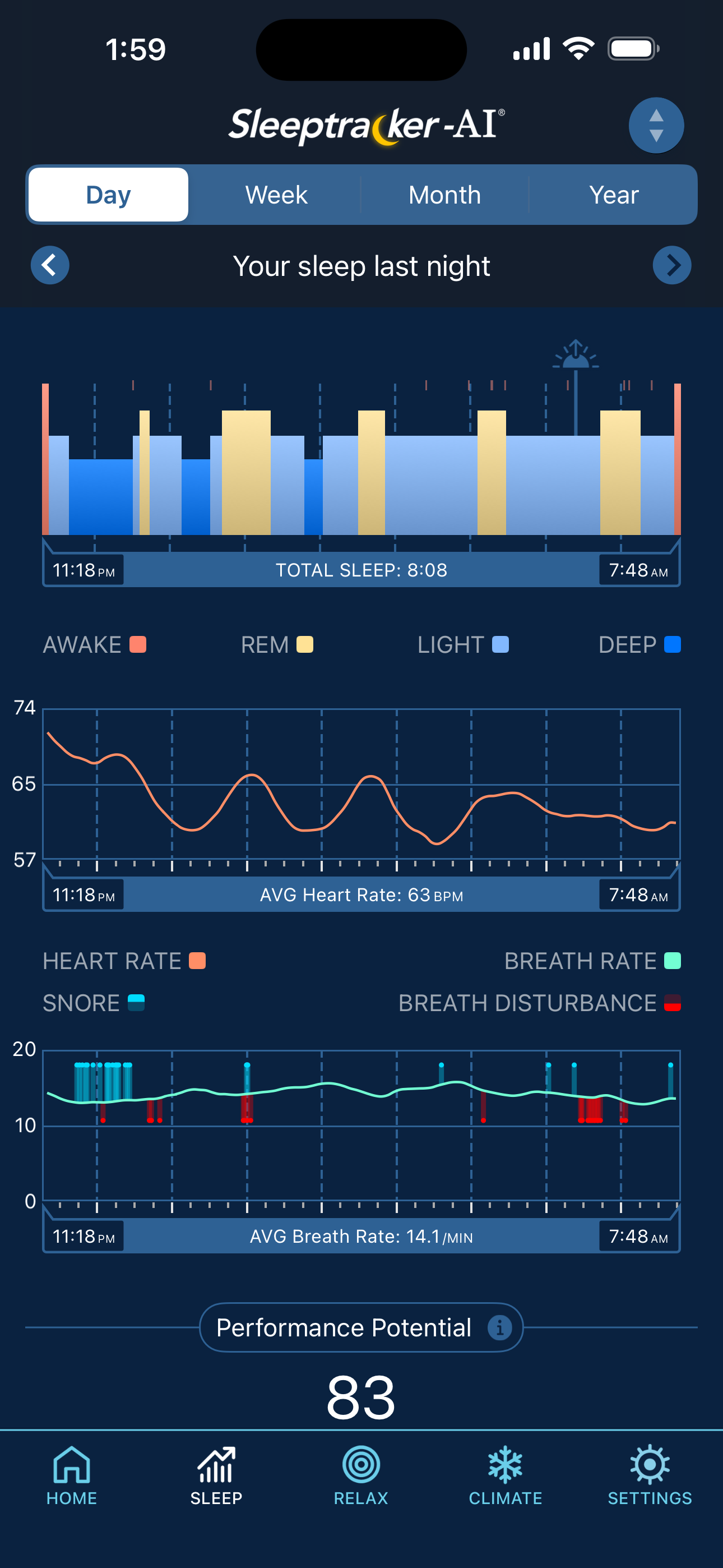
I originally planned to use the app as a “back up” remote. After looking at the app and all the features and what it could actually track I was amazed! I started using it to record mine and my husbands sleep patterns for health reasons. The first couple weeks, it was great and the automatic tracker tracked our sleep however there were several times we had to manually record that we had woken up and adjust the sleep time because the app did not record it automatically. The app said the recording would be available about two hours after everyone is off the bed, but it doesn’t really take that long . About 2 months into using it I am going through all the troubleshooting guides even though we have it set to record automatically it doesn’t and we manually have to do it every day which I feel doesn’t get an accurate pattern of sleep history. There are times I wonder if it thinks all the pillows I have on my bed after making it that are people still on it ? Absolutely love the bed but the app actually pretty frustrating. and having to remember to manually record your sleep (even though it is set to record automatically) is a huge pain…. Especially when you’re exhausted.!
I've been using this app for about 6 months now. Initially I was going to use this app as a remote but after a few days I instead started using it as a sleep logger. It tracks sleep pretty well; it goes into depth about light sleep, deep sleep, REM, time spent out of bed before returning, and even takes your pulse while doing it. The info it collects seems to be about 100% accurate. The only annoying tidbit is that sometimes you have to go into the app and put in sleep hours if it doesn't do it automatically. I really appreciate this app; all of this came in handy when I started having health problems and I showed the doctor what was wrong by using this app.
This app has many usability issues. On an iPad it forces portrait mode for most screens. When used with apple keyboards as a laptop this makes it difficult to use. When in landscape mode for the graphs, there is no clear way to get back to the other screens. After rotating back to portrait mode, the icons at the bottom reappeared. The circles above the nightly graph are grey on black so are difficult to read for anyone with contrast issues. The text in the app does not appear to honor the system font sizes so again, people with poor vision are out of luck as the text is unreadable. The circle icons on the sleep graph can be difficult to tap on, often taking multiple tries to get the circle and not pull up a time on the graph for some nearby time. The click area for the circles needs to be larger. The in-app “View Latest Sleep Report” option shows me a blank white screen. Disappointing aspects of my very expensive bed purchase.
** THIS APP WILL NOT FUNCTION WITHOUT HARDWARE. This is the companion app for 2023 & newer Tempur® Sleeptracker-AI® Smart Bases. ONE OF THESE DEVICES...


