Check the acquisition promise
Read the store headline, screenshots and description. What problem is the app promising to solve?
Study the storefront ↗
haha Interactive · iOS
Explore the ad evidence, study the storefront, and build your next acquisition hypothesis.
01 / Creative research
Read the store headline, screenshots and description. What problem is the app promising to solve?
Study the storefront ↗Explore apps with direct store-link matches. Compare their hooks and formats without assuming the same approach works here.
Browse observed advertisers ↗Store rankings and revenue estimates describe market context. They do not establish ad spend, conversions or ROAS.
Review the market context ↗02 / Storefront & product
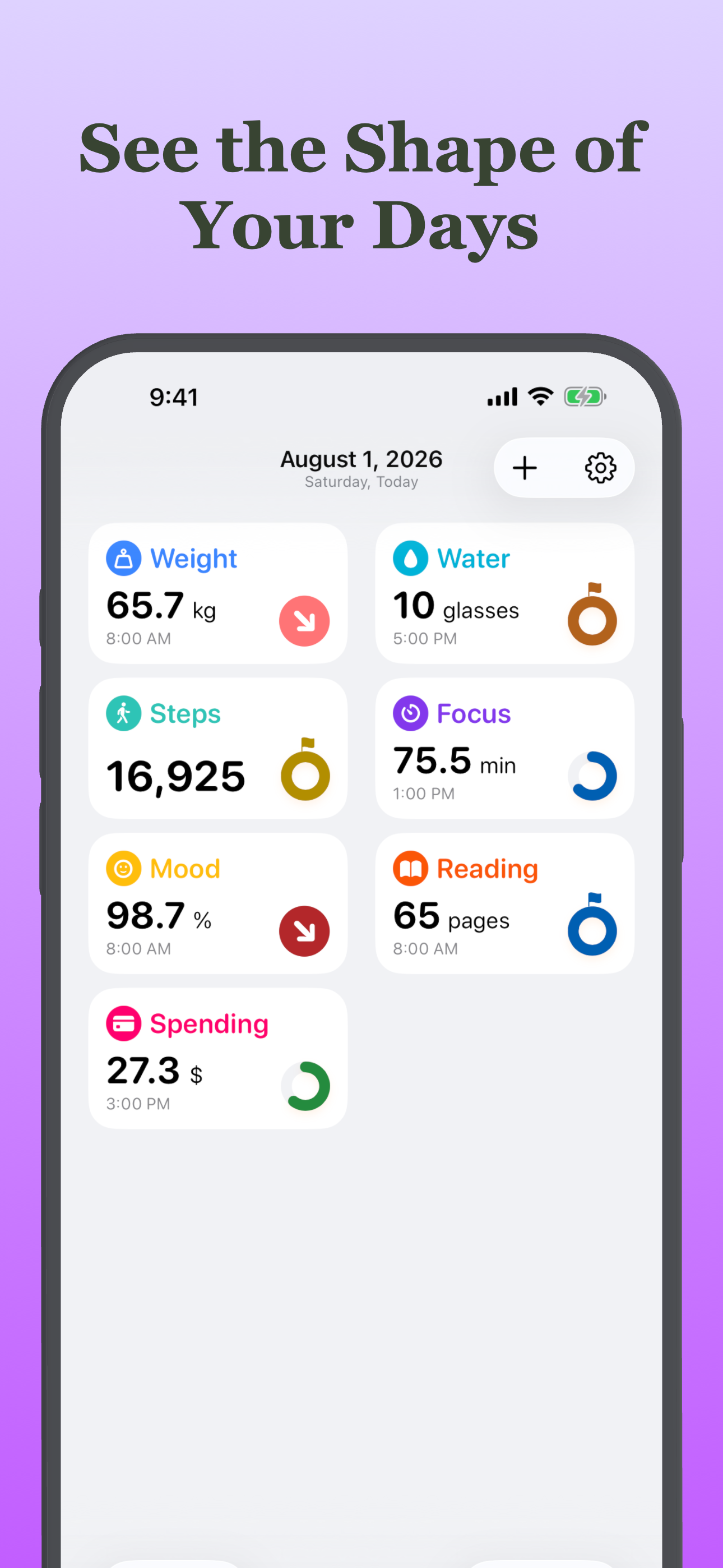
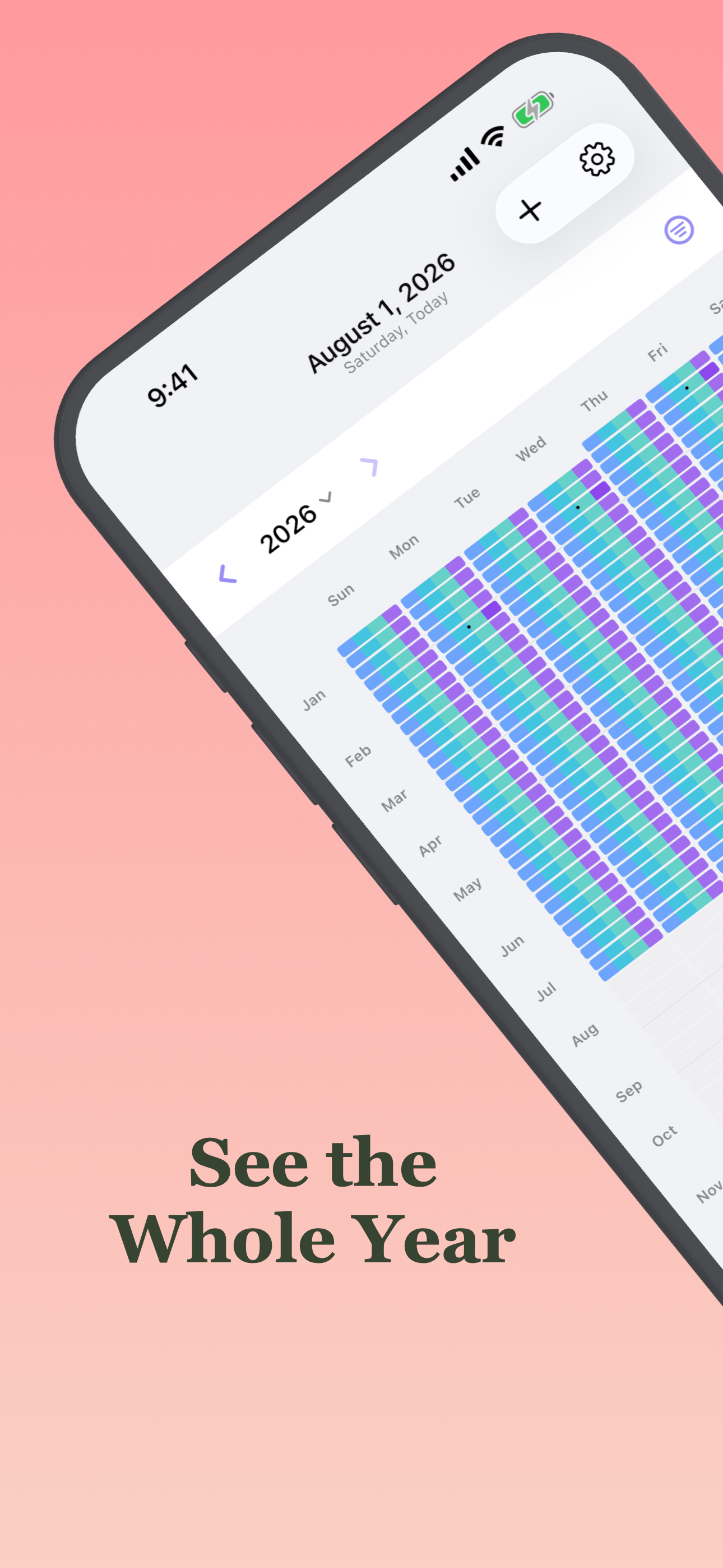
Study the product story and store experience behind the acquisition funnel.




03 / Market context
Keep revenue, downloads and store rankings separate from advertising performance.
There’s a pantload of habit trackers out there. Most of them are pretty mediocre, a few are surprisingly good. JT is lacking in some of the bells and whistles but it does at least three things better than most of the others I’ve tried, and those three things are important to me. First, native iPad support. No wasted real estate. Second, solid sync. Ever have to wait hours for the iPhone to sync with the watch? Yeah, me neither. Third: BIG clear watch display. I need to track the time I take certain meds. Waking up in the wee hours to do so is no fun, and having to fiddle with a phone or iPad makes it worse. JT is the ONLY one I found with a simple, clear display - tap, tap and back to sleep. Free? No, it’s not free. You don’t work for free, why do you expect devs to do it? OTOH, $10/year is much less than many of the competition so what are you waiting for? Give it a try. 3 habits for free.
I love to be able to see my data in charts. Only wish there was an option to save an entry as a favorite, and be able to add that favorite for the next entry. That way you don't have to manual type again that same item each and every time. But love the app. Keep up the great work!!! I already bought the one time lifetime edition, so glad it's not a yearly subscription. That's what makes this app shine as well!!! God Bless You!!!
I've been using the app to sync with my apple health data from my phone and apple watch. I use a walking pad treadmill with my desk setup so I can get my steps in while I'm on the computer. I use this app to keep track of my steps and exercise times, etc without having to get my phone out to look at health data. A few things I'd really like this app to do: I would like it if the right side of the window was collapsable. That way I can have a narrow window view of main stats open on my computer while I work. The right frame of the window isn't something I use or find valuable. The other main thing I'd love is if I could choose one datapoint to pin to my mac bar. For example, I could have the app minimized but see number of steps at the top of my mac in the mac status bar.
Track what matters. Understand what changed. Sum of Days is a private life tracker for habits, health, mood, symptoms, personal numbers, notes, and e...
| Name | Price | Type |
|---|---|---|
| Sum of Days+ Monthly. | $3.99 | Monthly |
| Sum of Days + 6 Month Subscription | $17.99 | Semi-Annual |
| Sum of Days+ Annual | $24.99 | Yearly |
| Sum of Days+ Lifetime | $59.99 | One-time |