
Check the acquisition promise
Read the store headline, screenshots and description. What problem is the app promising to solve?
Study the storefront ↗
Leaping Coyote Interactive · iOS
Explore the ad evidence, study the storefront, and build your next acquisition hypothesis.
01 / Creative research
Read the store headline, screenshots and description. What problem is the app promising to solve?
Study the storefront ↗Explore apps with direct store-link matches. Compare their hooks and formats without assuming the same approach works here.
Browse observed advertisers ↗Store rankings and revenue estimates describe market context. They do not establish ad spend, conversions or ROAS.
Review the market context ↗02 / Storefront & product
Study the product story and store experience behind the acquisition funnel.



03 / Market context
Keep revenue, downloads and store rankings separate from advertising performance.
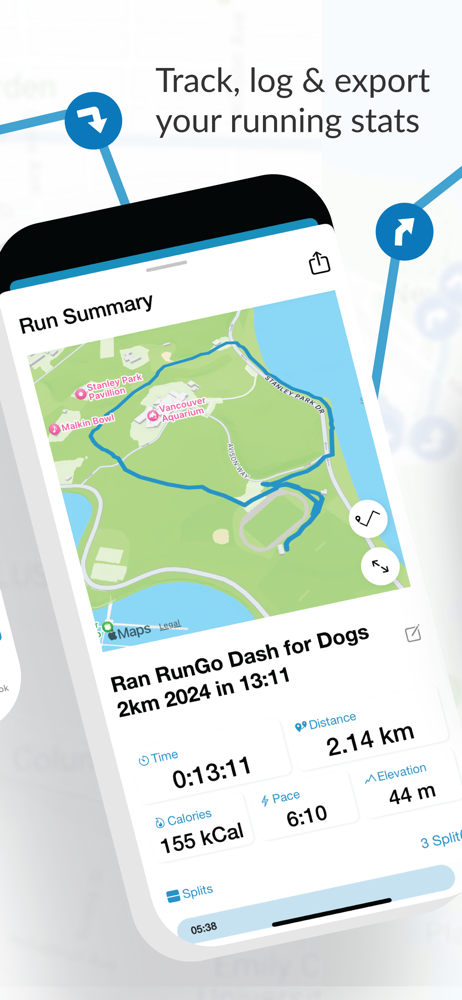
Found this app doing a search for what I needed. I wanted to create a route, share it with people and also create a GPX file for other smartwatches. There’s not all in one app like this for this cheap or free. Also I didn’t need all the bells and whistles like Strava or Map My Run. It actually has more than I expected for a free app. It also shows all kinds of data on the Apple Watch and iPhone. And it calls out data like pace, miles where to turn etc in your Bluetooth headphones, watch and phone. I just tested this morning for the first time and worked great. Now for GPX files and to save serval routes you have to pay, but a third of the price for Strava. I don’t even think you can map routes in Map my Run. If you just want a couple routes this is a great free app. And I wanted a live tracking feature to let someone know just in case something happens. This has it too in the paid version for way less than the others. All I can say so far is this is a great app. Not sure why all the 1 and 2 star reviews. I’ll probably pay the yearly just to give them money to keep this app going.
Recently my turn by turn directions stop after the 5th or 6th turn, leaving me a little lost on various routes I do through different run groups. Another runner shared a similar experience with me this morning. My setting are set to give me a summary every 5 miles, and that still works. I can also still see my self on the map (I’m using an Apple Watch). But the upcoming turn info gets frozen after the 5th or 6th turn and fails to give me any more info after that. I hope this is a known bug that has a fix soon 🤞
I’ve been using RunGo for three years now and am a paid subscriber. Overall, this is a great app. It’s easy to create and save routes, audio cues work well and it syncs with Apple Health and Strava. I do wish they would make some improvements. When you create a route, at each point you add it often adds unnecessary turns. For example, if I add a point on a straightaway, it will sometimes say, “turn left, now turn right” or “turn around, turn around”. Trying to edit these points often messes up the entire route. For detailed editing and certain features, you need to use a computer. Also, Facebook login no longer works correctly and it took over a week for support to migrate my login. Lastly, if you go off route (which is easy to do when trail running) it won’t let you know for over a 10th of a mile, so it ends up adding about a quarter mile to the run if you have to backtrack. All this said, this has become a vital running app for me and it has many powerful features that don’t seem to exist in any other running app. It filled the gaps that Strava’s routes lack, and if you already have routes in Strava you can import and manipulate them in RunGo. For what it can do, it definitely deserves 4 stars.
Go for a run with voice navigation along the way, explore like a local when you travel, find a runner-friendly hotel, or take on an audio-guided race....
| Name | Price | Type |
|---|---|---|
| Monthly Subscription | $5.99 | Monthly |
| Yearly Subscription | $59.99 | Yearly |


