Check the acquisition promise
Read the store headline, screenshots and description. What problem is the app promising to solve?
Study the storefront ↗
Trividia Health, Inc. · iOS
Explore the ad evidence, study the storefront, and build your next acquisition hypothesis.
01 / Creative research
Read the store headline, screenshots and description. What problem is the app promising to solve?
Study the storefront ↗Explore apps with direct store-link matches. Compare their hooks and formats without assuming the same approach works here.
Browse observed advertisers ↗Store rankings and revenue estimates describe market context. They do not establish ad spend, conversions or ROAS.
Review the market context ↗02 / Storefront & product
Study the product story and store experience behind the acquisition funnel.



03 / Market context
Keep revenue, downloads and store rankings separate from advertising performance.
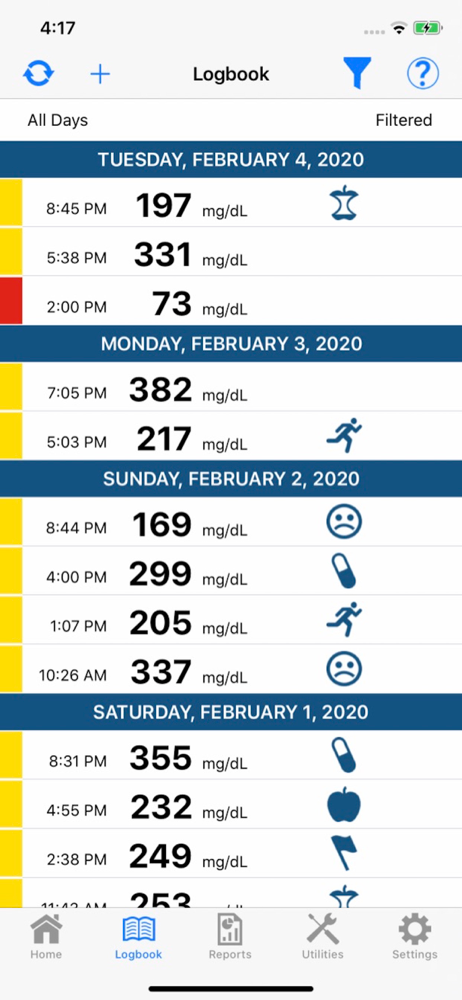
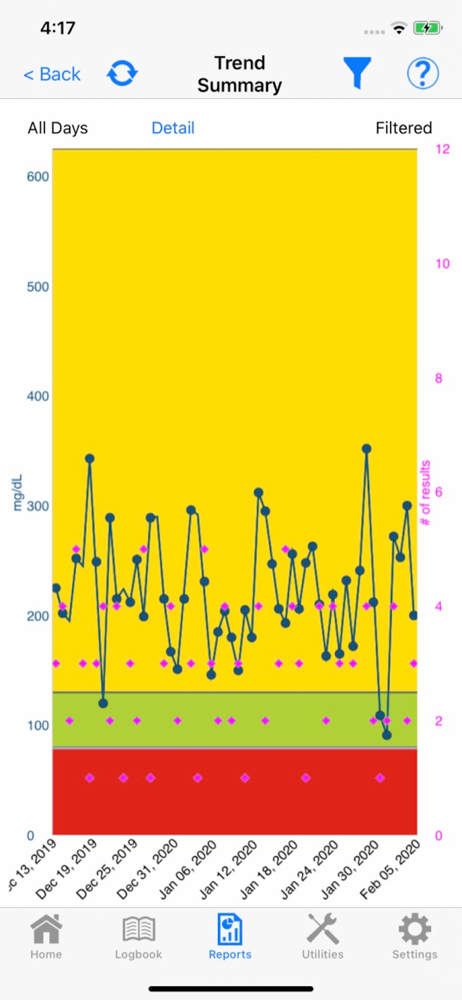
Not a bad app. Could be better in just a few areas. Not a deal breaker. 1) If I forget to select whether my glucose was fasting or non fasting in the glucometer at the time of testing, I’m able to go in edit that in the app after the fact, but it will not show the icon on the app as it would if I selected it from the glucometer device itself. It just appears like I forgot to enter it until I click into the entry, then I can see what I selected. 2) Since some of us are using a glucometer to test for gestational diabetes during pregnancy it would be nice be able to set parameters that the doctor specifies. For now, the only option is: Hypo, Lower Target and Upper Target. It’s very simplistic. Would have liked to see Fasting, Non-Fast parameter options. For fasting I need to be (less than) <95mg/dl and for non fast, I need to be (less than) <140mg/dl. I’m not sure how to adjust the parameters based on that with the current options. Maybe the company could reach back out to me about it.
As a new diabetic, I was overwhelmed with the prospect of having to chart every reading. I got the TrueMetrix Air in order to take advantage of the Bluetooth connection and logging. It mostly works, but doesn’t auto sync like the documentation says it will, so I manually connect it. I’m just annoyed that it doesn’t do what it says it will do. My biggest complaint? Why in the world doesn’t it sync with Apple Health? Seriously?!? You’ve got an app that you have developed to work on iOS devices but you’re going to lock your customers out of taking advantage of something that could integrate with a highly used and effective way for people to track their healthy statistics in one place?!? Even my blood pressure machine/app integrates with Apple Health. You’ve had this app out for a number of years and you can’t be bothered to update it and provide basic integration to an app used by millions of people? Shame on you!
This app has a lot of potential, but unfortunately isn’t great as-is. It does what it says- syncs with the meter via Bluetooth, but that’s about it. It also doesn’t work with dark mode in iOS, which is really a pain. I have to keep changing my settings to use the app, but I digress... In my experience, most people who are monitoring blood sugar are also monitoring other health stats like weight, blood pressure, ketones, and tracking medications. This app doesn’t need to be able to do all that, but it would be great if it could share data with the apps we all already use to track that, like Apple Health. I eat Freahly meals and track my nutrition by syncing Apple Health with the Freshly App. My activity ring and watch syncs activity and heart rate with Apple Health. Being able to have this app share my readings with the Apple Health app would let me track all my readings and compare to nutrition data, weight, and blood pressure to make positive changes to address or prevent health issues.
With TRUE MANAGER™ AIR Mobile App and a "TRUE" branded blood glucose wireless meter, you can track data to get valuable insights that link daily activ...