Check the acquisition promise
Read the store headline, screenshots and description. What problem is the app promising to solve?
Study the storefront ↗
Software To Fit · iOS
Explore the ad evidence, study the storefront, and build your next acquisition hypothesis.
01 / Creative research
Read the store headline, screenshots and description. What problem is the app promising to solve?
Study the storefront ↗Explore apps with direct store-link matches. Compare their hooks and formats without assuming the same approach works here.
Browse observed advertisers ↗Store rankings and revenue estimates describe market context. They do not establish ad spend, conversions or ROAS.
Review the market context ↗02 / Storefront & product
Study the product story and store experience behind the acquisition funnel.



03 / Market context
Keep revenue, downloads and store rankings separate from advertising performance.
Not sure why this update was necessary. In the past, some of the filters were useless as it never would allow me to use some of the filters. It had issues. However, I used to be able to delete letters, now I cannot. Same with using the first letters or the last letters. I used to be able to, now I cannot.
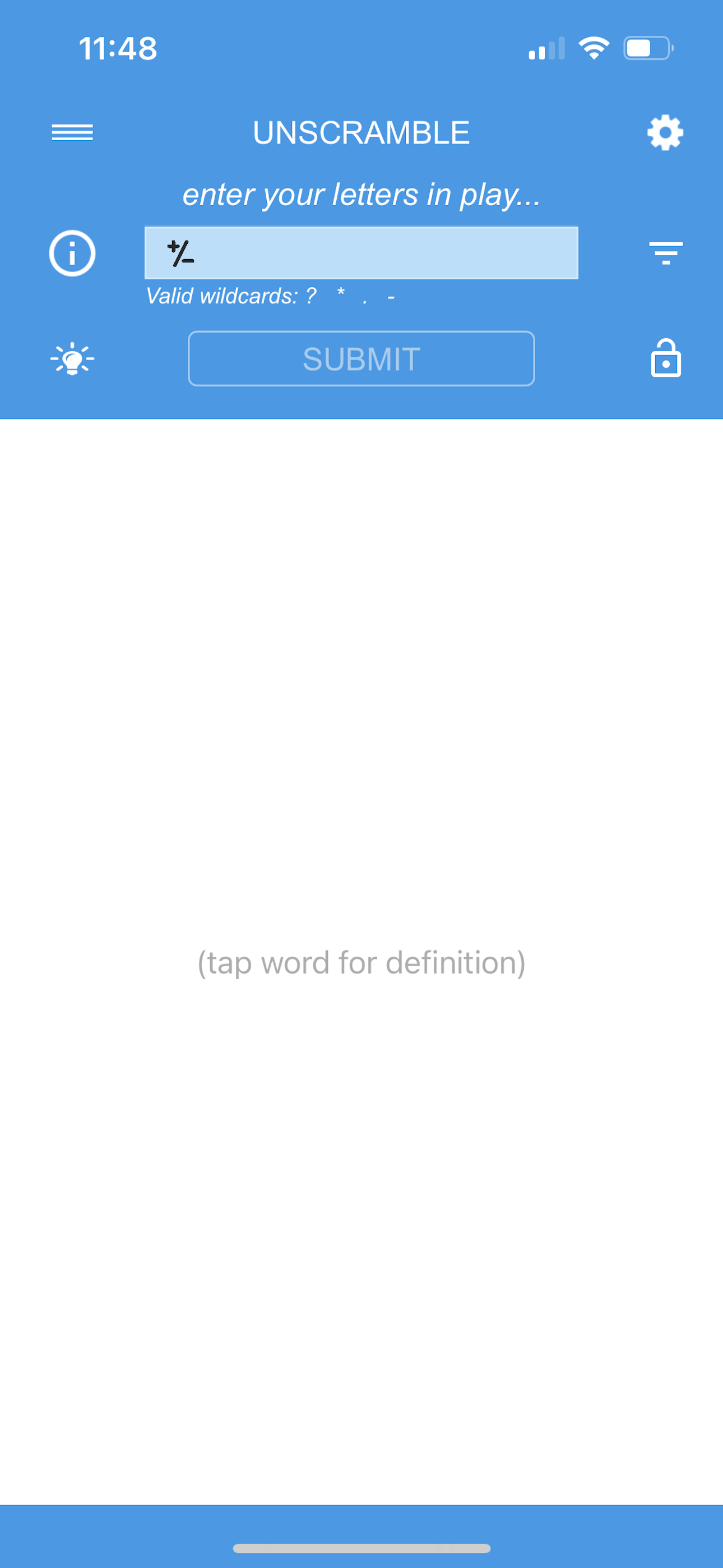
So, I downloaded the Unscramble app using my iPhone 5s and for the most part, I felt that the app ran just fine...I unscrambled and clicked on for definition for 6 different words and besides running a little slow, it functioned well and the slowness wasn't slow enough to bother me in any way...The only thing I think may have been an issue was the wildcard function didn't seem to work for me as well as on the home screen it says ( click on word to get definition )...there aren't any words on the home screen, so it can be a bit confusing to tell whats the purpose of those instructions... is there supposed to be words there for me to click on, or is this advising me to click on the words I'm typing in or unscrambling to get the definition...also I'm not sure what the + & - symbol in the section where you type in a word is supposed to do, because when I click on it it goes to the color-changing section but the + or - doesn't really seem to serve a purpose....Other than that the app seemed fine..the ads weren't too intrusion..the settings and other options functioned fine...yes it was a little bit slow to respond but not that slow..and the app never crashed...One of the things that I would change is the color-changing option...instead of having the entire home screen change color I would have rather the word just change color.
Props for ease of use!!! Not a lot of clutter, type in your letters and words appear. Thanx for letting us customize font sizes. WHY don’t you let us have three letter word lists? ‘ALB’, ‘ION’, ‘RHO’... I mean, who wouldn’t brain-short on those if they’re 80 years old trying to play word games on an iPad for the first time? ALSO, CRITICAL, and a deal-breaker if unaddressed MUST OFFER ONLY VALID WORDS to us. If we’re putting in 8 random letters, we only want to get actual accepted word combinations back, not obscure invalids, what’s that about? This is why you only got 4 stars. What if you added another filter, like a ‘common-place-popular-word’ filter for kids? I 5-star LOVE the ‘Tap for auto Definition’ feature, wow, NICE!!! I see what you’re TRYING to give us, and you’re really almost there! Please keep refining and consider the under 10 and over 70 age groups. Your app is the most linear of its kind. You have my gratitude for that.
Input letters and find all playable words and values. Always find the highest scoring word for SCRABBLE® and Words With Friends. This SCRABBLE® chea...
| Name | Price | Type |
|---|---|---|
| Remove Ads | $0.99 | One-time |