Check the acquisition promise
Read the store headline, screenshots and description. What problem is the app promising to solve?
Study the storefront ↗
UniKey Technologies, Inc. · iOS
Explore the ad evidence, study the storefront, and build your next acquisition hypothesis.
01 / Creative research
Read the store headline, screenshots and description. What problem is the app promising to solve?
Study the storefront ↗Explore apps with direct store-link matches. Compare their hooks and formats without assuming the same approach works here.
Browse observed advertisers ↗Store rankings and revenue estimates describe market context. They do not establish ad spend, conversions or ROAS.
Review the market context ↗02 / Storefront & product
Study the product story and store experience behind the acquisition funnel.




03 / Market context
Keep revenue, downloads and store rankings separate from advertising performance.
Hello! Coming at you from an iPhone 12 Pro Max, and the Kevo Convert kit. Install was easy, set up was easy, but when getting the device to lock or unlock the door it’s a bit glitchy. I some times have to swipe back and forth between the pages of the app (Users, keys, etc) to get the app to register the locks current state, or issue a command to unlock. The app also force closes at random intervals without provocation. 🤷🏻♂️ So a little ways off from being the creature comfort you see in the commercials, but you can get it to work if you REALLY don’t want to use a key or need to give someone emergency access to your house. If the app was more smooth and the lock responded better to the app it’d be 5-stars in heaven!
Do not waste your money on this. The app is trash, as is the product itself. The concept: You don't need a key! You simply touch the lock to lock and unlock it (while in proximity of your phone with the app) The reality: It rarely works. Sometimes, I'll tap the lock, the lights'll spin for a few seconds and nothing happens. Then I do it again. Same result. After about 4 tries, I'll finally pull out my key and lock the door manually. It WILL work when you don't want it to. I'll go out to check the mail and my hand will lightly brush the deadbolt and it'll activate. Or, it'll work when I've given up on it and finally pull my key out and it'll activate just as I go to put my key in the lock after standing there like a goon for 2 minutes trying to get it to work. Or, worse yet, it'll activate just because my key or finger touched the lock as I was inserting my key, sometimes creating an error when it tries to lock it after I just unlocked it (or vice versa). Why couldn't this work when I need it to and have my hands full with groceries (coming home) or the items I need for work (leaving)? Nope. Only works effortlessly when I don't need it to at all. It's literally the worst. I don't know if there are better options out there, but it's impossible to have worse options. Avoid at all costs. The only reasons it gets two stars are because (a) you can’t rate it lower and (b), at the very least if you have your phone, you’ll never be locked out.
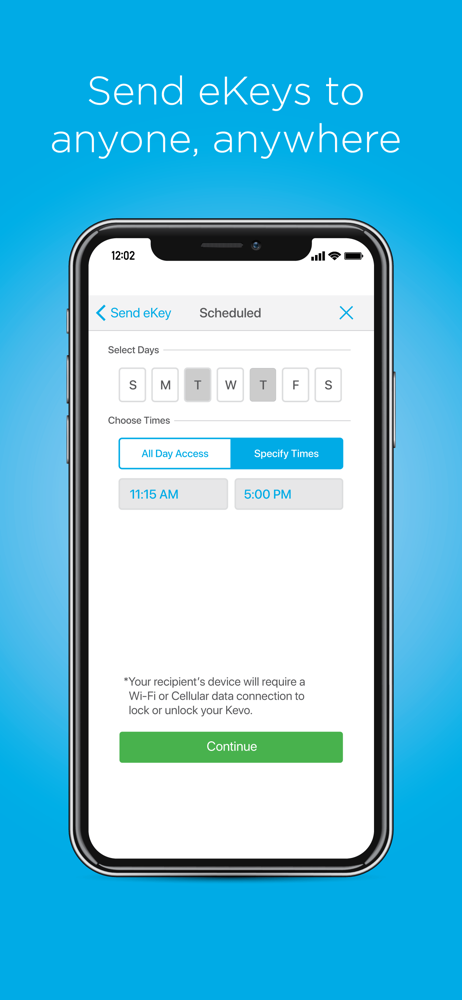
This is the best solution for me in running my bed and breakfast business allowing our guests to check in anytime they like seamlessly and automatically stops their access at the end of their stay… Best thing since sliced bread. My only complaint is that I wish I could put in a specific note with each guest that I assign an E key to, this will make my life so much easier when going back to delete their accounts! Or instead of designating days of the week for this scheduled access that I could instead put dates beginning and ending for their access!
With Kevo, your Smartphone is now your key. Download the Kevo app for use with the Kevo Touch-To-Open smart locks made by Kwikset and Weiser. No mor...