
Check the acquisition promise
Read the store headline, screenshots and description. What problem is the app promising to solve?
Study the storefront ↗
ASSA ABLOY AMERICAS RESIDENTIAL INC. · iOS
Explore the ad evidence, study the storefront, and build your next acquisition hypothesis.
01 / Creative research
Read the store headline, screenshots and description. What problem is the app promising to solve?
Study the storefront ↗Explore apps with direct store-link matches. Compare their hooks and formats without assuming the same approach works here.
Browse observed advertisers ↗Store rankings and revenue estimates describe market context. They do not establish ad spend, conversions or ROAS.
Review the market context ↗02 / Storefront & product
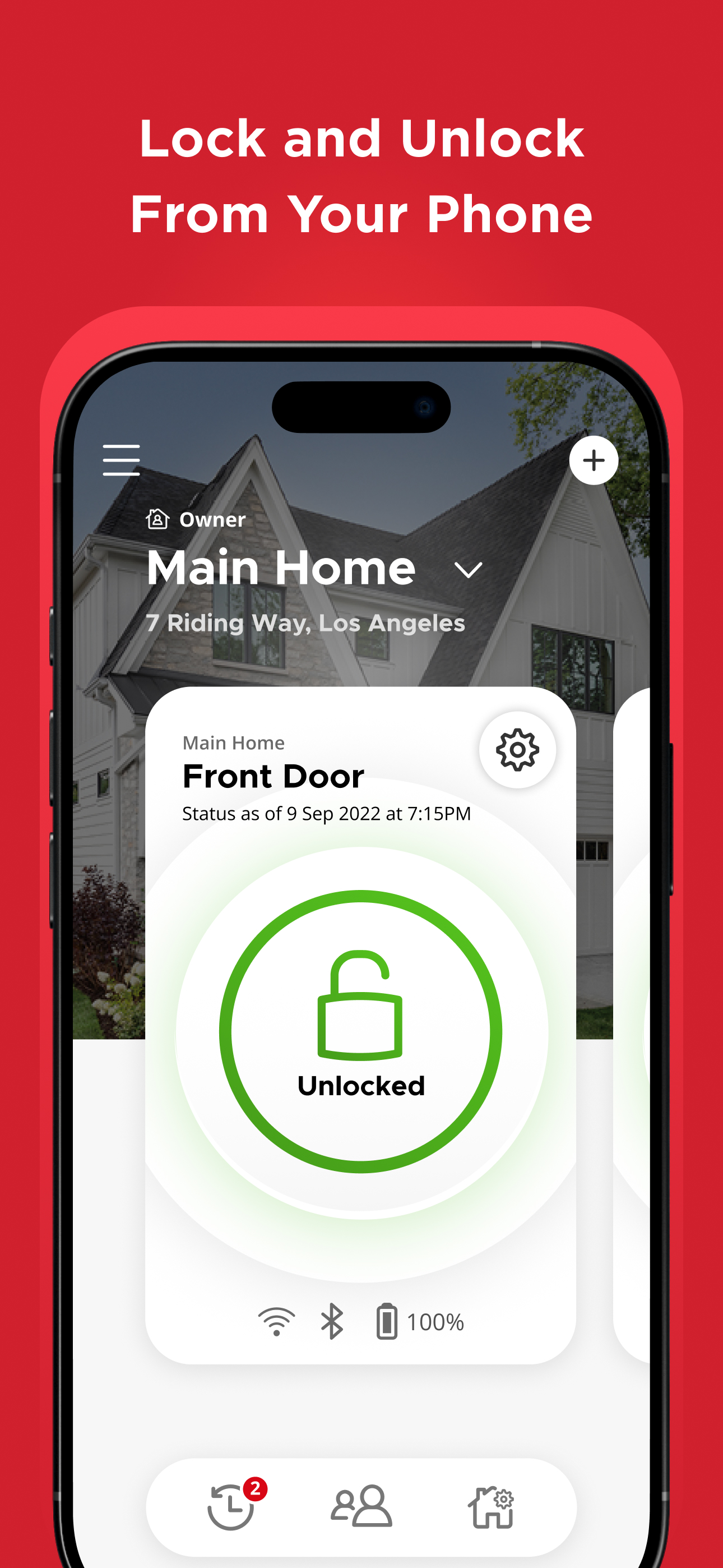
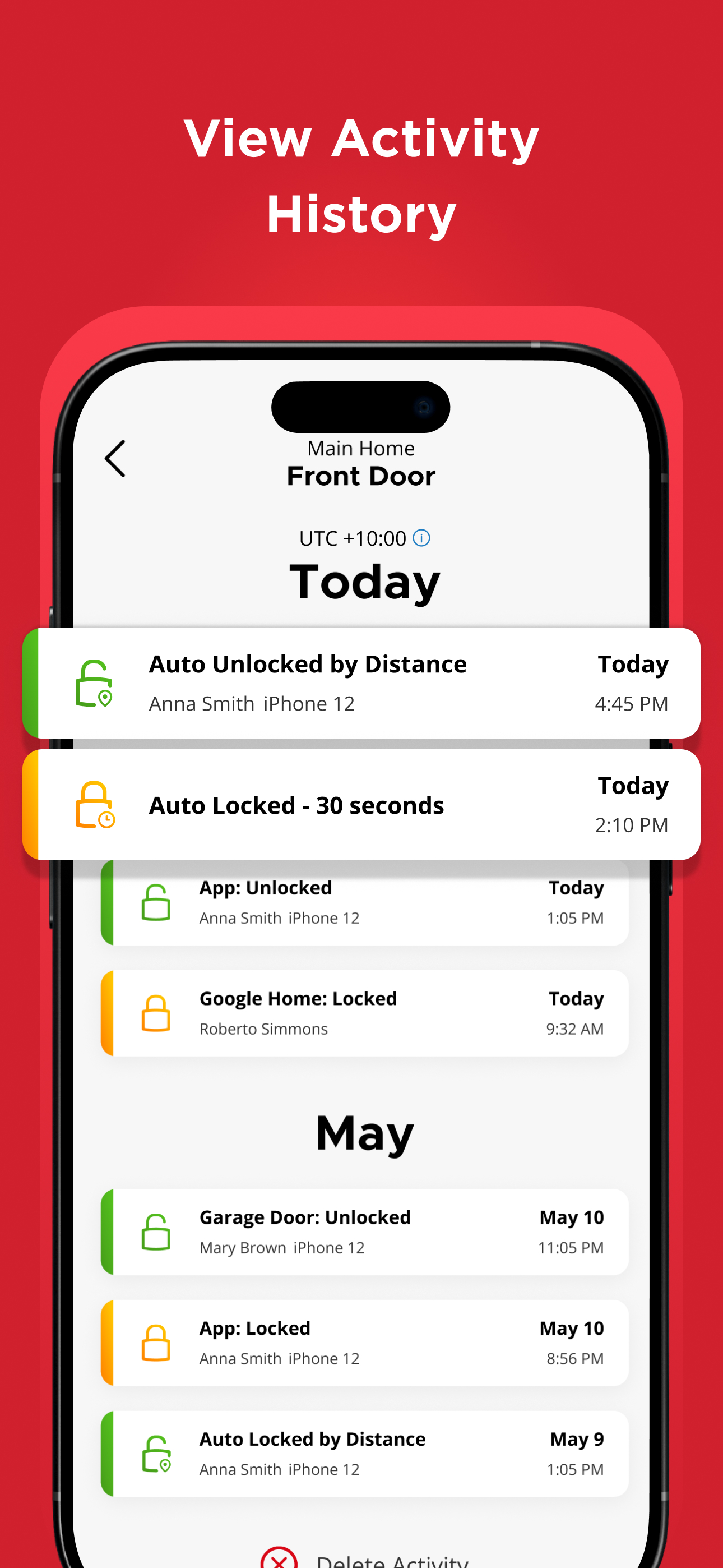
Study the product story and store experience behind the acquisition funnel.




03 / Market context
Keep revenue, downloads and store rankings separate from advertising performance.
We love the halo touch locks, but wish there was more functionality. For example, we’d like to know our doors are automatically locked when we go to bed at night. A simple schedule to lock the door at a specific time would be ideal. Since the app knows when the door is locked or unlocked, seems this would be easy to implement. Another feature would be to lock the doors when you are away. This could be done by geofencing which would be more universal than alarm integration. How about notifications when the door is unlocked for x amount of time? Note that the myq garage door app can do at least two of these things…notify you when the garage door is open for x amount of time, and auto close the door at a specific time. I would note kwikset could develop the lock further to know when the door is closed, using a magnet and sensor like any alarm can do. It would make auto locking work better…but as others indicated, nobody wants to be locked out during the day. Lastly, sometimes a person gets a new phone. The lock pairing is not seemingly transferring to a new phone and so setting up all the locks from scratch has to be done, including putting fingerprints in these locks. It’s a hassle. Looking forward to improvements. Great job on the app, it is nice
We use the Kwikset app to manage the lock at our rental property. For the most part, the app works well enough. We can setup codes ahead of time for guests, and even setup codes remotely when we have guests book on short notice. Those are all positives in my book. However, I do have two issues with the app. One is just how often it feels like the locking mechanism gets jammed and doesn’t unlock. We’ve messed with the deadbolt, strike plate, door frame, etc, but sometimes it just feels like the lock is unpowered and doesn’t want open. This has caused frustration with guests and resulted in negative reviews for our check in experience. The second issue I have is with configuring a date range for a guest. On a few occasions we’ve been out of town in a different time zone, but the app doesn’t account for that. For example, we were out of town a few weeks ago in EST, but the rental is in CST. So, when the guest asked for early check in, we went to adjust the date range, but because the app doesn’t take into account timezones, we were unable to adjust the date range to an earlier time because we were "ahead" of time being in EST. This also resulted in a frustrating guest experience. I do want to love this product, but it does have a few issues that I think keep it from being a 5 star product.
Oh my god, can you make an app that is less intuitive than this one to unlock a deadbolt? 1st issue; when I associate the app with the lock, it fails more often then not. This forced me to go to my Bluetooth settings to delete the device and try again. Second, and More infuriating, is when I send an invite to get door access to a guest or family member. All invites force you to establish an account with this app and starts up as if the guest is installing a lock in their own home. What that means is when you open this app, you cannot find the lock invitation as an option on the Home Screen. You have to figure out how to cancel the lock setup, then you have to delete the house option that states you have no locks and find the home that was sent as an invitation. Once I figured out how to delete the default “house has no locks” option, the app works decently. Third, and finally, I needed to chose remember the login information so I didn’t have to sign in each time I wanted to use the app. Once I spent a late afternoon getting through these issues, the app works and I do not have as many issues. Last gripe, it take too long to load the app. So is you have a hand full of groceries , or you need to urgently use the bathroom, you might want to open the app before getting to the door.
At Kwikset, we understand that the locks you choose to protect your home is a decision you do not take lightly. That is why we do not take shortcuts w...


