
Check the acquisition promise
Read the store headline, screenshots and description. What problem is the app promising to solve?
Study the storefront ↗
Gel Blaster Inc. · iOS
Explore the ad evidence, study the storefront, and build your next acquisition hypothesis.
01 / Creative research
Read the store headline, screenshots and description. What problem is the app promising to solve?
Study the storefront ↗Explore apps with direct store-link matches. Compare their hooks and formats without assuming the same approach works here.
Browse observed advertisers ↗Store rankings and revenue estimates describe market context. They do not establish ad spend, conversions or ROAS.
Review the market context ↗02 / Storefront & product
Study the product story and store experience behind the acquisition funnel.





03 / Market context
Keep revenue, downloads and store rankings separate from advertising performance.
As others have mentioned, it appears the Nexus app doesn’t appear in the settings during setup, and the instructions say to enable Bluetooth. However, if you just select “next” during setup then the app asks you to enable BT automatically. I’m guessing it’s something that changed in the app that the developers didn’t anticipate, but I can see why some people wouldn’t know what to do next. Otherwise; the app updated my portal and then I could play games.
I was sent the portalSmart Target, and tried to use the application. I use the VoiceOver screen reader. When using the app, I found that there is nothing to indicate that there is a button to click on. I would really like to assist in beta testing this application, to make it more user-friendly for those of us who are blind/visually impaired, that use the voiceover screen reader. I would be more than happy to provide additional feedback, (through Voice), if that’s required. Please let me know if I can beta test this app to make it more usable. Before I end this review, I would like to additionally, add, that some buttons were not clickable as well. A suggestion that I will go ahead and make here, is to have a (Voice preferences), menu, to have the app read out the score, as you are blasting the Target. Please fix this, and I will gladly give the application five stars.
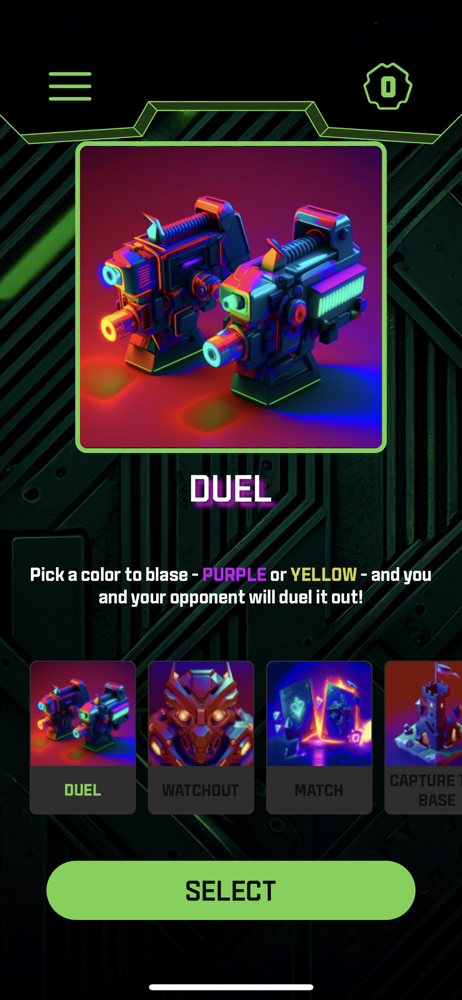
We had the gel blaster and decided to get the target and try it out. Had great time trying out all the games. My favorite games are Duel and Match. React is good, but I wish it was a bit more challenging. Kids loved playing the games and kept them entertained for a couple hours. We may be buying more targets or portals in the near future.
Go Play! The Gel Blaster Nexus app allows you to set up your Gel Blaster Portal Smart Target and play interactive gel blasting games anywhere! • CONN...


