
Check the acquisition promise
Read the store headline, screenshots and description. What problem is the app promising to solve?
Study the storefront ↗
fatsecret · iOS
Explore the ad evidence, study the storefront, and build your next acquisition hypothesis.
01 / Creative research
Read the store headline, screenshots and description. What problem is the app promising to solve?
Study the storefront ↗Explore apps with direct store-link matches. Compare their hooks and formats without assuming the same approach works here.
Browse observed advertisers ↗Store rankings and revenue estimates describe market context. They do not establish ad spend, conversions or ROAS.
Review the market context ↗02 / Storefront & product
Study the product story and store experience behind the acquisition funnel.




03 / Market context
Keep revenue, downloads and store rankings separate from advertising performance.
I’ve enjoyed using FatSecret to track my weight loss progress as well as plan my daily calories to reach my goals. In my 20’s, I was successful in losing 30+ lbs. by counting calories, reducing my portions, exercising or just “moving” more, eliminating sodas(!), and drinking more water. I have kept it off for the longest time. I’m now in my 70’s and I get back to watching my calories if I gain more than three pounds. I’ve only got a few pounds to lose currently but it’s still very useful. I even add my cheat calories - can’t feel totally deprived!! I especially like the pie chart that displays the carbs, fat, and protein. The app also tracks your fiber intake which helps to remind me to include more fiber in my diet plans. The app includes a wide variety of name brands for tracking your food intake. It includes many grocery store brands and restaurants/fast-food chains. In the past I have used the exercise and sleep tracker, but I haven’t used the water tracker feature, although I’m a huge proponent for drinking water! I recommend this free app for your weight loss journey! The only complaint is that occasionally the app fails to operate properly causing me to delete it and reinstall it. Good luck on your journey!
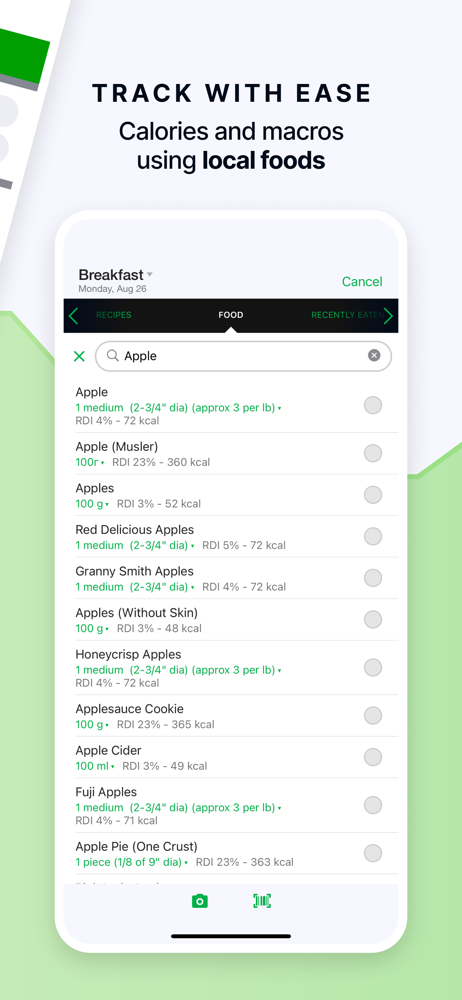
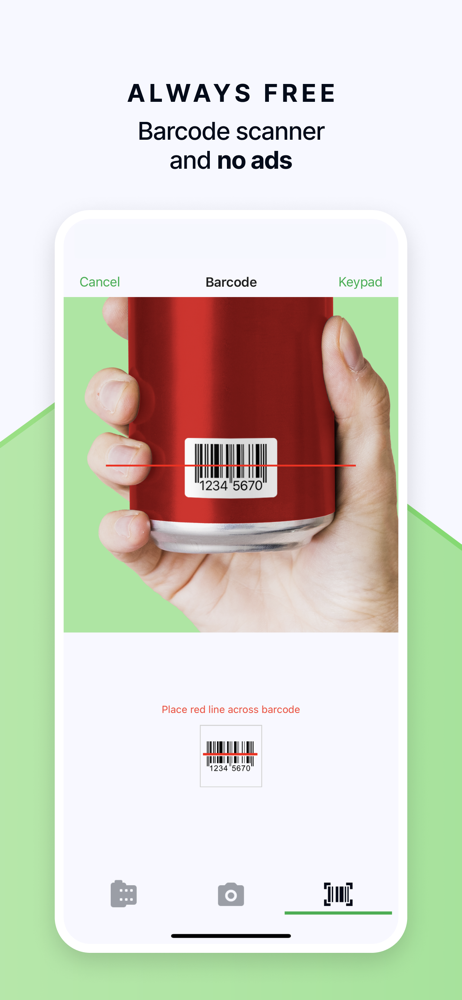
Moved to Fat Secret after another program I was using was discontinued. Really like it so far, except for how it keeps and organizes your eaten/entered foods. With my old program, I had to hand enter all my nutrition information, so when I saw I could simply scan the barcode with Fat Secret, I was stoked! Until the next day when I wanted to enter the item again. First issue: If you enter something for dinner, you have to be eating it at dinner again, or it is much harder to find in your recent foods (if it’s there at all…second issue). To get around this, I enter it at the same meal I ate it originally, however this is not accurate and can make it seems like I ate way to many calories in one sitting. Also, there’s no search function on your recent foods, so I have to scan the list to try to find what I want entered. All this could be solved by simply having a searchable “foods eaten” tab. And by foods eaten, I mean not just foods entered. In other words the tab would include anything I searched in the foods tab (and was found in Fat Secret database), and foods I scanned the label for (so I don’t have to keep scanning because I can’t find it), and lastly, foods I manually entered. This may seem like it would quickly become an exhaustive list, and it will. But being searchable, it would be very quick to find the food you want entered into your log.
It must be hard to find the right balance between simplicity and features when designing one of these apps. I think this one strikes that balance better than others. The free version includes all the features you need for the app to be useful. Premium has features that appear to have some real value (the meal plans look interesting), but I don’t get annoyed at what I can’t do without premium (I.e. the other app I formerly used recently made the barcode scanner a premium feature. That’s why I switched.) I love how it shows macros for the full day, by meal, and by item right there in the diary. I don’t have to open a separate report to see how I’m doing. I also don’t feel any pressure to buy premium, there’s not a lot of flashy adds or stuff to constantly try to draw you back to the app, like many apps do. While I haven’t bought premium, this level of polite suggestion is most likely to get me to try it at some point. I love that I open the app and it defaults to the diary tab, not the newsfeed. I find such social features to be toxic, so it’s great when they’re easy to ignore. Entering food is a bit clunky, but will get easier as I populate it with foods I eat the most. One feature I’d like (and have requested from other apps in the past) is a simple check box by each food item. It doesn’t even have to do anything, just a visual display. This way, I can pre-enter my meals and check items off as I actually eat them.
Welcome to fatsecret, the easiest to use calorie counter and most effective weight loss and dieting app on the market. Best of all, fatsecret is free....
| Name | Price | Type |
|---|---|---|
| Monthly Subscription | $10.49 | Monthly |
| Monthly Subscription | $10.49 | Monthly |
| Monthly Subscription | $14.99 | Monthly |
| Quarterly Subscription | $19.99 | Quarterly |
| Quarterly Subscription | $20.00 | Quarterly |
| Quarterly Subscription | $28.99 | Quarterly |
| Annual Subscription | $41.99 | Yearly |
| Annual Subscription | $41.99 | Yearly |
| Annual Subscription | $59.99 | Yearly |


