Check the acquisition promise
Read the store headline, screenshots and description. What problem is the app promising to solve?
Study the storefront ↗
Nicolas Yuste Tirados · iOS
Explore the ad evidence, study the storefront, and build your next acquisition hypothesis.
01 / Creative research
Read the store headline, screenshots and description. What problem is the app promising to solve?
Study the storefront ↗Explore apps with direct store-link matches. Compare their hooks and formats without assuming the same approach works here.
Browse observed advertisers ↗Store rankings and revenue estimates describe market context. They do not establish ad spend, conversions or ROAS.
Review the market context ↗02 / Storefront & product
Study the product story and store experience behind the acquisition funnel.




03 / Market context
Keep revenue, downloads and store rankings separate from advertising performance.
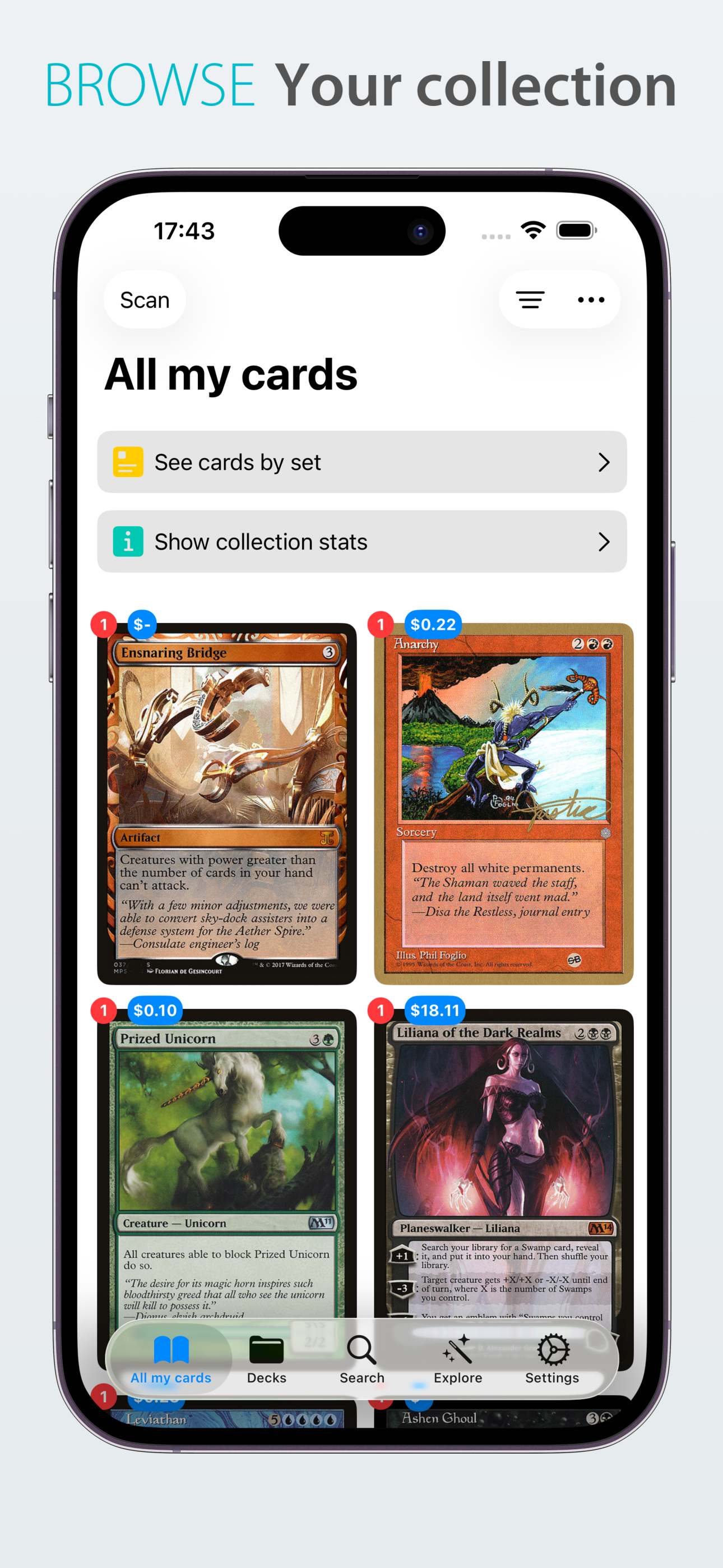
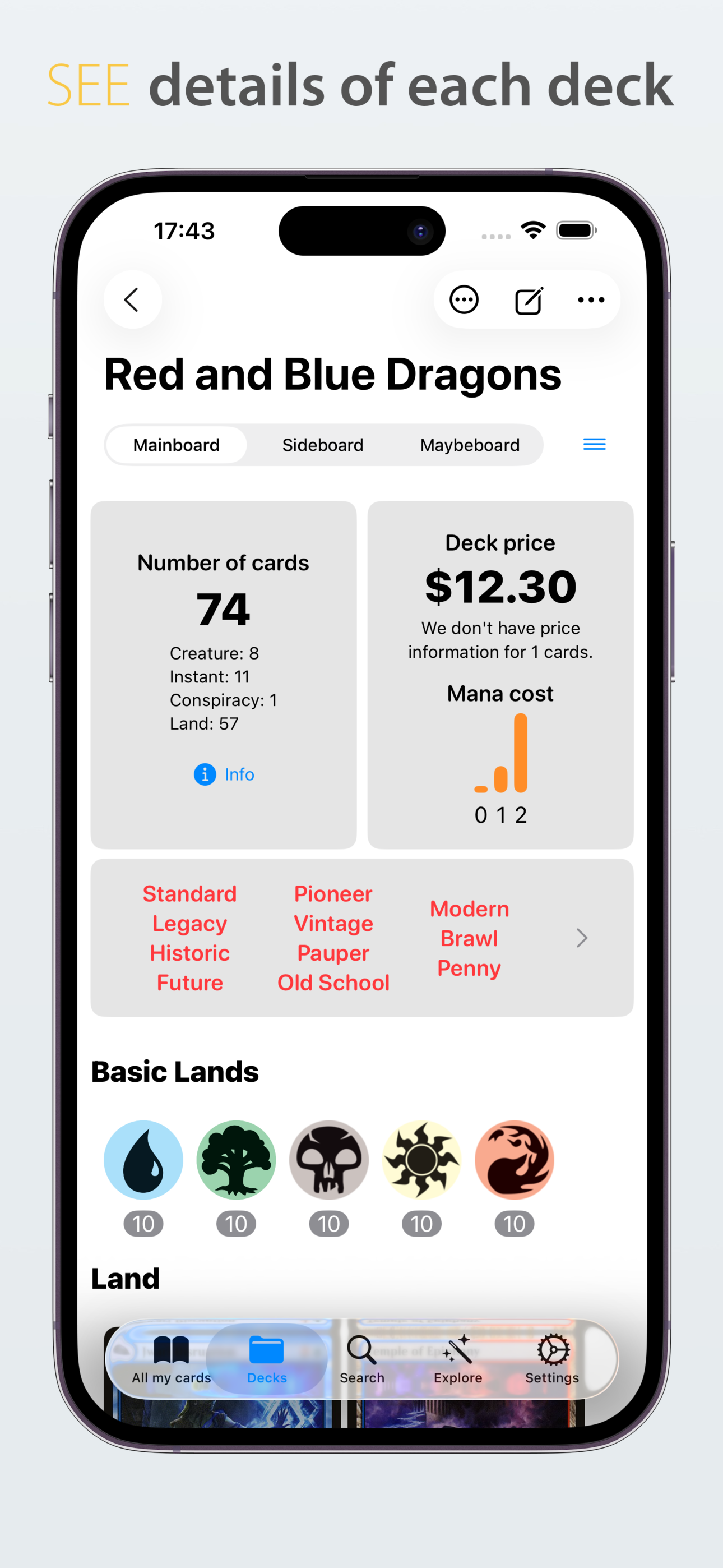
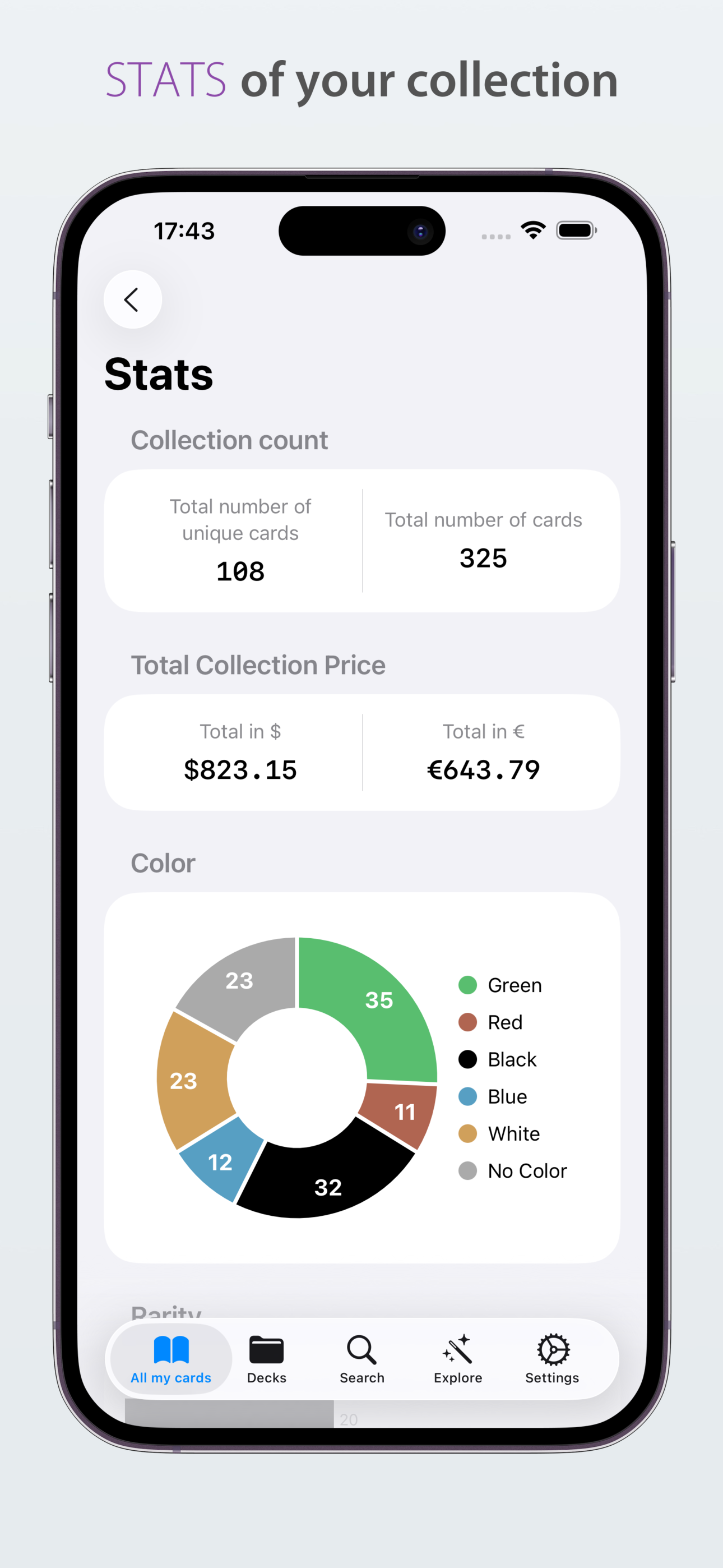
This app is a great way to catalog your collection digitally and you can even export your collection to CSV. The app allows you to scan 100 cards for free and then pay for some extra space which is well worth it. Most apps with similar functions ask for a subscription fee which is far more costly than what this app is asking for. You also know when you pay for more card space you are supporting a developer that is active in discord and communicates well with the consumers. The app itself is visually pleasing and I enjoy that I can have badge icons in display the current value of the cards as well as the number of those cards that I have. You can also create decks as well. The scanning is fast and responsive and I didn’t even have to take my cards out of sleeves in order to scan them accurately. I am very pleased overall and can’t recommend this enough. I do have some suggestions: 1. I would like the syncing between the devices to be a little more responsive. This may be an apple issue, but I have noticed that the app on my iPad and iPhone don’t always speak to each other. 2. I would like to be able to import cards into a specific deck without necessarily clicking on the card, scrolling to the bottom, and then clicking “add to deck.” It is fairly time consuming and there are many apps that offer more efficient ways to accomplish this. 3. I would also like to be able to organize my inventory with more filters and options. Again, this is an amazing app and those are just my suggestions/wishlist and are in no way criticizing the developer. I know it is a small team and understand these type of things take time.
I love this. Scanning my cards and adding them to my digital collection has never been easier. However, there are a few improvements that I think could be made. For example, some simple custom organization tools could go a very long way. As of now, once a card is in your collection, there’s no way to organize it other than on the main display with the rest of the cards in your collection. Being able to sort cards by set name/number would be great as well. I’d also love to see support for horizontal viewing if I want to turn my phone sideways to look at the cards that way. Great job on the app! I’ll be recommending it to my friends!
Allowing us to sort out creates types, colors individually not just everything that has that color so if I pick White and black it’s only spells with white and black while keeping the old option too where you can choose to single the colors out and an option to show all cards with the colors. In the area where it shows the faces of your cards have it show which ones are foil and which aren’t, there seems to be a bug where when you add a foil to your collection it only show the unfoiled cards price when you have the show price options on. The problem continues over on to sorting your cards prices from less to greatest or the other way around the United foiled price is what determines where the foiled card is ranked, if we cold also ad a way to sort out what you have into a different section for specific decks you have along with the type of games you play like Edh or standard, finally being able to sort out your cards based on the year they came out and or what set they were in. Thanking your app I actually like it just want to see these added don’t get rid of anything that you have already if possible. Sorry for spelling or if ya can’t understand what I’m getting at I just wrote this in passing not really trying to apply for a job hope to see these changes
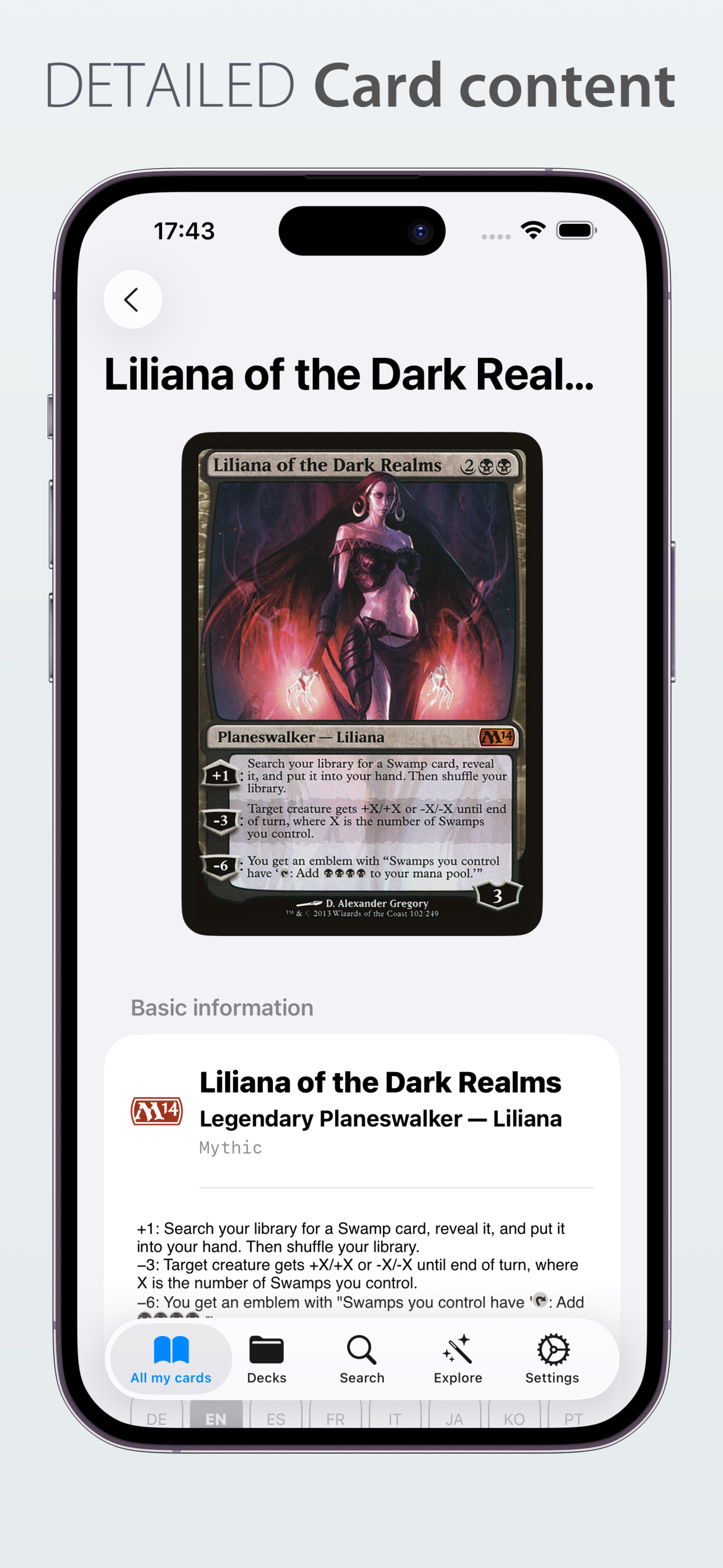
The ultimate Magic The Gathering app. Quickly scan and save all your cards into your Binder collection, check each card price in real-time. You will b...
| Name | Price | Type |
|---|---|---|
| Space for 100 cards | $0.99 | One-time |
| Space for 1000 cards | $4.99 | One-time |