
Check the acquisition promise
Read the store headline, screenshots and description. What problem is the app promising to solve?
Study the storefront ↗
International Bancshares Corporation · iOS
Explore the ad evidence, study the storefront, and build your next acquisition hypothesis.
01 / Creative research
Read the store headline, screenshots and description. What problem is the app promising to solve?
Study the storefront ↗Explore apps with direct store-link matches. Compare their hooks and formats without assuming the same approach works here.
Browse observed advertisers ↗Store rankings and revenue estimates describe market context. They do not establish ad spend, conversions or ROAS.
Review the market context ↗02 / Storefront & product
Study the product story and store experience behind the acquisition funnel.



03 / Market context
Keep revenue, downloads and store rankings separate from advertising performance.
I had made an online transaction with Macy’s. So I thought. Everything on the site said Macy’s, I even received a confirmation email from a Macy’s letterhead on my order. As soon as I hit purchase I was notified immediately from bank control of a fraudulent transaction. After calling Macy’s they informed me that all the information I had was in fact fraudulent. I was very grateful for this service the bank has and stopped what could have been a disaster.
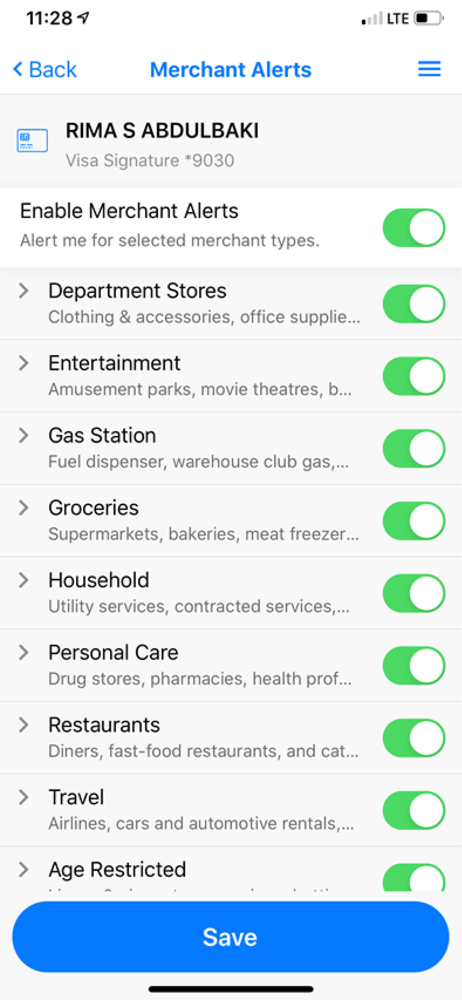
The functionality of this app is entirely separate from the IBC banking app. Rather it is connected only to the electronic transactions made with the IBC debit card, and does not share a transaction history with the banking app, so only transactions made after activation will be visible with this app. The app provides 3 functions. 1. “on/off” button for disabling a debit card from being used 2. Transaction alerts through this app’s notification capability. Purchase categories can be selected to receive notifications for transactions within that category, or notifications can be received for all transactions. (through this app specifically, and are separate and in addition to the communication preferences already existing in the IBC banking app) 3. Viewing transactions made with a specific debit card beginning from the time the app is connected to your debit card. No transactions before that time will appear, and no other type of transactions associated with your account will appear except those associated with the use of the debit card. It appears that this app does not synchronize any debit transaction history from your bank account. The functions work, but that’s pretty much the extent of the functionality.
Great app and all although I want to remove a card that I recently changed it with with a new one. But it’s doesn’t appear an option to remove a card from the “Manage Portfolio” section. 3 stars is reasonable until they add this feature. Please add that so I can change this review to a 5 star rating.
IBC controls allows you to manage your IBC Debit. You can turn your card OFF or your card ON, add spending controls by amount, add merchant or locati...


