App Profile: UAB Medicine
Android / Games / Puzzles
UAB Medicine
Installs:
Rating:
2.87
Total Reviews:
45
Top Countries:
US, CA, RU
< $5k
/mo
< 5k
/mo
Reviews: What People Think About UAB Medicine
Auntnai
Rating: 3/5
This app hasn’t been updated in a year.
Boombostik
Rating: 2/5
The app’s notifications haven’t worked since I had the app. About 2 years now. I have to constantly remind myself to go into the app and check messages. Please fix 🙏🏽🙏🏽🙏🏽
Pipergj
Rating: 2/5
Compared with other health systems apps I have seen this is awkward and not intuitive. Review of results is tedious and doesn’t facilitate comparison with prior values.
About UAB Medicine
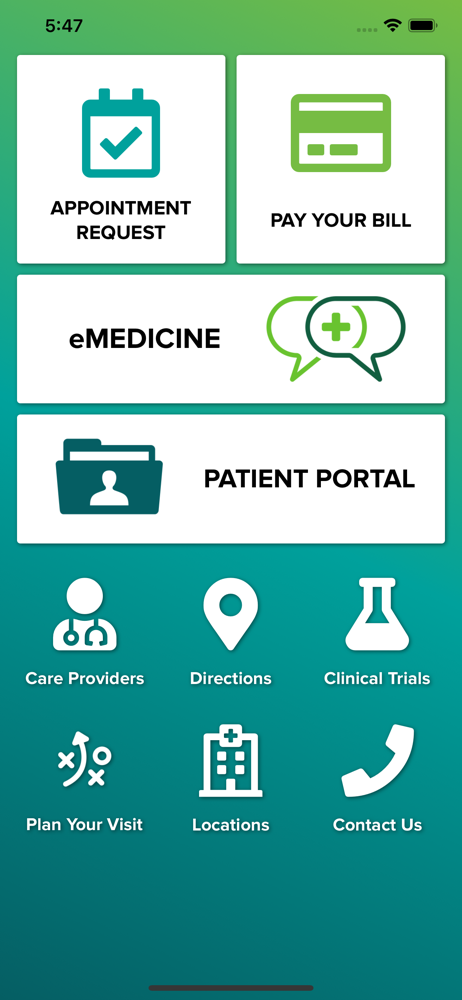
The patient portal can be used to:
• Communicate with your health care providers
• Request renewals for currently prescribed medications
• View results of select lab work or other tests
• View and/or download portions of your medical record
• View clinical visit summary
• View your active medication list, allergies, immunizations and more
• View your upcoming appointments
• Connect health management apps to your health record
Signing Up
Registering for the patient portal is easy and begins with a short form you can complete online.
Just visit our Self Enrollment page at uabmedicine.org/me and follow the instructions provided.
Registration Step-by-Step
Once your health care provider confirms your email address and initiates the sign-up process, you will receive an email with instructions on how to create your myUABMedicine account. If you do not receive your email invitation, please call UAB Guest Services at 205.934.CARE (2273).
Step 1: Watch your email inbox for the invitation. You must create your myUABMedicine account within 90 days of receiving the invitation or you will need to request a new invitation. If you do not want to create a myUABMedicine account, just delete the email.
Step 2: In the email invitation you receive, click on the link provided. The link in the email invitation will take you to a page with quick steps on how to get started.
Step 3: Next you will be asked to verify your information. You will need to verify your date of birth and answer a security question.
Step 4: From there you will be taken to the Sign-Up page where you will create a unique username and password. You will need to check the box to accept the Terms of Use and select "Create Account."
Step 5: Your information will then be placed in the portal and you may begin interacting with your UAB providers.
Step 6: To access the myUABMedicine Patient Portal in the future, just visit uabmedicine.org/me and click on the login button.
• Communicate with your health care providers
• Request renewals for currently prescribed medications
• View results of select lab work or other tests
• View and/or download portions of your medical record
• View clinical visit summary
• View your active medication list, allergies, immunizations and more
• View your upcoming appointments
• Connect health management apps to your health record
Signing Up
Registering for the patient portal is easy and begins with a short form you can complete online.
Just visit our Self Enrollment page at uabmedicine.org/me and follow the instructions provided.
Registration Step-by-Step
Once your health care provider confirms your email address and initiates the sign-up process, you will receive an email with instructions on how to create your myUABMedicine account. If you do not receive your email invitation, please call UAB Guest Services at 205.934.CARE (2273).
Step 1: Watch your email inbox for the invitation. You must create your myUABMedicine account within 90 days of receiving the invitation or you will need to request a new invitation. If you do not want to create a myUABMedicine account, just delete the email.
Step 2: In the email invitation you receive, click on the link provided. The link in the email invitation will take you to a page with quick steps on how to get started.
Step 3: Next you will be asked to verify your information. You will need to verify your date of birth and answer a security question.
Step 4: From there you will be taken to the Sign-Up page where you will create a unique username and password. You will need to check the box to accept the Terms of Use and select "Create Account."
Step 5: Your information will then be placed in the portal and you may begin interacting with your UAB providers.
Step 6: To access the myUABMedicine Patient Portal in the future, just visit uabmedicine.org/me and click on the login button.
File size: 13543424
Launched countries: MZYEBHCYMTBJBFCGJOLAMLSNTZUGZW
Minimum OS version: 12.4
Release Date: 1584667677000
Published by UAB Medicine
Website url: https://www.uabmedicine.org
Publisher country: