
Check the acquisition promise
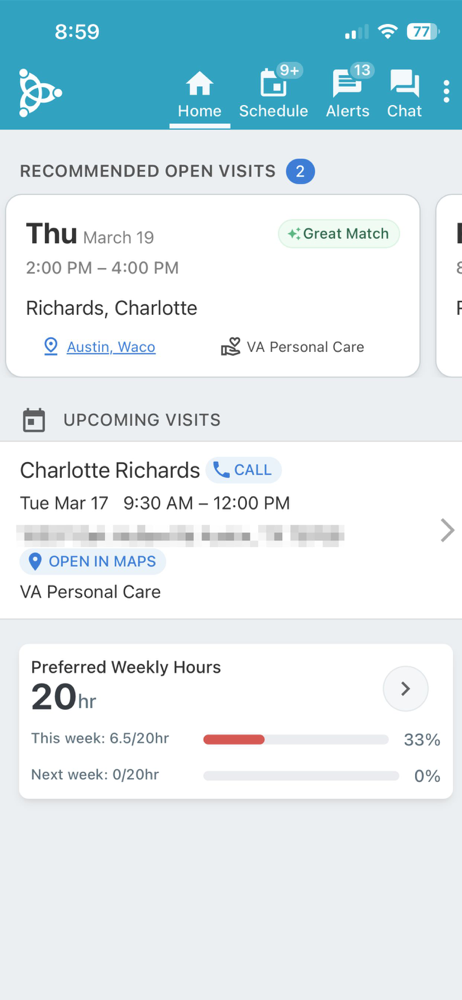
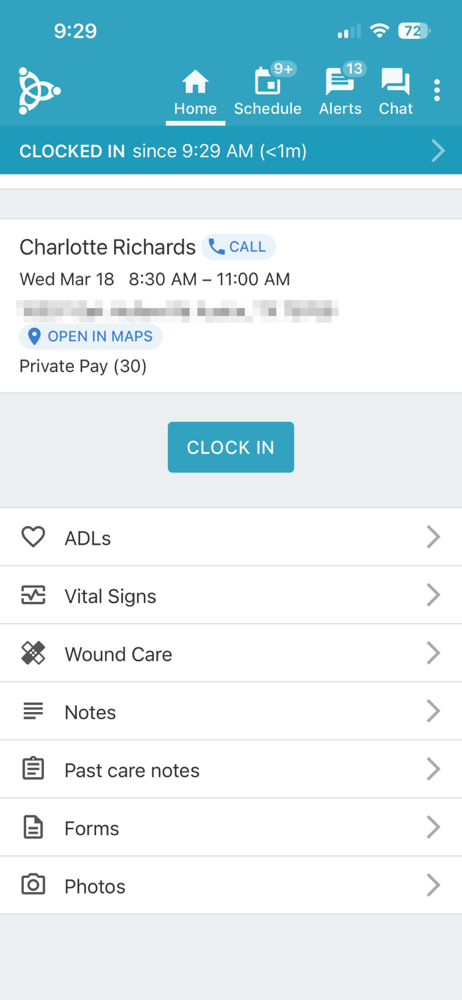
Read the store headline, screenshots and description. What problem is the app promising to solve?
Study the storefront ↗
AxisCare · iOS
Explore the ad evidence, study the storefront, and build your next acquisition hypothesis.
01 / Creative research
Read the store headline, screenshots and description. What problem is the app promising to solve?
Study the storefront ↗Explore apps with direct store-link matches. Compare their hooks and formats without assuming the same approach works here.
Browse observed advertisers ↗Store rankings and revenue estimates describe market context. They do not establish ad spend, conversions or ROAS.
Review the market context ↗02 / Storefront & product
Study the product story and store experience behind the acquisition funnel.


03 / Market context
Keep revenue, downloads and store rankings separate from advertising performance.
I don’t care for this app as an employee that has to use it sometimes clocking in or out can be a pain. I think it should go off our hours schedule. Like if your schedule with a client from 8-12 but show up at 8:15 then you should be able to hit clock in with out calling the office all the time and if the person is able to stay the 15 minutes they was late then it should let them clock out at 12:15. It would be so much easier then calling the office all the time. So make it to where if the client gets 4 hours that day then that’s all you can clock in or out for. Or make it to where you get a 30 minute time frame. Then if your not clocked in within the 30 mins then have people contact their office. Example: you have a client on your schedule from 8-12(4hours) you show up at 8:15 then you should be able to clock in but clock out no later then 12:15. Sometimes the little 3-5 minutes give is not enough. Especially if you have a client like mine that likes to say I need to go to the bathroom as your getting ready to leave.
As provider for my disabled bedridden mother in hospice care, this app makes it extremely easy to chart her care, condition and mental status to other providers. Easy clock in and out all care questions pertinent to a clients well-being are required; including significant changes to health status. All is completed in a very short period of time and sent directly to the agency office immediately. Makes for much easier processing of payroll, and with direct deposit, excellent delivery of compensation. I have used other charting methods before which were much more complicated and required transporting paperwork via hand or email in order to complete payroll. Axis care is an excellent system! Thank you!
My phone either did an update that deleted the app or my granddaughter accidentally deleted it. Well upon downloading it again and signing in etc., doesn’t recognize server number. I can’t get in and required to now clock in and out on clients phone which they hate. You have to call a 1 800 number. The other issue I had before the deletion and redownload is it’s not flexible. You can’t clockout if you’re at a store and your shift is done and guardian came to pick person up etc. You have to be at the homesite to clock in and out. Well I’m my situation, that’s not always the case. The other thing is the phone that I clock in and out on when app not working or away from homesite is the clients husband. What if I dropped client off at her sisters and her husband is not around? My shift is then over, I couldn’t clock out because I’m not near the homesite and I have to use clients phone to clock out which is her husbands number. And it goes the same if I pick her up somewhere and her husband is not near, can’t clock in. Very not flexible. Then because the company can’t electronically verify, I don’t get paid. I do not suggest this app for the home health field. Not flexible enough.
Trusted by home care providers and caregivers alike, AxisCare mobile is the ultimate tool for simplifying caregivers' days. From managing client visit...


