Check the acquisition promise
Read the store headline, screenshots and description. What problem is the app promising to solve?
Study the storefront ↗
Swann Communications Pty Ltd · iOS
Explore the ad evidence, study the storefront, and build your next acquisition hypothesis.
01 / Creative research
Read the store headline, screenshots and description. What problem is the app promising to solve?
Study the storefront ↗Explore apps with direct store-link matches. Compare their hooks and formats without assuming the same approach works here.
Browse observed advertisers ↗Store rankings and revenue estimates describe market context. They do not establish ad spend, conversions or ROAS.
Review the market context ↗02 / Storefront & product
Study the product story and store experience behind the acquisition funnel.




03 / Market context
Keep revenue, downloads and store rankings separate from advertising performance.
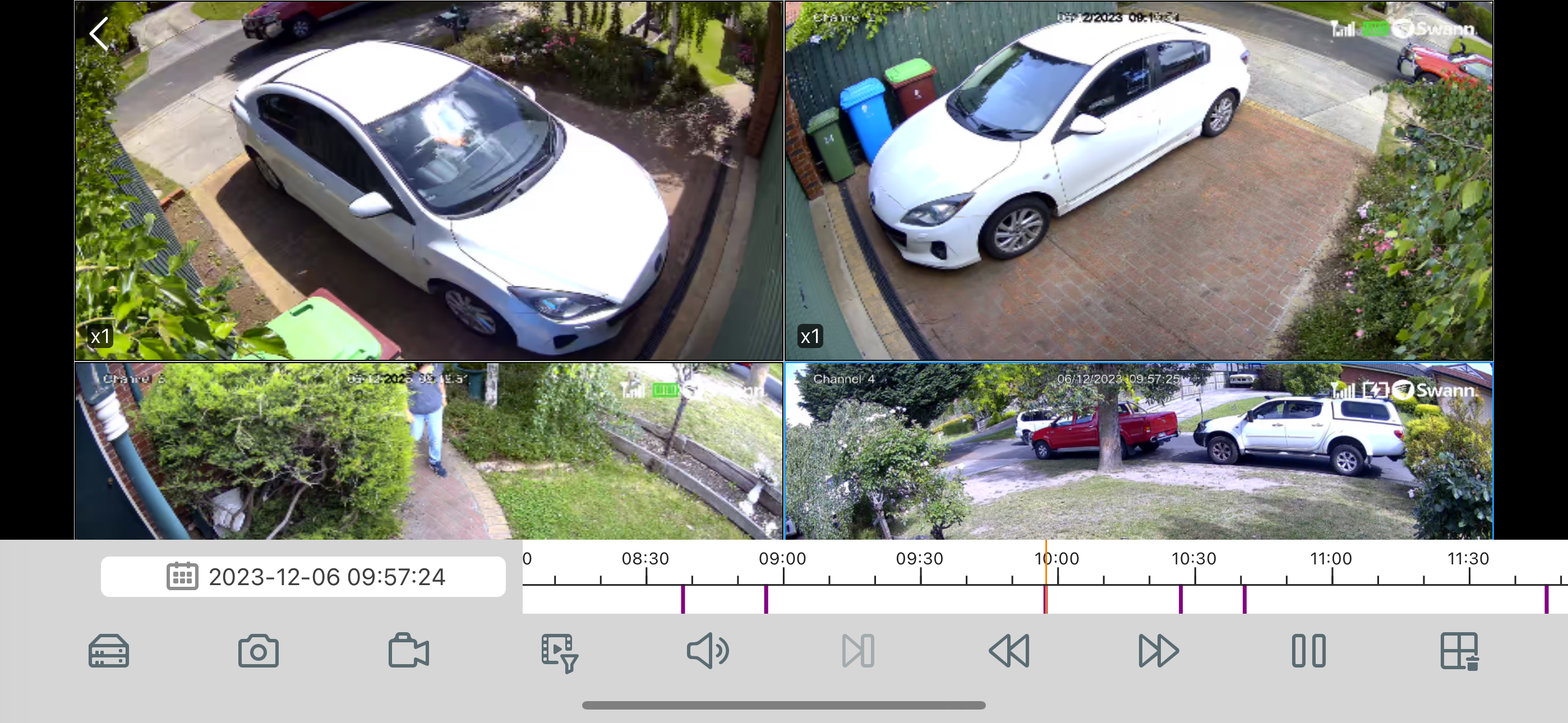
I don’t understand how this sets up. Initially it connected easily, but when I open the app it shows cameras are disconnected. Seems if I sit there long enough, they connect. The playback features are not at all intuitive, and I basically can’t figure out the controls. In a nutshell, there is no play button or anything that looks familiar, and no instructions about how to control anything. I’ve been unable to get the email function to work. It wants a user id for my email. Why? What is it? I have an email address and password, but it tells me it’s wrong. Very frustrating. I’ve had this sitting in my basement for several years and finally got around to setting it up. I did an on-line firmware update snd the clock automatically set proving internet connectivity. PC app is also very user unfriendly.
Just purchased this system. NVR8580. Mobile app leaves a lot to be desired. The single biggest issue I have with system (and the deal breaker) is how horribly awkward it is to review alerts I receive from push notifications. For example, I get a notification on phone for alert on “channel 3”. First, I don’t know where channel 3 is? Is that the garage or my front door. Can’t rename the things for mobile app. Not even on the windows software either. Next, you get notification, but still have no idea what the alert is from. So you have to scroll through, select a YEAR, date, then day, then which stream you want to view, then scroll through a timeline of colored lines until you find just the right time the alert was sent. All this just to see a clip of a stray dog in my driveway.😳 It’s impossible. Not user friendly whatsoever ever. Cant make any camera adjustments in the app. For example, adjust sensitivity or turn motion off. If I’m at work and kids are in back yard, notifications go off constantly. Would be nice to remotely turn off motion sensor without disabling all notifications. Just my thoughts.
Be wary of the bad reviews. I have read most of them. Most of the issues people are complaining about are because they have not set their preferences in the NVR itself. Eg: Only receiving push alerts from certain cameras or being able to give the camera its own name. The app is designed to receive and display the information that is sent from the NVR, not to control it. To all those giving bad reviews, I suggest you READ THE INSTRUCTIONS FOR THE NVR. That being said, I Love Swann products. This is my second system. Easy to set up and use and I have had nothing but great experiences when contacting customer support. Comes with everything you need to get up and running. HomeSafe app works great. I have 2 NVRs and can view live feeds from both of them at the same time. They have corrected the issue of the menu bar blocking some of the view. Love that. My only suggestion would be to allow the user to select a different tone for the push notifications. It uses the default iOS Tri-tone for text messages. I can’t always check my texts while working so having a different tone would make the push alert feature more effective for most people.
HomeSafe View: Live Swann CCTV viewing on your iPhone and iPad HomeSafe View supports the following features: Multi-channel viewing with up to 16 cam...