Check the acquisition promise
Read the store headline, screenshots and description. What problem is the app promising to solve?
Study the storefront ↗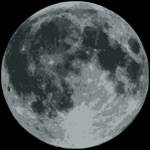
Cross Forward Consulting, LLC · iOS
Explore the ad evidence, study the storefront, and build your next acquisition hypothesis.
01 / Creative research
Read the store headline, screenshots and description. What problem is the app promising to solve?
Study the storefront ↗Explore apps with direct store-link matches. Compare their hooks and formats without assuming the same approach works here.
Browse observed advertisers ↗Store rankings and revenue estimates describe market context. They do not establish ad spend, conversions or ROAS.
Review the market context ↗02 / Storefront & product
Study the product story and store experience behind the acquisition funnel.
03 / Market context
Keep revenue, downloads and store rankings separate from advertising performance.
Most of the bad reviews are from people who had problems installing this watch only app. Maybe the instructions are better now, but I didn’t have any problems. Also, you need to allow location access from the watch app to update your location. I found the stock moon complication lacking and confusing. While Geneva Moon doesn’t do exactly what I wanted, it is clear and much more robust. What I was looking for was to have the complication clearly show moonrise/moonset like how the sunrise/sunset complication works. Geneva Moon has that info, but you have to open the app instead of seeing it on the watch face. Overall, if you want moon info visible from your watch face, then this is the complication for you!
Ive been disappointed by so many apps that don’t show the moon phase and orientation as it really is. This app does a great job showing the phase and the orientation correctly and can be added as the numerous complications. Also very pleased with the use of the AW5 compass and the ability to scroll and see the motion of the moon with the appropriate orientation. Very well done! The only thing I would want is the ability to increase the font size some for us old eyes. There’s plenty of space on the apple face so it would be nice as an option. Thanks
Originally, I gave this app 1 star, because I couldn't find it once I made the purchase. It was nowhere to be found. So for those looking, you have to go into the apple watch store on your watch and go into "purchased items" and dowmloit to your phone. Once it is on your watch, it will finally come up as a complication. It gives very detailed information about the moon and it's appearance in proximity to your location. Make sure to set the device to your location, otherwise you'll get dase readings because the default location is Greenwich, UK (unless you live in Greenwich, then disregard my review). I don't know why they made it so hard to find. All my other apps download without a problem onto the watch. But I'm glad I finally got it. It's worth it!!!!
I've always liked wearing a lunar complication on my Apple Watch. There is something both visually delightful but yet also slightly geeky about it....