Check the acquisition promise
Read the store headline, screenshots and description. What problem is the app promising to solve?
Study the storefront ↗
Cross Forward Consulting, LLC · iOS
Explore the ad evidence, study the storefront, and build your next acquisition hypothesis.
01 / Creative research
Read the store headline, screenshots and description. What problem is the app promising to solve?
Study the storefront ↗Explore apps with direct store-link matches. Compare their hooks and formats without assuming the same approach works here.
Browse observed advertisers ↗Store rankings and revenue estimates describe market context. They do not establish ad spend, conversions or ROAS.
Review the market context ↗02 / Storefront & product
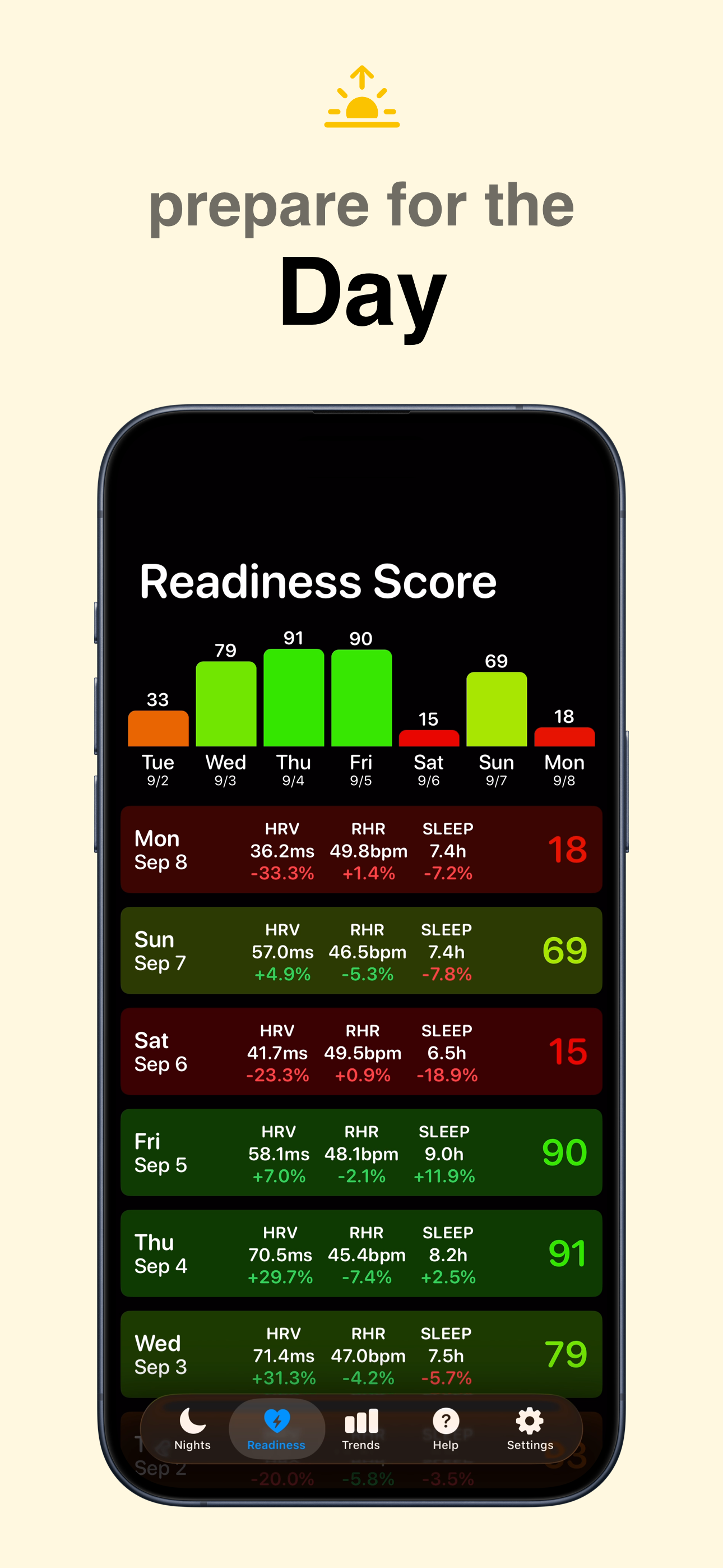
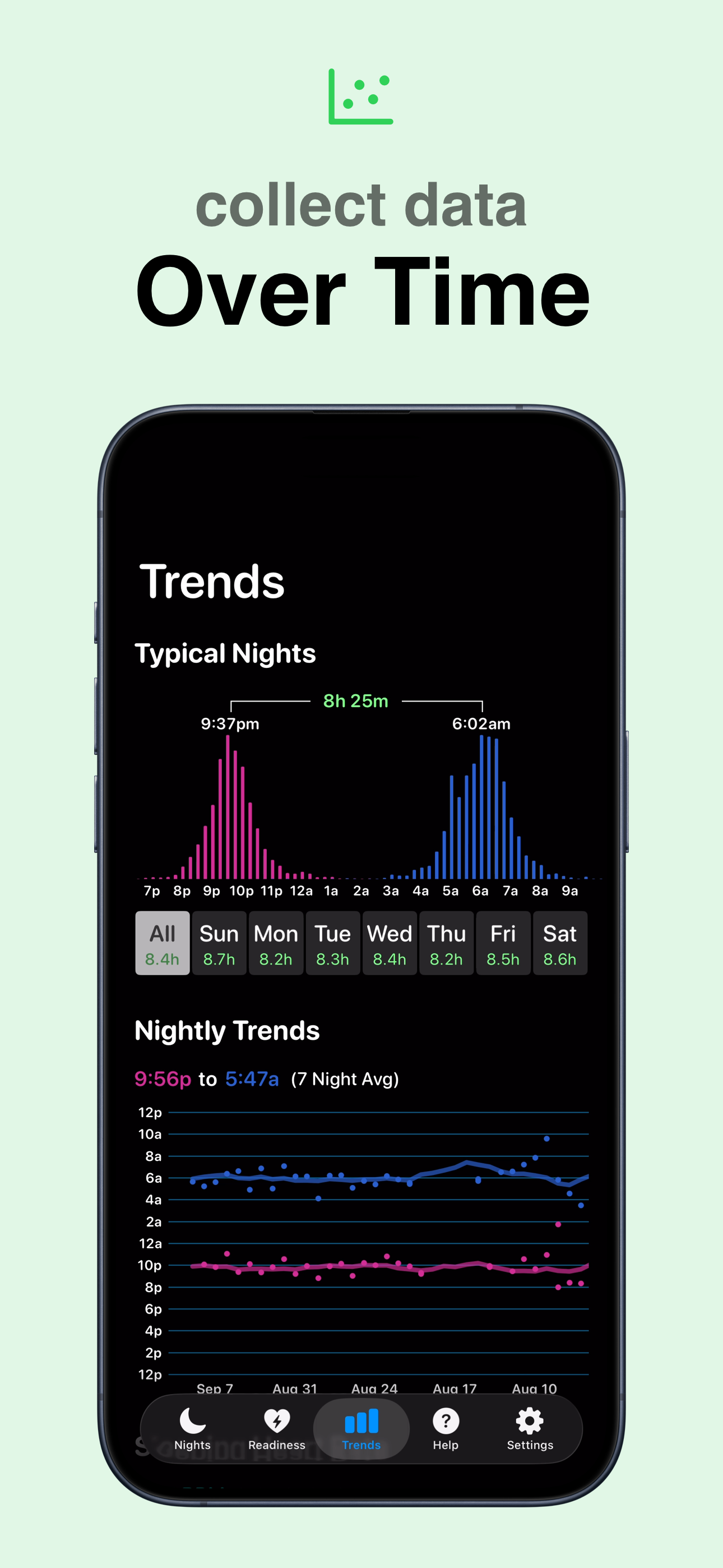
Study the product story and store experience behind the acquisition funnel.
03 / Market context
Keep revenue, downloads and store rankings separate from advertising performance.
Hey 👋🏼 Dave! So, one bug I’ve noticed recently is the formatting of data within the viewable space of the iPhone’s screen. It is slightly stretched out, so you can’t see some information, and it almost looks like it’s just a framing issue (almost like an i-frame with some data too big for the space allotted for it) but otherwise, app works 100% as advertised and I’ve never been happier — Apple could take some hints (paid for with royalties to you of course) but man, your App usability and editing capabilities plus the Apple Sleep app would be a combo made in heaven. I wish they would offer you hundreds of millions $$ already and integrate your great functions with Apple Sleep. Seeing what the Watch THINKS it picked up is cute, but sometimes it’s wrong. Edit abilities would be nice. 🥰
I have an iPhone, Apple Watch and several sleep apps. SleepWatch does the best by far, and it’s free unless you purchase premium. None are perfect, which is why I have a few. This app is set to automatic to read my watch and phone (Health) data. Last night this app had me sleeping from around 9p to 11p the next morning. Thirteen hours?! I don’t think so, especially while I’m exercising for three hours of that time, hitting goals and records. My Apple watch and Health app and Activities were busy recording my lifting session from 9p to 10:30p, then my core workout, then I hit a goal of 50 minutes of yoga and 244 calories starting around 11p. How this app can record me going to sleep during a lifting session at 139 bpm heart rate and through core and yoga for three hours is beyond me. I am so incredibly disappointed, and frankly flabbergasted that this app is so inaccurate. And the explanations in the app for discrepancies blames the watch for inaccurate data, basically. No, everything else recorded my high activity while this app records me sleeping. Too bizarre for words. The information on this app is very slim as well. Almost nothing in this app. I paid $4.99 for this app and I could have burned it in my fire pit and at least gotten 5 seconds of heat and enjoyment. I’m so disappointed, I’m actually disgusted by this sad app. I don’t get the positive reviews, but I have other apps that work. This one is an epic fail. Sorry to be so harsh, but it’s the truth. What a waste.
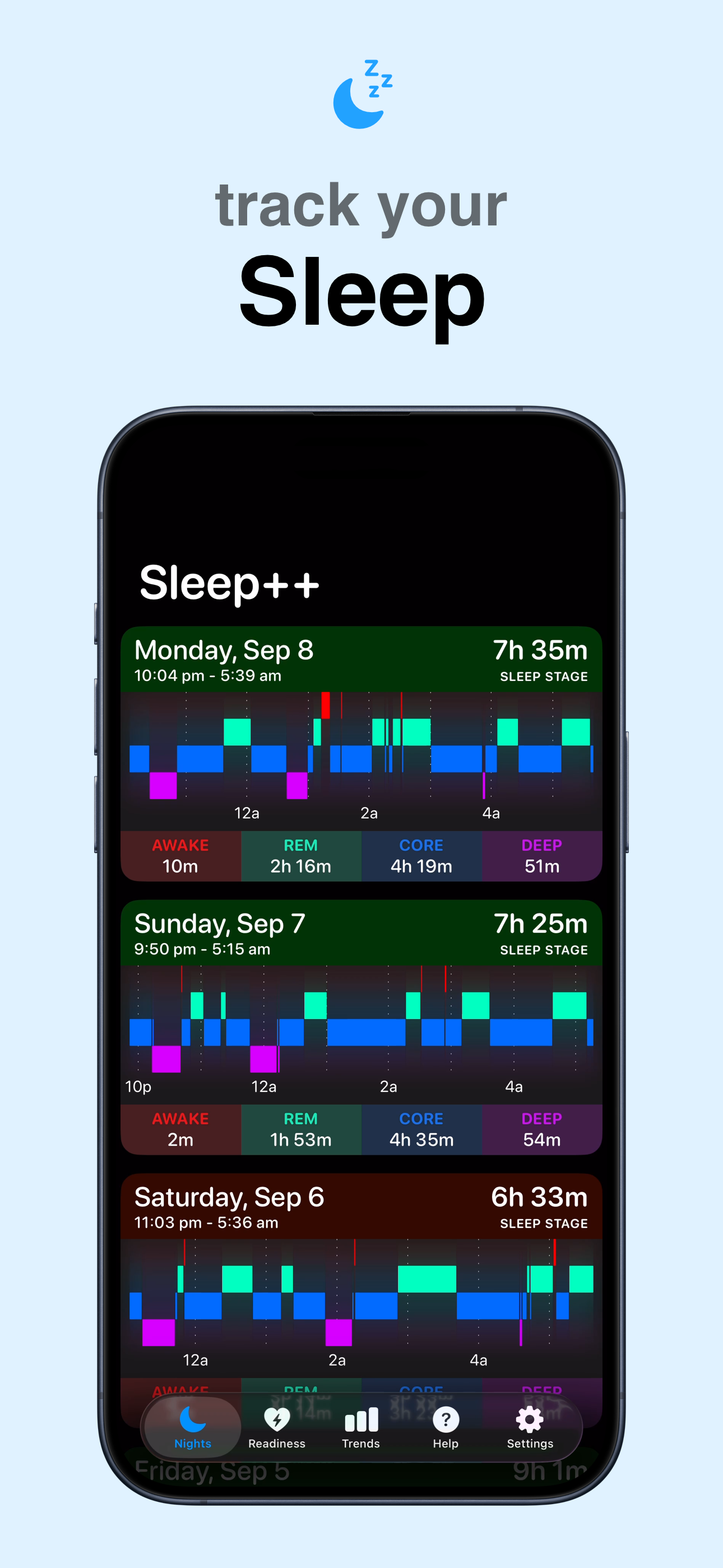
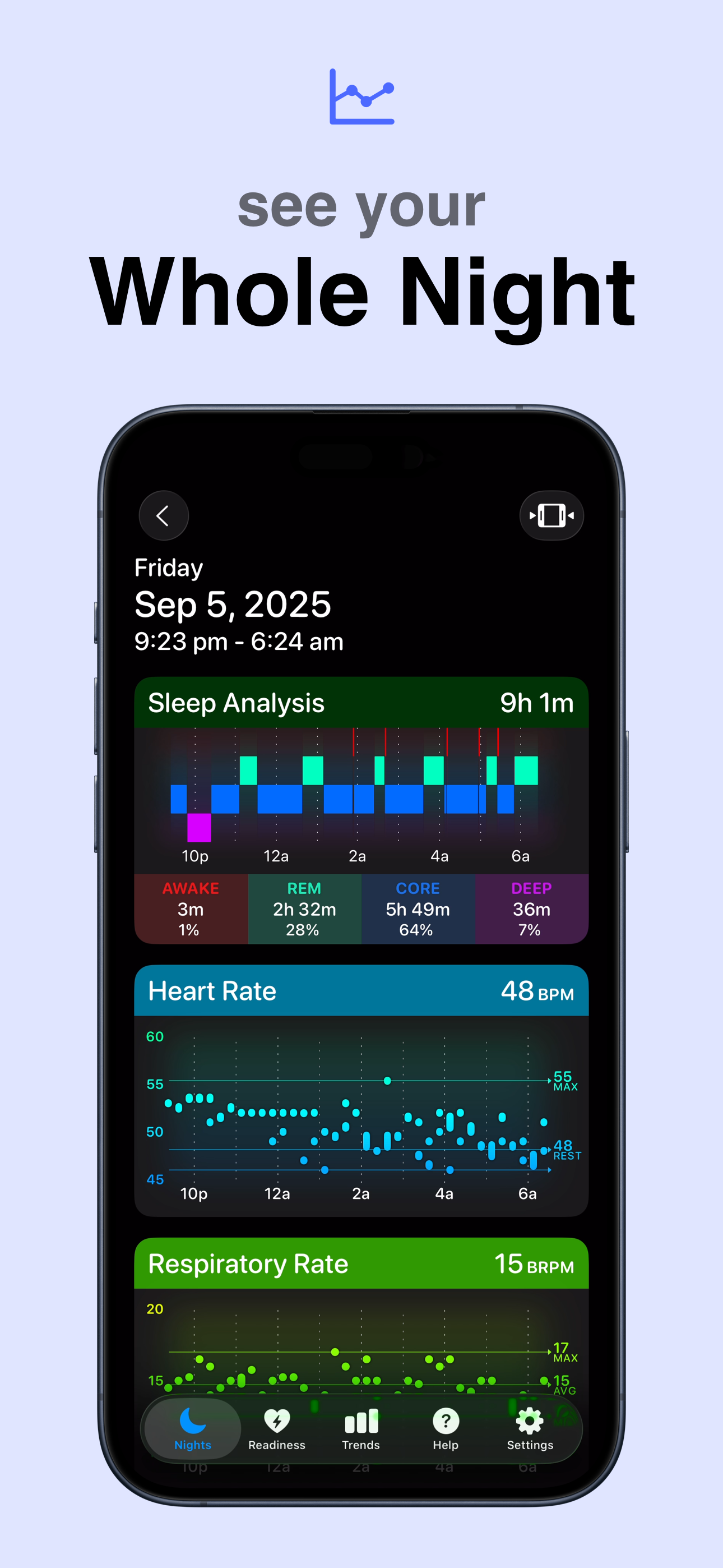
The app is nice and simple, and it seems to be fairly accurate. Obviously it’s not perfect due to limitations of what data is available from the watch, but it’s good enough that I can track when I fell asleep, how quickly I fell asleep, and how long I slept accurately enough to see how more/better sleep impacts my day in other ways, which is really all I wanted. I think a majority of the low-star reviews come from a lack of understanding about what information the app can really check. To be fair, there are some things that feel a bit lacking, like when you view a past night on the iPhone app, it feels like you should be able to slide your finger along the night overview to see what specific time things happened. I’ve been working around that by clicking trim, moving the start/end to the event I want to check, checking the new start/end time, and then moving the trim bar back to the original start/end. Another example is that there’s no way to quickly view the legend from within a night (without backing out and going to settings), but that’s only really useful the first time you use the app. So it’s not perfect (what is), but I’d take the clean interface and lack of general annoyances in this app over anything else alternative apps might offer.
Use your Apple Watch to AUTOMATICALLY track your sleep! Sleep++ takes advantage of the motion and health monitoring capabilities of your Apple Watch...
| Name | Price | Type |
|---|---|---|
| Remove Advertisements | $1.99 | One-time |