
Check the acquisition promise
Read the store headline, screenshots and description. What problem is the app promising to solve?
Study the storefront ↗
inbrillio UG (haftungsbeschrankt) · iOS
Explore the ad evidence, study the storefront, and build your next acquisition hypothesis.
01 / Creative research
Read the store headline, screenshots and description. What problem is the app promising to solve?
Study the storefront ↗Explore apps with direct store-link matches. Compare their hooks and formats without assuming the same approach works here.
Browse observed advertisers ↗Store rankings and revenue estimates describe market context. They do not establish ad spend, conversions or ROAS.
Review the market context ↗02 / Storefront & product
Study the product story and store experience behind the acquisition funnel.



03 / Market context
Keep revenue, downloads and store rankings separate from advertising performance.
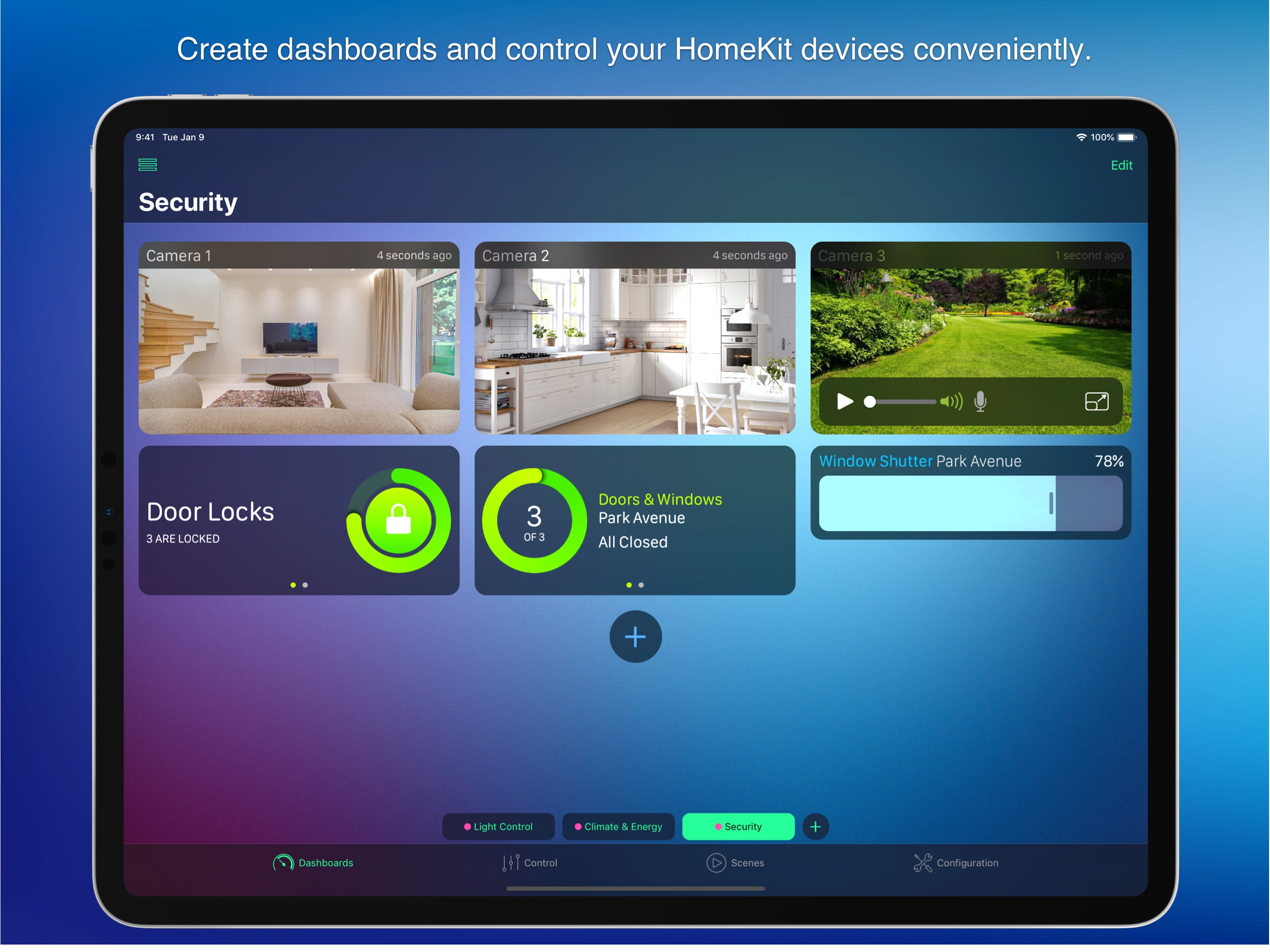
This is definitely my favorite HomeKit app. If you are looking for a more customizable and streamlined way to control HomeKit, this app is awesome. I use it basically as a dashboard for all my scenes, dimmers, a/c, smart plugs, lighting and cameras. It also has the ability to dim multiple lights together even if they aren’t in the same “room” or if you don’t want them in a HomeKit group. This app is great, especially if you have a lot of devices or just want a more customized layout or finer control than the native HomeKit app.
This is a great app. I just got it a few days ago. Using it on my primary iPad to some degree, but mainly bought for the old iPad on the fridge. It is our Home dashboard. It has always been left on the Apple Home App till now. HomeDash has taken lead. I have the cameras I want to see, some security stuff, weather, and the exact climate details I desire on display constantly. Unlike the Apple Home app or other HomeKit apps that I have used, this one does not show you everything unless you assigned widgets for everything…. As example, I have a bunch of cameras, but for the most part only need to see the ones out front. Now I can select the exact views I want to have on HomeDash. I didn’t give it 5 stars yet, as I notice there are some widgets that can display what is set, but don’t allow intuitive control. I’ll keep futzing with it… A bit more customization options would be welcome. Even bigger widgets? Overall, I am a happy buyer. This cost about half a Hue Bulb…. Less than half an Aqara strip. About the same as many Aqara sensors. Yes, it is more than some other apps, but it is a one time. No hidden in app $ at all. Worth it.
As an avid HomeKit user with over 300 devices I have tried all of the various apps to control HomeKit. I’ve done quite a lot of advanced coding with HomeKit and was drawn to this app based on the reviews and screenshots and I think it’s a good start but there are a lot of bugs that need to be worked out. A couple annoyances that come to mind is: trying to add battery levels is nonexistent, which begs the question that if the app doesn’t support reporting battery levels then why have that in the app in the first place? Another annoyance is adding device groups, each time you add or remove you get a “resource not found” error constantly. The layout isn’t very intuitive. Each time you want to add a device you have to scroll not only through your list of devices, but scenes, groups and everything else, making it a laborious process to create a dashboard. Also you have to use pre-defined device widgets rather than having control - such as not showing the device type name, resizing the widget box or behavior. I think this app has a lot of potential but needs a lot of TLC to realize that potential. This isn’t new, a lot of early HomeKit apps were not matured enough for daily use but grew into their own eventually, I hope this one does too.
· No subscription. So far free updates for over 10 years · Thousands of happy customers worldwide HomeDash: The Ultimate HomeKit and Matter App Disc...


