Check the acquisition promise
Read the store headline, screenshots and description. What problem is the app promising to solve?
Study the storefront ↗
Dehancer L.L.C-FZ · iOS
Explore the ad evidence, study the storefront, and build your next acquisition hypothesis.
01 / Creative research
Read the store headline, screenshots and description. What problem is the app promising to solve?
Study the storefront ↗Explore apps with direct store-link matches. Compare their hooks and formats without assuming the same approach works here.
Browse observed advertisers ↗Store rankings and revenue estimates describe market context. They do not establish ad spend, conversions or ROAS.
Review the market context ↗02 / Storefront & product
Study the product story and store experience behind the acquisition funnel.



03 / Market context
Keep revenue, downloads and store rankings separate from advertising performance.
I have tried many of the film emulation apps. And photo apps. Some of them are very good. Dehancer though is on top for the amount of tools and film emulation available. I am really enjoying edits on the go . There are two things that need to be addressed which is why this is not a 5 star review. The iOS version is missing the ability to batch edit this would be huge help when editing on the go for travel . And last is the biggest gripe is the lack of lifetime pay option for iOS. They have lifetime for everything else other than iOS. This feels more like a cash grab when your flagship plug ins have the option, but the mobile version is locked into a monthly or annual pay. I almost gave this. 3 star just because of the pay situation. Overall the app performs amazingly well.
Edited review: leaving my original review for reference, but I just found a workaround that solved my issue. Exporting the original clip at 60fps from the app I used to edit it fixed the issue (even though the original footage was shot at 30fps) No idea if the problem is on Dehancer’s end or the other editing app, but yeah, seems to be resolved. Original review: I just spent half an hour trying to export a simple 10 second clip; a 1080p, 30fps video that I recorded on my Sony a7iv and cut together in a different video editing app. No matter what I do, it will not play back at the correct frame rate and worse, it will not export at the correct frame rate either. I tried simply importing the clip into Dehancer and exporting it without applying any adjustments and it rendered it at 20fps. Applying a simple filter causes the rendered frame rate to drop to 15fps. What’s more frustrating is that it’ll play and export any other 4k video without issues, but a 1080p one appears to be too much if its not straight out of camera
I don’t know if I’ve ever gone out of my way to write a positive review about an application in my 10+ of using the App Store, but I must here. Most people are using this to get closer to a “film” look in digital process, and your toolset is not complete without using Dehancer. The bloom, halation, and the remainder of the editing tools are the cornerstones of my final touches when I export from LR as a TIFF into Dehancer. There have been many improvements made to the app since I purchased in January, so I forgive any intermittent oddities, because at least I know they’re being worked on. One feature that I do wish was present, however, was the ability to add halation from Cinestill, which is something I currently need to do in another application. I would also like to be able to edit a DNG or other RAW file straight within Dehancer, and maybe you can, I just don’t know how. I appreciate that the tools are unique to this application and not just another take on the same old photo editing tool. Even if the ends are the same at times, I think there’s value at looking at your workflow in a different way because sometimes you’ll come to a different result; a result you like better than had you been doing your typical process elsewhere. Worth the subscription fee. Hands down.
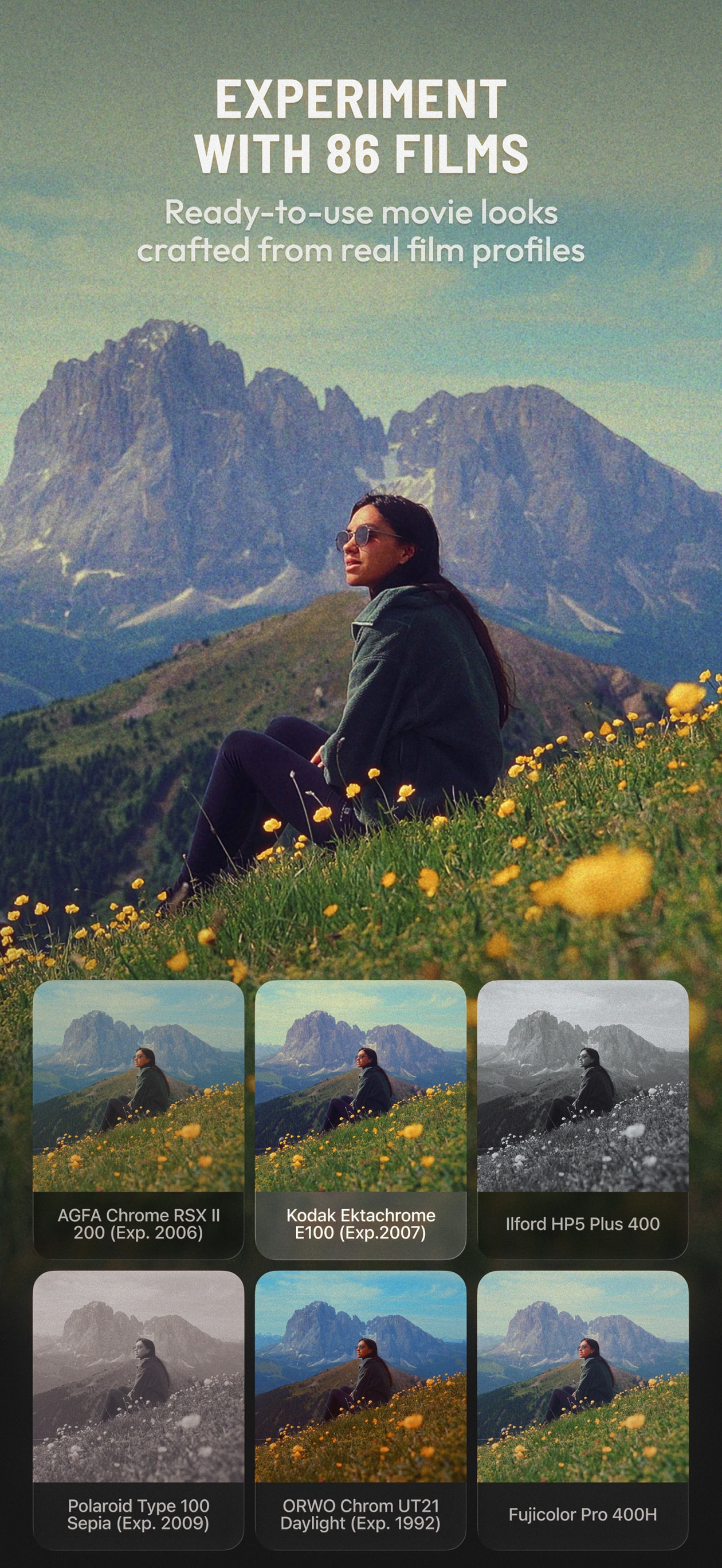
Dehancer is a film emulation app for photo and video editing built on 10 years of color science to bring real analog film looks to your iPhone and iPa...
| Name | Price | Type |
|---|---|---|
| Unlimited Photo Export Month | $4.99 | Monthly |
| Unlimited Export (Monthly) | $9.99 | Monthly |
| Non-Renewable 1 Month Dehancer | $9.99 | One-time |
| Unlimited Photo Export Year | $49.99 | Yearly |
| Unlimited Export (Annual) | $89.99 | Yearly |
| Non-Renewable 1 Year Dehancer | $150.00 | One-time |