Check the acquisition promise
Read the store headline, screenshots and description. What problem is the app promising to solve?
Study the storefront ↗
Lubos Lenco · iOS
Explore the ad evidence, study the storefront, and build your next acquisition hypothesis.
01 / Creative research
Read the store headline, screenshots and description. What problem is the app promising to solve?
Study the storefront ↗Explore apps with direct store-link matches. Compare their hooks and formats without assuming the same approach works here.
Browse observed advertisers ↗Store rankings and revenue estimates describe market context. They do not establish ad spend, conversions or ROAS.
Review the market context ↗02 / Storefront & product
Study the product story and store experience behind the acquisition funnel.




03 / Market context
Keep revenue, downloads and store rankings separate from advertising performance.
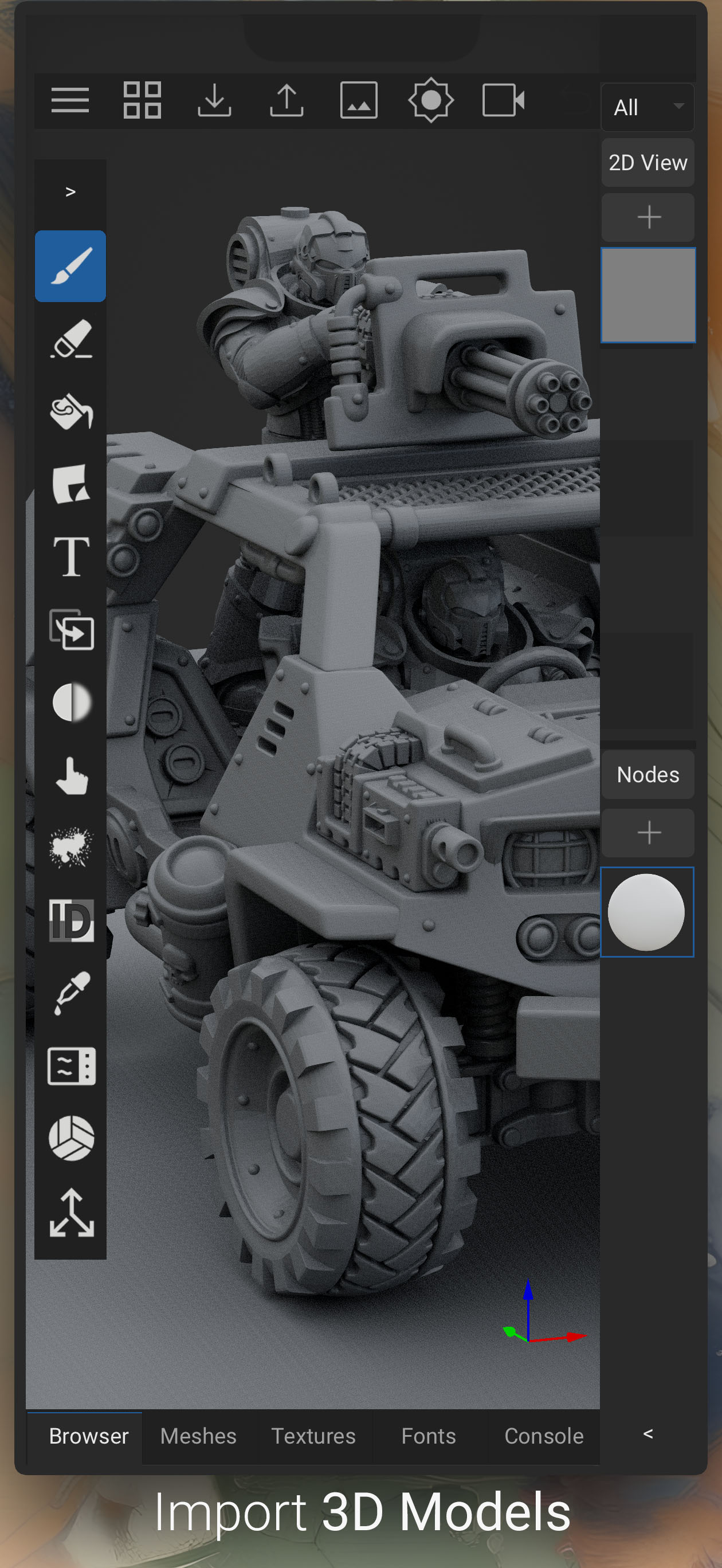
after exhaustively looking throughout the App Store for any software that comes close to what ArmorPaint does—the only considerable second, yet inadequate by comparison, remains Procreate—lacking support for PBR Textures. (i'm grateful enough for its 3D Model support in the first place tbh.) i've been using this INCREDIBLE app for only a month or so now... and the rate of development the project is moving at has been truly heroic, as well as promising. investing into it now—mind you, while it's still going for a humble price—there's no doubt it will very well become thee standard for all-inclusive workspaces supporting 3D painting, PBR texturing, UV un/masking, etc. the ONLY bug my *entry-level* [2021, 9th gen] iPad had trouble handling was semi-frequent crashing while executing multiple jobs; however, this was on a 64 GB model. after upgrading my physical storage, i haven't experienced any crashes thus far. to be clear: it's not even a Pro model. concisely put: if you're looking to have a proper 3DCG workflow on your iPad, you will need a dedicated PBR applicator. ArmorPaint remains the only app capable of fulfilling this task, now in Alpha. support this indie dev, remain patient & pragmatic while in Alpha, then to enjoy having access to streamlined workflow all on a single device.
Armor Paint may be rough around the edges currently, but I bought it to support the awesome work the devs are doing. I’m amazed at the quality apps that exist like Nomad and Cozy Blanket and I’m cheering for Armor Paint to fill the missing piece of texturing on the iPad! Excited to see this app grow. I agree with the other review that the devs should take too heart how Nomad and Cozy Blanket have innovated and brilliantly used the iPad touch screen, gestures, and Apple Pencil to make creating and editing intuitive and fun. A clutter free user interface is a must too.
The touch controls are awful, they need to be more like Nomad Sculpt, Forger or Procreates. The app is incredibly buggy and crashes constantly. The UI and workflow is confusing when it does work. Now that we can do retopo and UV’s in cozy blanket having a true PBR texturing workflow would be amazing but as it stands this ain’t it. I’d stick with procreate and nomad for texturing. Nomad can export vertex painting, normals and more.
Experimental! ArmorPaint is in active development. Please report any issues you may encounter. For the best experience Apple Pencil is recommended. Mo...