Check the acquisition promise
Read the store headline, screenshots and description. What problem is the app promising to solve?
Study the storefront ↗
Belkin International, Inc. · iOS
Explore the ad evidence, study the storefront, and build your next acquisition hypothesis.
01 / Creative research
Read the store headline, screenshots and description. What problem is the app promising to solve?
Study the storefront ↗Explore apps with direct store-link matches. Compare their hooks and formats without assuming the same approach works here.
Browse observed advertisers ↗Store rankings and revenue estimates describe market context. They do not establish ad spend, conversions or ROAS.
Review the market context ↗02 / Storefront & product
Study the product story and store experience behind the acquisition funnel.


03 / Market context
Keep revenue, downloads and store rankings separate from advertising performance.
I like them a lot. They take the place of the clunky old timers, that have to be set and reset as the length of day and night increases and decreases. They can be easily set from your phone. I can also leave on any light and turn them off from my bed before I go to sleep. Leaving a distance ambient light on while cruising through the house on the way to bed, not disturbing my partner with a bright light in the bedroom. The verdict is still out as to whether they will work from somewhere else around town or from somewhere else in the country. I felt that set up was a little difficult. Both my husband and I have droid phones. I also have an I-Pad & a computer. I set the program up on all of the devices. They were all working. Then this morning, my husband was unable to access the program. It seems a little too temperamental. I put a new device on another lamp last night. It came up on my phone and I pad right away. But he can’t access the program now on his phone. So I’ll have to fool around with it, again for the 5th or 6th time. They should all sync together. Nothing has changed with our phones or the internet. I downloaded the program to all the devices. So I don’t know what the problem is with that. The techs need to go back to the drawing board to fix that. Once you have the price on your phone it should always work.
I have been a Wemo customer for several years. Began with one light switch and, although getting the switch detected and connected was wonky, the light worked great with rules. Over time I added more switches and currently there are 6 Wemo devices at my residence. The advertised benefit of Wemo items is to (1) set up rules for devices to turn on/off automatically and (2) for remote access. (1) For the last year+ the “rules” do not work if I am not home. Forget having your home appear like someone is home when you are not. (2) Remote access also does not work if I am not home. What good is having a remote access function if it does not allow you to access your devices remotely? I have started from scratch and followed every trouble shooting method Belkin suggests any I have to now advise that Wemo is a failure. This was not always the case. Historically remote access worked flawlessly. No more. If I’m at the corner or on the Indian continent Wemo doesn’t work. I have earnestly tried to be a devoted, long term customer, but that has changed. Last night I tried to turn on the front door light from a nearby restaurant and the app updated to show each 6 Wemo devices “not detected.” Simply said, the Wemo app does not work remotely, which means these expensive Wemo light switches and plugs are worthless. Thankfully I have still have old fashioned timers to plug lights in to because these expensive Wemo gadgets don’t work.
I’m not a loyal customer. As soon as I find something I don’t like about a product, I’m on to the next brand. Customer service and a brand that actively listens to customers are the only 2 things which will have me reconsider. That being said, I got my first WeMo, a dimmer light switch about a year ago, maybe a little more than a year, I forget, but it has spoiled me so badly for other light switches due to one little option. The ability to set rules. In my case I have a rule set up to turn the light off 30m after it’s been turned on. This allows me to essentially walk out of my bedroom and not have to ponder whether I’ve turned the light off or not. It’s enough time to walk in and out of the room to do things too. There’s been a boom of WiFi light switches and dimmers but believe it or not, WeMo software remains the only one capable of this. My only issue is that things have been flawless up until 1.22.x. Now the switch ever so often becomes “not detected” and oddly, while I can turn it on or off with Alexa, it loses all other functions like dimming and rules/timers etc. The only fix I’ve found is rebooting my phone. Hopefully this gets fixed soon, I’m ready to buy more switches.
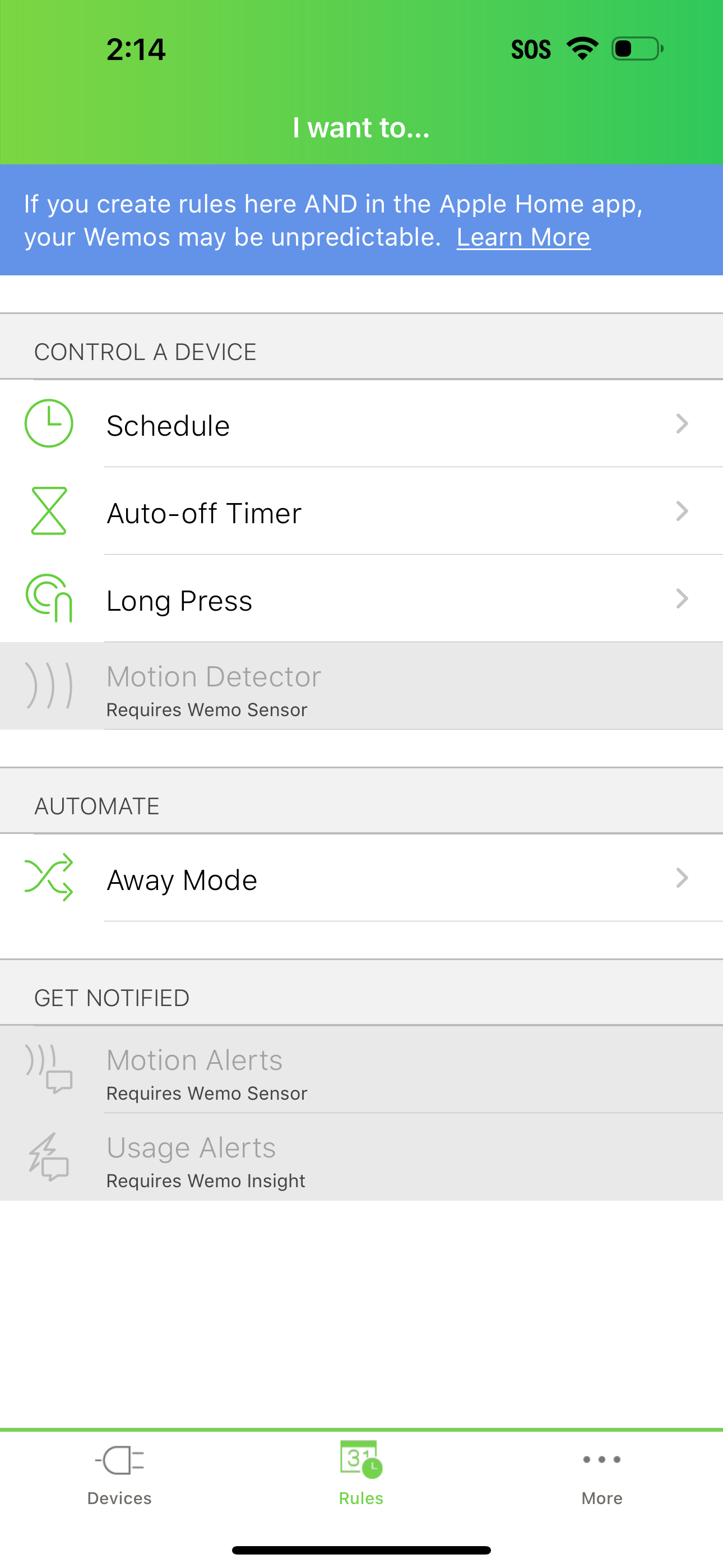
With the Wemo App, you can control all of your Wemos from anywhere in the world on your iOS devices. Wemo is the simple way to a smarter home. Downlo...