
Check the acquisition promise
Read the store headline, screenshots and description. What problem is the app promising to solve?
Study the storefront ↗
Slidebox LLC · iOS
Explore the ad evidence, study the storefront, and build your next acquisition hypothesis.
01 / Creative research
Read the store headline, screenshots and description. What problem is the app promising to solve?
Study the storefront ↗Explore apps with direct store-link matches. Compare their hooks and formats without assuming the same approach works here.
Browse observed advertisers ↗Store rankings and revenue estimates describe market context. They do not establish ad spend, conversions or ROAS.
Review the market context ↗02 / Storefront & product
Study the product story and store experience behind the acquisition funnel.




03 / Market context
Keep revenue, downloads and store rankings separate from advertising performance.
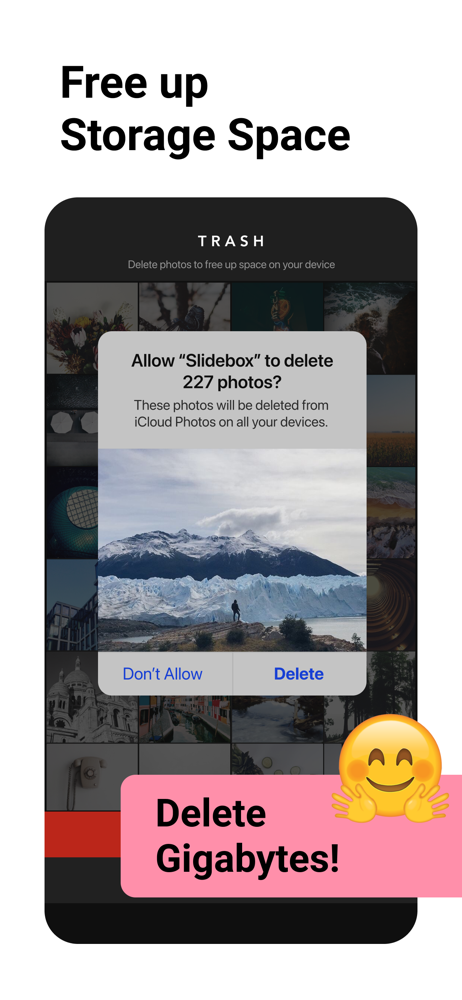
It took me 9 total hours spread over 2 days to organize 21,000 photos down to 6,000 in near albums. Some of that time was spent in nostalgia, which made it a sweet process (unlike manual camera roll purges in the past that made me want to bang my head into the wall). I’m so pleased with the $10 investment to get the premium version of this app. My thumb sure hurts now from all the swiping but the app is pleasant to use and super intuitive, although a quick training highlight that covered the more nuanced features would have been nice, for example: i’m probably going to go back through all my albums and delete another few hundred, because you couldn’t swipe to trash anything in the app that was already in your camera roll’s favorites (which is a thoughtful security feature, but i had a lot of irrelevant stuff favorited from past editing & didn’t want to stop and “unheart” them manually). i discovered after i was totally done organizing however, that the app could actually override/remove the heart from the favorite photos in one tap, which i really which i had done to begin with! This app has given me the gift of actually using & referencing my photos, and I thank you for that- I wouldn’t have changed a thing about the user experience.
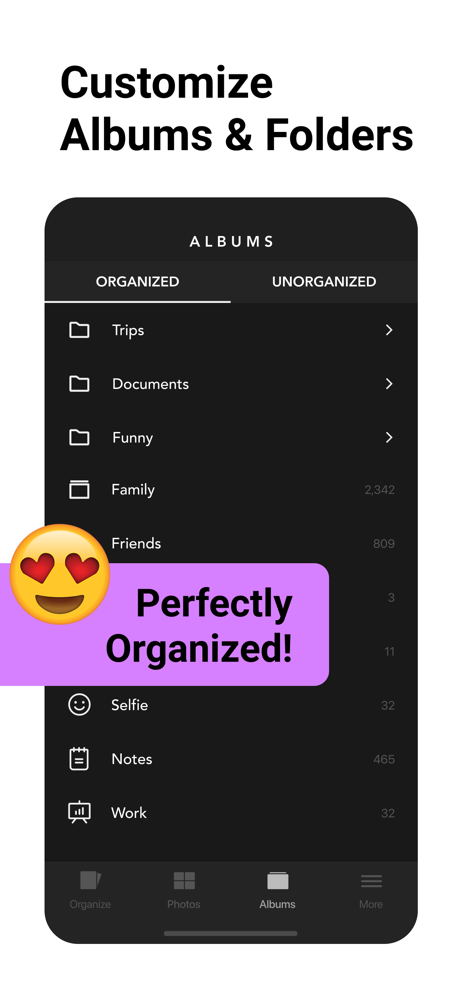
I always had a cluttered photo album for years. Thousands of pictures and videos and it took me days and sometimes weeks to fully finish it (sometimes I just gave up on it since it was overwhelming) for the first time I’ve managed to delete/organize my pics/videos in 2 days. The app makes it so much faster and it automatically makes different “albums” for you to sort your pics/videos into different categories (you can make as many albums as you want) I went from almost 5,000 pictures and 775 videos to 1,996 pictures and 407 videos in only 2 days and I plan on deleting even more in the next few days (I’ve had as much as 10,000 pictures and that was pain to do before this app.) I wasn’t paid to say any of this or make this review, I’m making this on my own accord. But I will say that there is a “premium” version that has “all the features” and you aren’t required to buy it but I noticed ads were coming along, premium is only $8 and it is available to you forever if you decide to pay that (it’s not a monthly thing, only one time payment. I find the premium thing kinda dumb but 🤷🏻♀️) but you don’t have to pay for it, you just watch a lot of ads. Other than that, this app was TREMENDOUSLY helpful because I’ve had this issue since my first 4s (basically for the last 9 years) and I will definitely be using it more in the future.
This is a really basic app without a ton of bells and whistles, but it was EXACTLY what I was looking for. Sorting photos into albums in the native Photos app on iOS was really irritating and time-consuming. This app makes it super easy—it shows you all of your unsorted photos one by one and you simply click the name of the album you want to put them in. Want to delete it? Just swipe up? Can’t figure out what to do with it yet? Just swipe left and it’ll hang out in unsorted photos until you do. You can also pin albums you use most frequently to the top of the list. You can also view and edit your albums on a different screen, allowing you to easily move photos into different albums or file one photo into multiple albums at the same time. For mass deletion of photos, I still use the iOS app. Unless there’s a feature I’m missing, which is entirely possible, deleting more than one photo in this app is a bit tedious. At any rate, I sometimes have to take hundreds of pictures in a day and was absolutely losing my mind until I found this app. Thank you!
Organize & Clean Up Your Photos with Slidebox – The Ultimate Photo Cleaner & Album Organizer! Slidebox makes managing your photos quick, easy, and sa...
| Name | Price | Type |
|---|---|---|
| Slidebox 1 Week | $1.99 | Weekly |
| Slidebox (Monthly) | $4.99 | Monthly |
| Slidebox 1 Year | $19.99 | Yearly |
| Premium Upgrade | $29.99 | One-time |
| Slidebox (Annual) | $49.99 | Yearly |


