Check the acquisition promise
Read the store headline, screenshots and description. What problem is the app promising to solve?
Study the storefront ↗
Samsung Electronics Co., Ltd. · iOS
Explore the ad evidence, study the storefront, and build your next acquisition hypothesis.
01 / Creative research
Read the store headline, screenshots and description. What problem is the app promising to solve?
Study the storefront ↗Explore apps with direct store-link matches. Compare their hooks and formats without assuming the same approach works here.
Browse observed advertisers ↗Store rankings and revenue estimates describe market context. They do not establish ad spend, conversions or ROAS.
Review the market context ↗02 / Storefront & product
Study the product story and store experience behind the acquisition funnel.


03 / Market context
Keep revenue, downloads and store rankings separate from advertising performance.
I have my blue Galaxy Buds Live for 3?years now. The first year everything worked fine you updated the App regularly and updates on my Galaxy Buds live was twice a year up until last year when you Samsung haven’t updated your iOS App in a long time. Now I cannot even update my Galaxy Buds Live to the latest update. I did all the required steps I put the ibuds Live in charging case waited til at least 50% charged than opened the case than I opened the App to start the software update of the buds live then a window pops up connection error a connection to the server could not be established please Check your wireless connection! I checked my wireless connection and tried several time to update the software of my Galaxy Buds live, it always showed the same message connection error! The buds cannot connect to the server! There must be something wrong at your end Samsung cause my WiFi/W-LAN connection is working properly without any problems. Perhaps you should update your Galaxy Buds App for iOS more often. I witnessed that you haven’t updated the App on a very very long time!
So I have all my music on my iPod touch right and I try to use the app and it keeps on insisting that it is not compatible with the iPod touch. To their credit it is a 6th gen iPod with some bad specs which doesn’t make any sense to why it wouldn’t be compatible but alright. So I try it out on my iPad where I get most of my work done and nothing. Still not compatible. There is absolutely no excuse for this it is running the latest version of iPad OS and has great specs. I think Samsung believes that everyone has their music on an iPhone, which is true for most people but some people just like to have a device for only music listening like the iPod, or the people trying to work during a pandemic like this one with an iPad. There is no excuse for this non compatibility and if there is a technical issue as to why this is the case please tell me Samsung. Thank you. **Edit** I am using a iPad Air 2 which according to Samsung’s reply to this review is not supported. I am using the Buds+. They still work with the device but not having the app is an inconvenience. I am still confused as to why the compatibility is only for these devices, my idea is that Samsung develops for each individual device which I have never seen before. I have to give them some props to trying to make this in the first place instead of only having Bluetooth or worse yet having it locked to one device. I am still curious if this is a technical issue or a software issue with the compatibility.
I’ve paired it with my iPad Pro (2017) by Bluetooth, and it took me a bit to figure out that even if I could download the app, it’s only supported on iPhones at the moment. The same pause, play, and volume controls work just fine. Using it on my S8+ (yeah I know I’m a bit of a dinosaur) is just amazing. It doesn’t have noise cancelling, but these are truly packed with features you can use on your phone. I can only dock so many stars because the earbuds as a whole work wonderfully, and the lack of support for iPads really can’t be excused. Be patient, and wait for the support to come out. Remember that this app is *specifically* for the Buds+ to pair with the iPhone models specified. Hope this helped! Edit: the method described did not work - the app throws me an incompatibility error because it’s not compatible with my device. Edit edit: So, for iPad users on certain models, please read the developer response to this. I’m bumping this up to 4 stars because the basic tap functions are still there for the specific models of iPad that aren’t fully supported, it still works just fine for easy listening and if you can live without the ambient feature, you’ll be fine. I really enjoy this iteration of the buds - the sound quality is still amazing even on its normal setting, and calls are very clear. Please give these developers a chance to polish their software - sometimes with these rapidly changing technologies, it’s not easy to get *everything* right the first time.
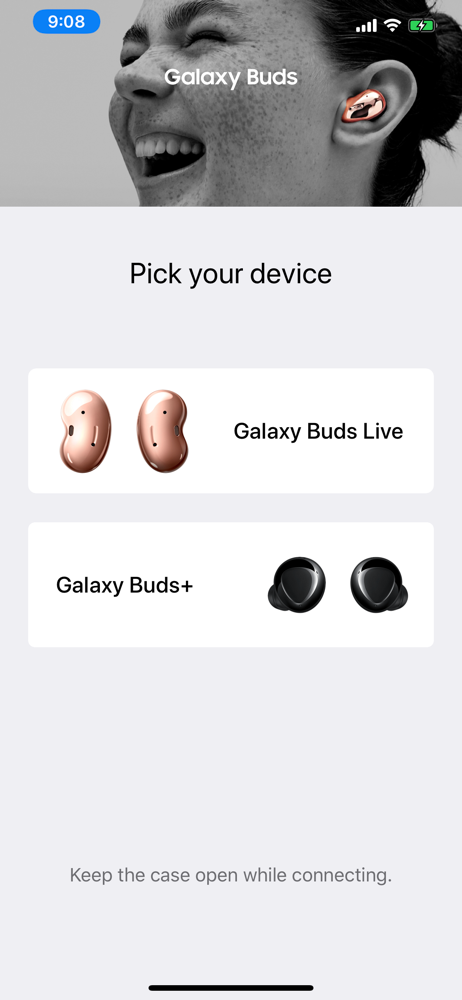
*This application is for Galaxy Buds+ and Galaxy Buds Live. Support for Galaxy Buds (SM-R170) is not available. Open the charging case. On your mobi...