Quick Draw: AR Tracing

Aaron Jones · iOS

Quick Draw: AR Tracing

Explore the ad evidence, study the storefront, and build your next acquisition hypothesis.

Paid-ad activity not yet verified
Compare appsMy watchlist

01 / Creative research

Turn the unknowns into a research plan.

01

Check the acquisition promise

Read the store headline, screenshots and description. What problem is the app promising to solve?

Study the storefront ↗
02

Look for ad evidence

Explore apps with direct store-link matches. Compare their hooks and formats without assuming the same approach works here.

Browse observed advertisers ↗
03

Separate demand from paid growth

Store rankings and revenue estimates describe market context. They do not establish ad spend, conversions or ROAS.

Review the market context ↗

02 / Storefront & product

Where the click lands.

Study the product story and store experience behind the acquisition funnel.
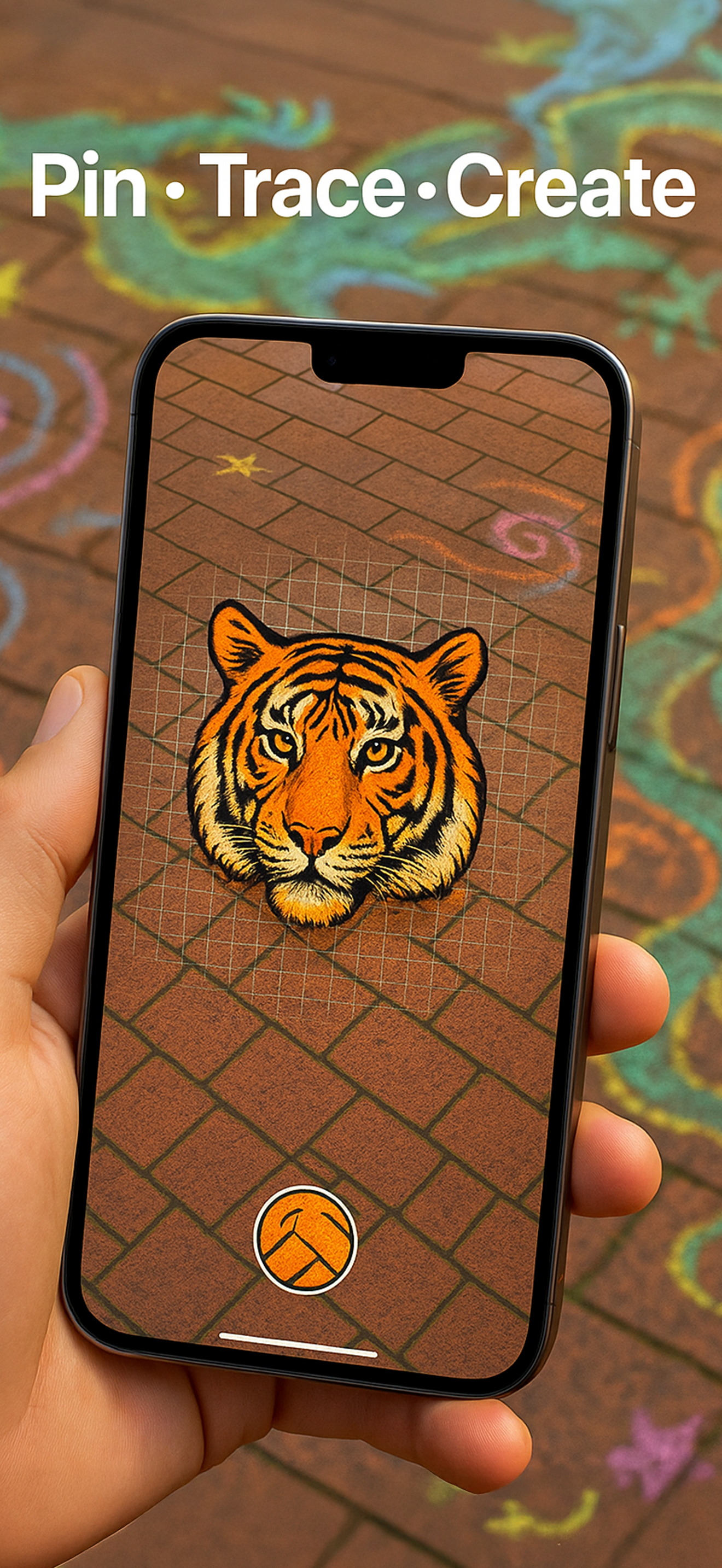
Screenshots

Quick Draw: AR Tracing screenshot 1Quick Draw: AR Tracing screenshot 2Quick Draw: AR Tracing screenshot 3Quick Draw: AR Tracing screenshot 4Quick Draw: AR Tracing screenshot 5Quick Draw: AR Tracing screenshot 6Quick Draw: AR Tracing screenshot 7Quick Draw: AR Tracing screenshot 8

03 / Market context

The business behind the app.

Keep revenue, downloads and store rankings separate from advertising performance.

How Much Does Quick Draw: AR Tracing Make?

Monthly Revenue
$1.0K
Annualized estimate
$12.0K
Per Download
$1.00

Platform Performance

🍎iOS
Revenue
$1.0K
Downloads
1.0K
Rating
4.0 ★(12)

Rating Distribution

4.0
★★★★☆
12 reviews
5
25%
4
0%
3
0%
2
0%
1
75%

Top Countries

🇺🇸 US🇳🇱 NL🇧🇷 BR
Reviews (3)▼
★★★★★Theangrykitten3/19/2026
Really handy, but needs tutorial or walk through to get started

Definitely worth it and glad I got the app, but we newcomers need a little more explanation about what the buttons do with a tutorial, or maybe a short video. For instance, how to lock the image, or how to use it for tracing small on paper, and also how to use it for tracing a mural.

★★★★★Napapes2/27/2026
Works as needed and one time cost perfect

I want to practice coloring with markers more, and this is the best thing. I got the idea from an insta ad, but a lot of those apps require subscriptions and it’s extremely frustrating. The one time payment is fair, and it does exactly what you need, and has an intuitive interface. Thank you for making this app.

★★★★★Puppy shuffle8/17/2025
Perfect

Exactly what I needed to transfer an image onto a large canvas. I do need to shift the reference image as I’m moving across a large canvas. Which is not a huge deal as the controls are simple enough to operate while drawing. The ease of control, simplicity of equipment, and time savings all make this app worth it 💯.

Version History (6)▼
1.0.65/4/2026
1.0.54/11/2026
1.0.41/7/2026
1.0.311/2/2025
1.0.26/24/2025
1.0.16/22/2025
Available In (111 Countries)▼
🇺🇸 United States🇦🇺 Australia🇨🇦 Canada🇨🇳 China🇫🇷 France🇩🇪 Germany🇬🇧 United Kingdom🇮🇹 Italy🇯🇵 Japan🇰🇷 South Korea🇷🇺 Russia🇩🇿 DZ🇦🇴 AO🇦🇷 Argentina🇦🇹 Austria🇦🇿 AZ🇧🇭 BH🇧🇾 BY🇧🇪 Belgium🇧🇷 Brazil🇧🇬 Bulgaria🇨🇱 Chile🇨🇴 Colombia🇨🇷 CR🇭🇷 Croatia🇨🇾 CY🇨🇿 Czech Republic🇩🇰 Denmark🇩🇴 DO🇪🇨 EC🇪🇬 Egypt🇸🇻 SV🇫🇮 Finland🇬🇭 GH🇬🇷 Greece🇬🇹 GT🇭🇰 Hong Kong🇭🇺 Hungary🇮🇳 India🇮🇩 Indonesia🇮🇪 Ireland🇮🇱 Israel🇰🇿 KZ🇰🇪 Kenya🇰🇼 KW🇱🇧 LB🇱🇹 Lithuania🇱🇺 LU🇲🇴 MO🇲🇾 Malaysia🇲🇹 MT🇲🇽 Mexico🇳🇱 Netherlands🇳🇿 New Zealand🇳🇬 Nigeria🇳🇴 Norway🇴🇲 OM🇵🇰 Pakistan🇵🇦 PA🇵🇪 Peru🇵🇭 Philippines🇵🇱 Poland🇵🇹 Portugal🇶🇦 QA🇷🇴 Romania🇸🇦 Saudi Arabia🇷🇸 RS🇸🇬 Singapore🇸🇰 Slovakia🇸🇮 Slovenia🇿🇦 South Africa🇪🇸 Spain🇱🇰 LK🇸🇪 Sweden🇨🇭 Switzerland🇹🇼 Taiwan🇹🇭 Thailand🇹🇳 TN🇹🇷 Turkey🇺🇦 Ukraine🇦🇪 UAE🇺🇾 UY🇺🇿 UZ🇻🇪 VE🇻🇳 Vietnam🇧🇴 BO🇰🇭 KH🇪🇪 Estonia🇱🇻 Latvia🇳🇮 NI🇵🇾 PY🇬🇪 GE🇮🇶 IQ🇱🇾 LY🇲🇦 MA🇲🇿 MZ🇲🇲 MM🇾🇪 YE🇧🇯 BJ🇧🇫 BF🇨🇲 CM🇨🇬 CG🇨🇮 CI🇯🇴 JO🇱🇦 LA🇲🇱 ML🇸🇳 SN🇹🇿 TZ🇺🇬 UG🇿🇲 ZM🇿🇼 ZW
Supported Languages (1)▼
English
App Details▼

Turn your iPhone or iPad into a powerful AR tracing projector. Project any image onto a wall, canvas, or sidewalk—no grid lines, no bulky projector, j...

iOS App ID
6747405708
Content Rating
4+
Min OS
18.0
Size
2.2 MB
Publisher
Aaron Jones