Check the acquisition promise
Read the store headline, screenshots and description. What problem is the app promising to solve?
Study the storefront ↗
PANASONIC ENTERTAINMENT & COMMUNICATION CO., LTD. · iOS
Explore the ad evidence, study the storefront, and build your next acquisition hypothesis.
01 / Creative research
Read the store headline, screenshots and description. What problem is the app promising to solve?
Study the storefront ↗Explore apps with direct store-link matches. Compare their hooks and formats without assuming the same approach works here.
Browse observed advertisers ↗Store rankings and revenue estimates describe market context. They do not establish ad spend, conversions or ROAS.
Review the market context ↗02 / Storefront & product
Study the product story and store experience behind the acquisition funnel.



03 / Market context
Keep revenue, downloads and store rankings separate from advertising performance.
iPad 6th Gen iPadOS 26.5 not able to use the Flow App. Works fine on my iPhone 16 Pro Max. The issue on the iPad is that when you add a new work flow, it does not provide the pop-up to give it a name and begin. It basically freezes. Have to quit the program on the iPad and can’t be used at all.
I don’t know what the absolute losers in the comments are up to but I feel like they should have something better to do than annoy the poor people at Panasonic with their reviews. Consider who this app is most useful for, for a moment. It’s not professionals who already have sophisticated rigs, quality monitors, and all of that. It’s probably amateurs or (amateurish professionals) who don’t want to take on the overhead of getting a top of the line monitor. Yes, there are useful updates that this app could have that Panasonic should implement, lut view assist being one, but overall it’s pretty solid. The app is easy to use and there’s not much latency. For amateurs, that’s probably two of the most important things that you could look for in this app.
The Flow app shows a window when attempt to pair with my camera that states “This camera’s firmware is not supported. ….Supported models: S1ii, (ver 1.0), S1iiE (vers. 1.0), S1Rii (vers. 2.0). Panasonic’s website stated that the latest LUMIX S5M2X firmware (ver. 2.4 - Oct 2025) adds Flow compatibility. So, I updated the firmware. I’m still getting the same pop up window I’m the Flow app. This has been an issue with all of the Panasonic apps. Not sure why it is that they make such great cameras, but when it comes to apps for connectivity and remote control, they’re horrible. I spend HOURS trying to figure out what the issue is with their apps, and when I sometimes find success, the features that particular app provides are more work, and more lag time, than just controlling with the LUMIX directly
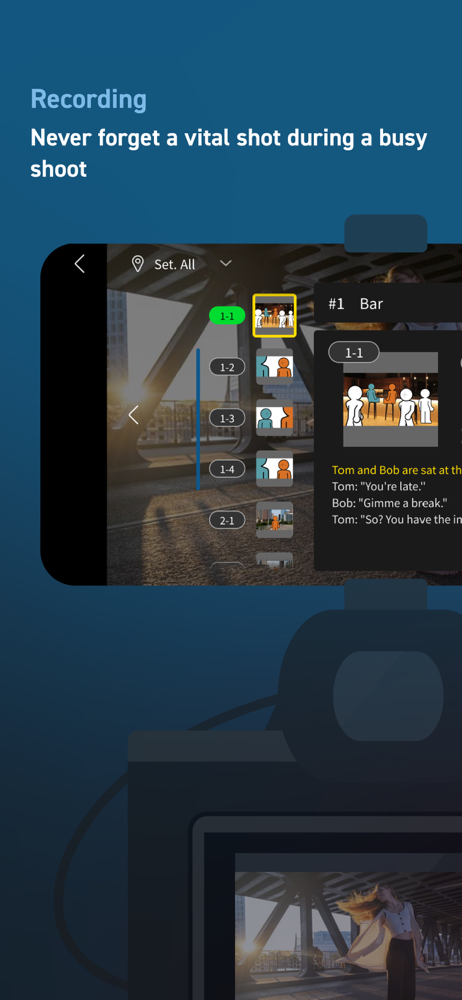
For creators who love to shoot video. Smoothly streamline your video production workflow, from script writing to editing! From dramas and documentar...