Check the acquisition promise
Read the store headline, screenshots and description. What problem is the app promising to solve?
Study the storefront ↗
Panasonic Holdings Corporation · iOS
Explore the ad evidence, study the storefront, and build your next acquisition hypothesis.
01 / Creative research
Read the store headline, screenshots and description. What problem is the app promising to solve?
Study the storefront ↗Explore apps with direct store-link matches. Compare their hooks and formats without assuming the same approach works here.
Browse observed advertisers ↗Store rankings and revenue estimates describe market context. They do not establish ad spend, conversions or ROAS.
Review the market context ↗02 / Storefront & product
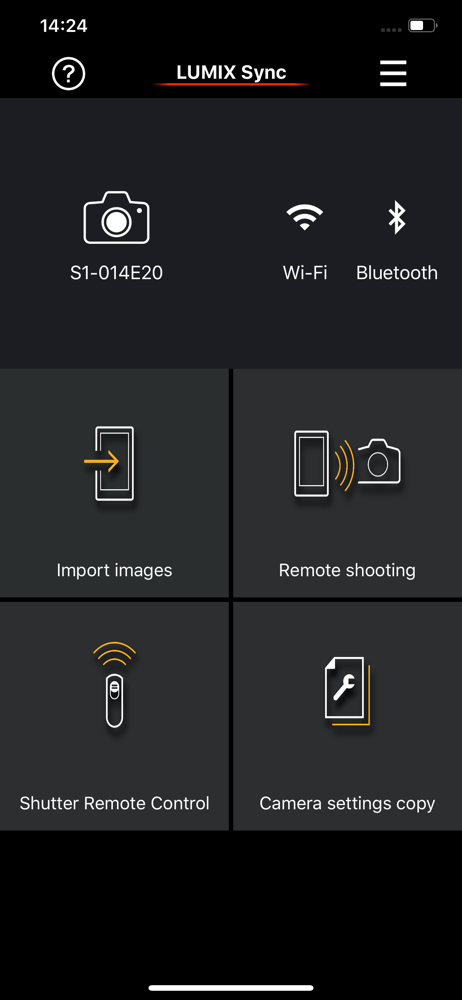
Study the product story and store experience behind the acquisition funnel.




03 / Market context
Keep revenue, downloads and store rankings separate from advertising performance.
Connecting my phone to my s5ii camera works at home on wifi, but doesn’t work when I’m out and about. That’s so stupid, And completely backwards. Why?!? The camera has two separate sub menus of sub-sub menus of options for connecting the camera to a phone, you have to menu dive just to turn it off and on, and then when you test it at home and it seems to work then you take it out to actually use the darn thing and it doesn’t connect when you actually need it. Specially if my iPhone is not connected to a wifi network then it refuses to connect to the camera. What?!? I’ve used phone-to-camera wifi connections going back to 2010 on Olympus, Leica, and Nikon and they’ve all been simple and they just worked. Why is Panasonic so backwards and convoluted? If I had known connecting to my phone wouldn’t work when I leave the house I would not have purchased a Panasonic camera. I sincerely regret it.
This app has huge “potential” to make a great remote operating device. The app UX needs to adapt and work depending on the platform that the user is operating from. If it’s an iPhone the user is operating from, then the app’s remote operating framework may be just enough as we have a smaller real estate / canvas area to play with. But the same UI when scaled-up proportionately is not the best use / user experience on an iPad Pro. The large display of scaled up graphics and buttons may not be the reason a user may want to open this app on a tablet. As a users, I would want to see more detail through the lens view port than the scaled up buttons and controls. Provide a hide controls functionality so users can see the full view of the live view port. Please make adjustments to the layout such that the controls and settings can appear on the bottom horizontally. Keep the action buttons small as the iPhone UI and that’s enough for users to clearly see and select actions or make adjustments remotely but the camera view port should be maximized to offer more visibility of the subject. There are issues with connectivity, speed of response, range, etc., that I’m not repeating that others have already mentioned. Hope to see some updates soon.
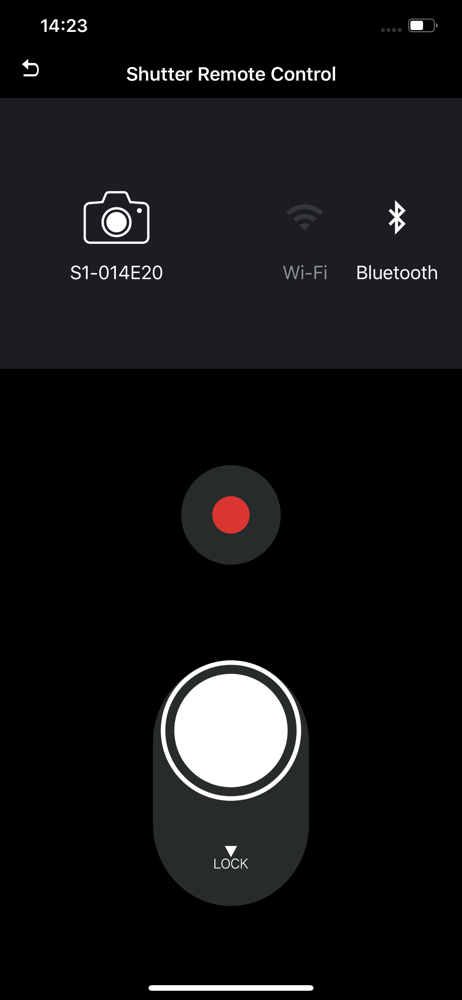
I LOVE this app, and I LOVE my Lumix S1H, but… there’s a HUGE issue where a dialogue pop up box saying “Recording stopped because the camera is busy” when we start and stop recording. We DON’T NEED THAT! And it doesn’t go away until you touch the phone, that’s crazy! Sometimes I have to use my nose to get it to go away, as my hands are busy… ya know using a camera! How has no one at Panasonic thought this was a problem? So strange! Keep up the good work though, as this app is soo close to being AMAZING!
This app lets you control a Panasonic Wi-Fi camera via a smartphone. Compatible models S series: DC-S1 / S1R / S1H / S5 / BS1H / S5M2 / S5M2X / S9...