
Check the acquisition promise
Read the store headline, screenshots and description. What problem is the app promising to solve?
Study the storefront ↗
ichbinjona.com · iOS
Explore the ad evidence, study the storefront, and build your next acquisition hypothesis.
01 / Creative research
Read the store headline, screenshots and description. What problem is the app promising to solve?
Study the storefront ↗Explore apps with direct store-link matches. Compare their hooks and formats without assuming the same approach works here.
Browse observed advertisers ↗Store rankings and revenue estimates describe market context. They do not establish ad spend, conversions or ROAS.
Review the market context ↗02 / Storefront & product
Study the product story and store experience behind the acquisition funnel.




03 / Market context
Keep revenue, downloads and store rankings separate from advertising performance.
I’ve used this app already, I do like it, but on a shoot I was on, my phone was in use. So I downloaded this app on my coworkers phone. Upon first opening the app, we had to sit and watch this annoying ad pitching the product we clearly were already interested in. It was unskippable, and every time we restated the app to try and get rid of it, it would just restart. So on set, we had to sit and watch this horrible ad before we could even get to the main interface. What an abysmal design. Thank for the very awkward and unprofessional impression that was made.
I downloaded and paid for it. I wanted to use for a few shoots but it wasn’t as plug and play as it said it was. I couldn’t get it to work with Premier Pro or DaVinci resolve. The computer Companion app was different than it said it was in the videos. There was no play button for me to press. When I tried to download the file, change it to a .EDL file I couldn’t get it to work in Premier Pro or DaVinci resolve. I spent about an hour with other people trying to figure it out. Nothing worked. So far, unless they fix it to just work, very unhappy.
I was under the impression that the app worked with the camera, but it’s really just an advanced notepad. When I clicked on my camera Brad it said only manual mode, but I checked every camera and it’s all manual mode. It’d be nice if the app at least jammed timecode via usb-c vs having to manually type it into the camera. I’ll come back and update after using on a shoot and see if I can really save time.
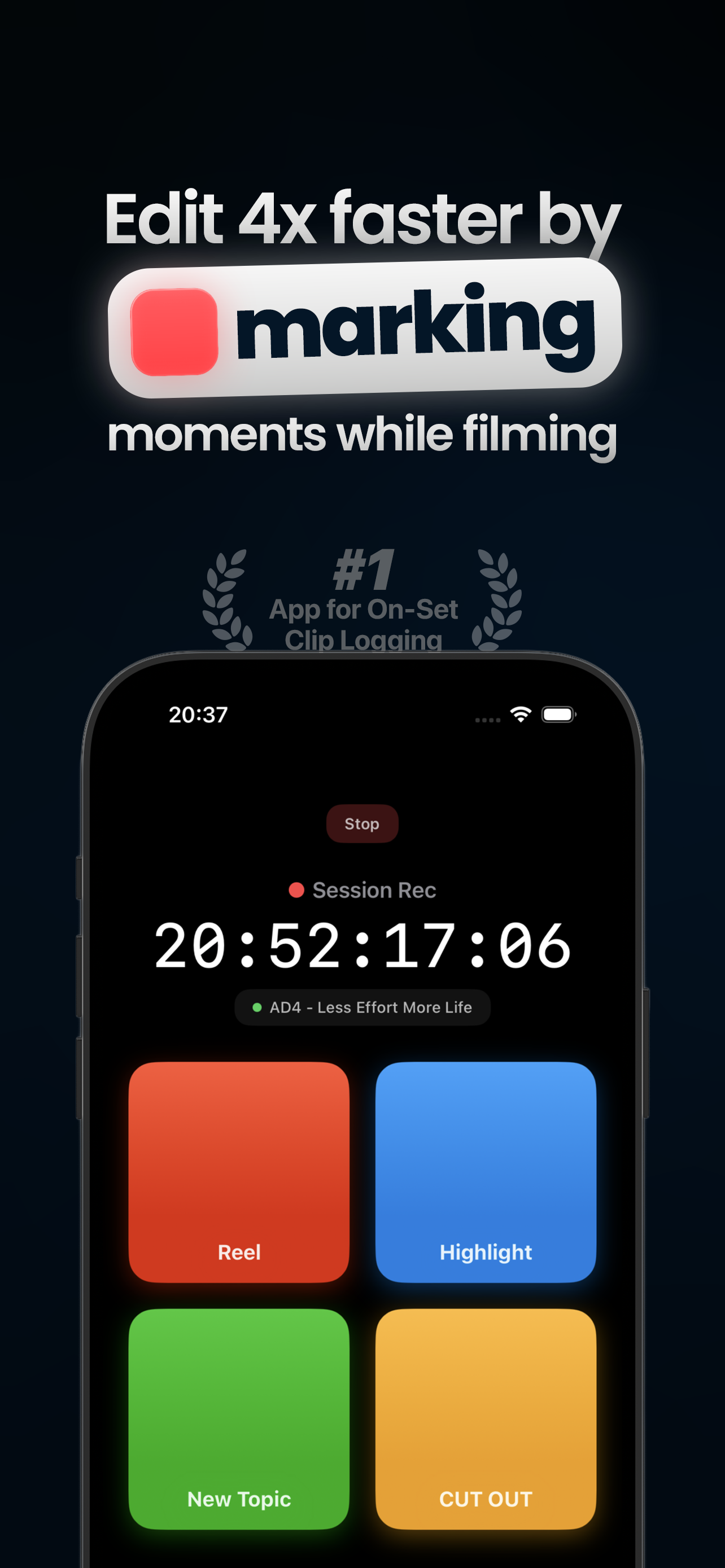
Edit rough cuts 4x faster by marking moments while filming. »The biggest workflow upgrade since keyboard shortcuts. We've spent years shaving second...