Check the acquisition promise
Read the store headline, screenshots and description. What problem is the app promising to solve?
Study the storefront ↗
Panasonic Holdings Corporation · iOS
Explore the ad evidence, study the storefront, and build your next acquisition hypothesis.
01 / Creative research
Read the store headline, screenshots and description. What problem is the app promising to solve?
Study the storefront ↗Explore apps with direct store-link matches. Compare their hooks and formats without assuming the same approach works here.
Browse observed advertisers ↗Store rankings and revenue estimates describe market context. They do not establish ad spend, conversions or ROAS.
Review the market context ↗02 / Storefront & product
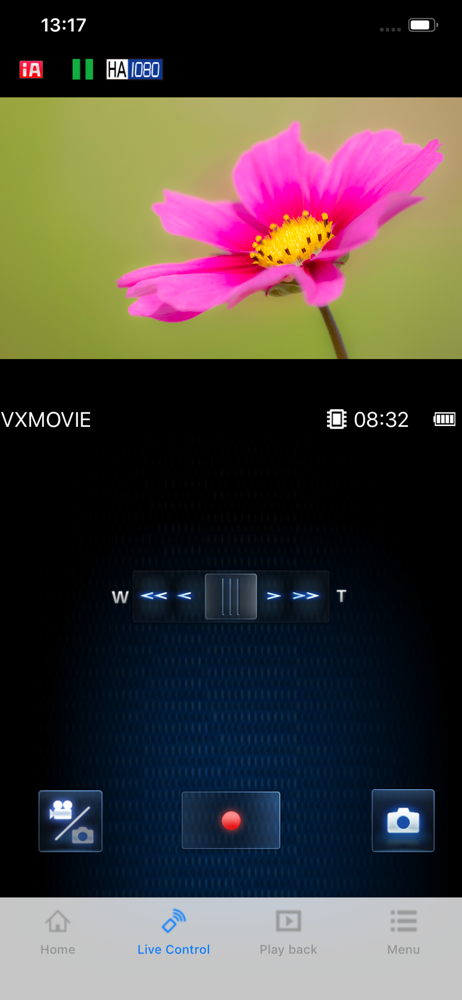
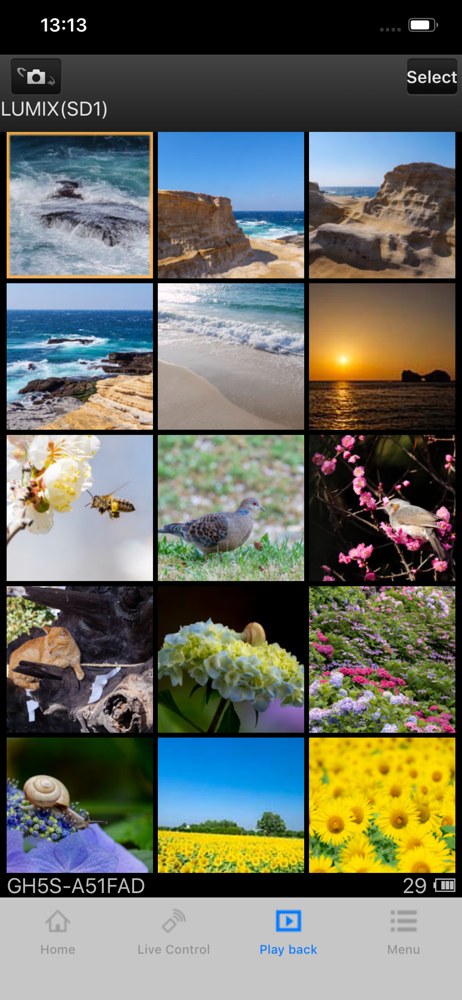
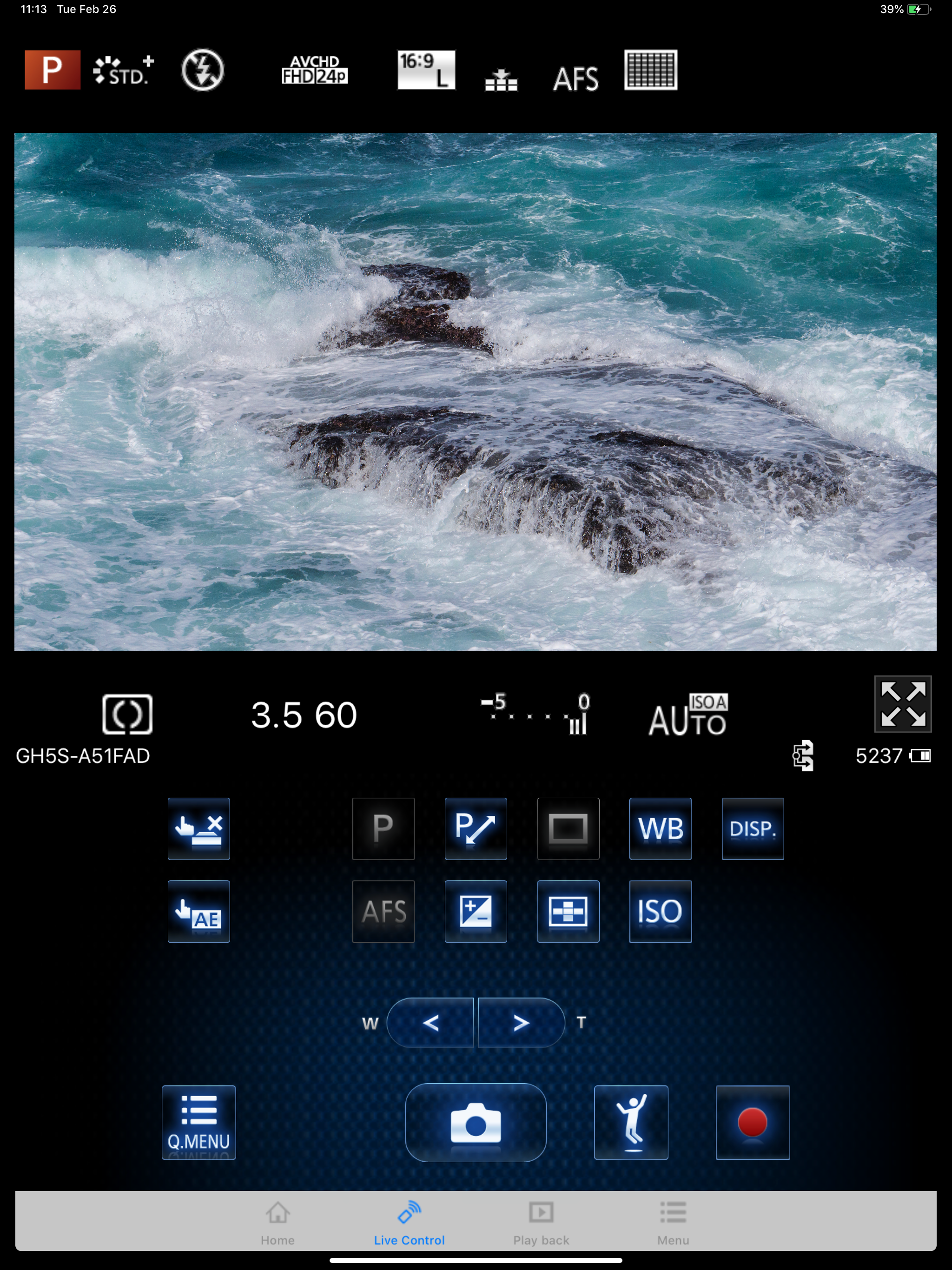
Study the product story and store experience behind the acquisition funnel.





03 / Market context
Keep revenue, downloads and store rankings separate from advertising performance.
Second update: Panasonic seems to have totally abandoned this of us with older cameras. The same failure to connect still happens. I’ve given up transferring photos-the Apple card reader does that in an instant. But I would like a remote! Nope. Still no connection-despite an alleged update from two months ago that “fixed problems.” I love my camera but I’d have to think again before buying another. But I’m getting the clear impression I as an amateur dont matter at all. Whats new!?! Update: I mostly used the app to transfer photos to my phone. I bought a card attachment from Apple to enable me to import from the SD card to the phone. I’m able to download almost instantaneously. So I’m glad for all the problems-the card gizmo saved me a ton of time on my vacation! I got a new iPhone 14 pro. Now when I try to connect the camera (DC-ZS70) to the phone, the phone looks like the Wi-Fi is connected and then says in red “no internet connection. ” the Image app won’t give me control or transfer picture options and the camera says I am connected!!! Weird thing-my old iPad works ok-it goes to no internet connection but then the image app connects! Weird! And a big hassle. I don’t want to travel with my iPad. Update: I contacted Apple support. They escalated my issue to Engineering. Engineering investigated and said that it is an issue with the app. I emailed Panasonic support earlier this week. Despite an email saying I’d hear back in 2 days, I have heard nothing. I have 2 LUMIX cameras connecting this way. Neither works on the 14 Pro-both work on the iPad . PLEASE FIX THIS ISSUE!!!!!!
Ever since I did the most recent update, my Panasonic Lumix G7 can no longer connect to the app. It connects to my iphone xr wifi flawlessly, but wjen I go to the app, the app no longer registers that the camera connects to my phone and asks me to go back to my settings and make sure the wifi is connected to my camera when both my camera and phone says it's established a connection. I tried updating my iphone xr, erasing and resetting the camera wifi connection on both the phone and camera, but nothing has worked. I really wish I hadn't updated from the older version from the app. Part of the selling point for the lumix was the ability to connect through wifi and this app was the only thing that actually worked when I'd try to connect through wifi to send photos to people immediately or to get access to photos since I don't have an SD card reader and the camera dies mid-photo transfer. But it's hard that I no longer have access to that function. I tried a newer app for Panasonic Lumix, but it redirected me to this app that still doesn't work. Before the update though it was amazing and useful and connected most times I used it.
When I set the focus on the app it gradually focuses to the point the subject is completely blurred. I can use autofocus but especially in 4k this autofocus is super slow and inaccurate but it's definitely better than not being in focus at all. And the focusing ring isn't the problem because that tiny bit of wind won't turn it and if it did it wouldn't move the focus in such a snappy perfect way at perfect one second intervals. But it works and I'm not buying an external monitor for a camera that doesn't support them.
“Panasonic Image App” is an application that makes it possible to use your smartphone to remotely control the shooting and playback functions of a Wi-...