Check the acquisition promise
Read the store headline, screenshots and description. What problem is the app promising to solve?
Study the storefront ↗
Viet Tran · iOS
Explore the ad evidence, study the storefront, and build your next acquisition hypothesis.
01 / Creative research
Read the store headline, screenshots and description. What problem is the app promising to solve?
Study the storefront ↗Explore apps with direct store-link matches. Compare their hooks and formats without assuming the same approach works here.
Browse observed advertisers ↗Store rankings and revenue estimates describe market context. They do not establish ad spend, conversions or ROAS.
Review the market context ↗02 / Storefront & product
Study the product story and store experience behind the acquisition funnel.





03 / Market context
Keep revenue, downloads and store rankings separate from advertising performance.
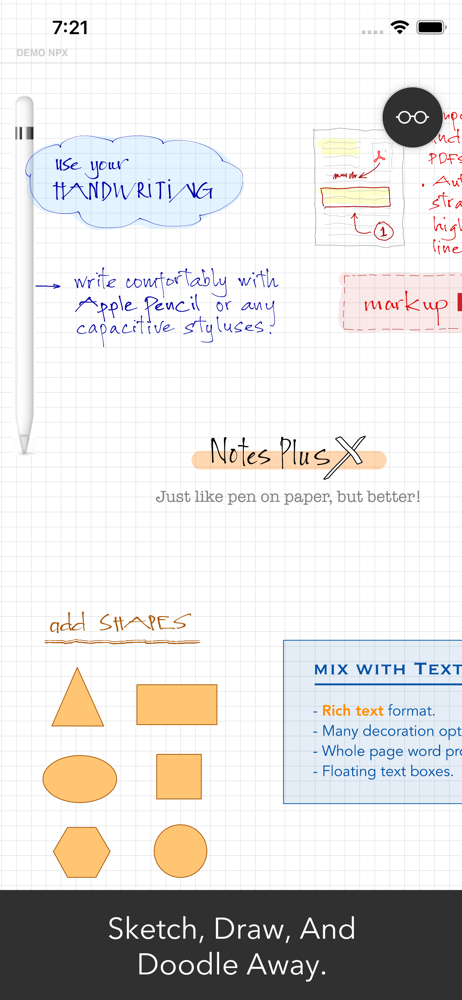
I don’t know if “handwriting engine” is the proper term, but you will be amazed at how the letters look like a fine flowing fountain pen. I see many reviews (mostly 2 years old) that call it glitchy. I’ve not experienced glitch in the new Notes Plus X. It did take a little getting used to to understand the file structure that was improved over the original notes plus. The app has seen several improvements that I appreciate. I would like to see an easier way to access/mark up/and save PDFs, but it is not my highest priority. I did use notability at one time, but they have gone the way of perpetual pay. I just don’t use any app enough to keep paying and paying each year. I know the perpetual pay proponents say it is to encourage and support app improvements, but my experience has been that most improvements are simply bug fixes. If an app truly gets improvements, roll out a new version and I’ll pay an upgrade cost. [end of diatribe!]
I love this app for two main reasons: First of all, It’s difficult to write cleanly on an iPad no matter who you are, but handwriting in Notes Plus X is unparalleled. I’ve downloaded and tested every major iOS app for handwritten notes and none of the others are able to make my handwriting look so good. When you write, what you see is a slight improvement over what you actually wrote on the screen. It’s fantastic, especially when using the fountain pen tip. Second, this newer version’s user interface is well-designed and practical. Menus, folders, and tools are mostly where I would expect, and it makes it very easy to navigate and just get to writing. I use a 2nd gen Apple Pencil and this is my exclusive go-to app for note taking and marking up PDFs. It has been mostly glitch-free and stable on my iPad Pro, so don’t worry about old reviews that might be referencing problems that have been long since solved. The only thing I’ve noticed is that I have to be sure I go out of my document and let it sync up before swiping the app away. That seems to prevent any loss of data.
I’ve been a Notes Plus and Notes Plus X user for a long time. I’ve introduced and got colleagues using it as well. However, although I read comments that they can’t reproduce problems other users have seen, I’ve lost too much critical work. Doesn’t matter if on the cloud or on my iPad, I can change page to check something, come back and my last hour worth of work is gone. I close the app, come back 10 minutes later, my last page is gone. I want to use it, but I feel the testing group hasn’t taken our concerns seriously enough to duplicate and fix.
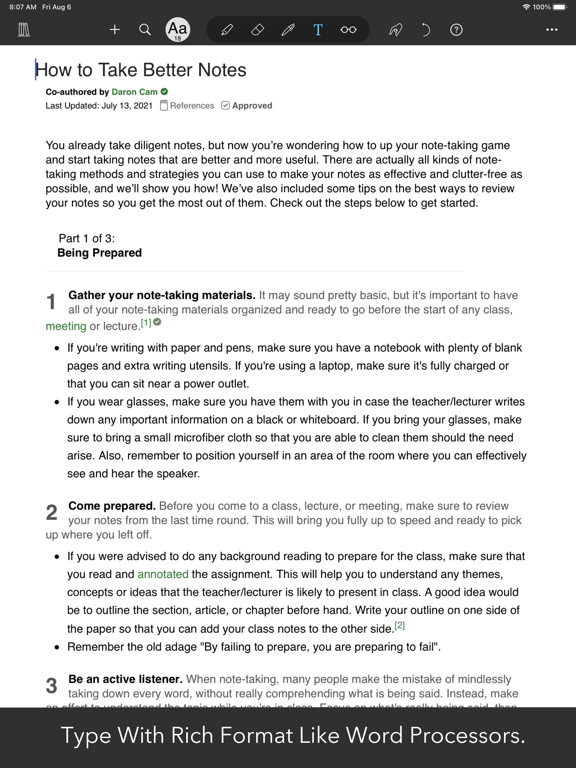
Use your iPad and Apple Pencil to take handwritten notes, markup on imported PDFs, type text, convert handwriting to text, record audio while taking n...