Check the acquisition promise
Read the store headline, screenshots and description. What problem is the app promising to solve?
Study the storefront ↗
Fluid Touch Pte. Ltd. · iOS
Explore the ad evidence, study the storefront, and build your next acquisition hypothesis.
01 / Creative research
Read the store headline, screenshots and description. What problem is the app promising to solve?
Study the storefront ↗Explore apps with direct store-link matches. Compare their hooks and formats without assuming the same approach works here.
Browse observed advertisers ↗Store rankings and revenue estimates describe market context. They do not establish ad spend, conversions or ROAS.
Review the market context ↗02 / Storefront & product
Study the product story and store experience behind the acquisition funnel.


03 / Market context
Keep revenue, downloads and store rankings separate from advertising performance.
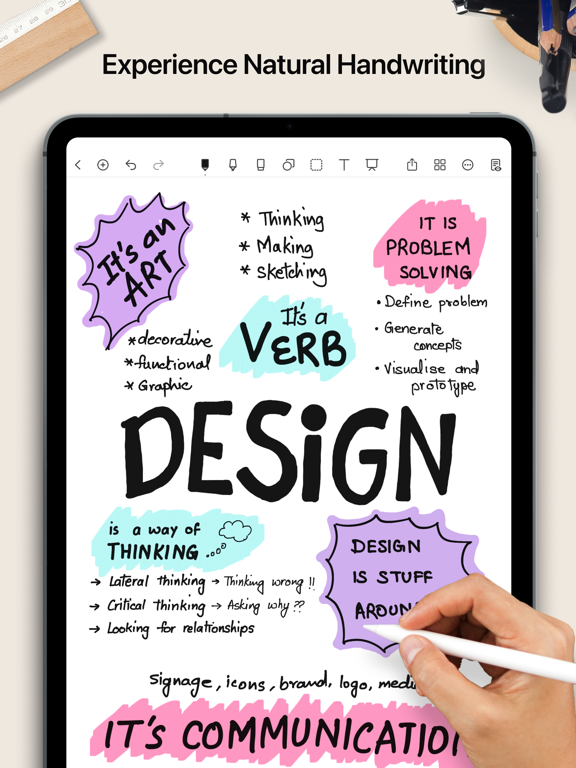
I’ve never written a review for an app on the App Store, but this one merits the time. As a professional (federal prosecutor), I had long been looking for a flexible and adaptable note-taking application for the iPad. I love the fact that it is easy to create your own notebook covers and note pages. I’ve been able to create note pages similar to Cornell notes that are modified to suit my needs as well as to do lists that exactly suit my requirements. I’ve also created color coded covers that I use to help organize cases. In addition, I love the fact that you can enter data in a number of ways—typing, writing (works great with an Apple Pencil!). You can import .pdf, audio, photo, and other files. Finally, unlike many other apps, the developers seem to care about their product. Updates and added features occur with an amazing regularity. I highly recommend this product. Carrying an iPad with the Noteshelf app installed is far easier, making you more productive and more organized than carrying a bunch of references and notepads around. Noteshelf is one of the few apps that I have found where you get far more than what you have paid for.
I’ve used this app for the last 5 years nearly everyday. I take meeting notes in it, review pdf files in it, download sheet music into it and practice with it nearly everyday and make presentations from it on a daily/weekly basis. Here’s what I love about it. 1. I love the way it turns pages. It may seem like a minor thing, but for presentations it’s great to be able to flip a page and go to the next point. 2. I love the way I can create handouts in it. When I teach, my diagrams and flow charts are a hit with adults and students alike. 3. I love moving jpegs in and manipulating them. This allows me to create PowerPoint slides, move them into Noteshelf and add my presentation notes to each one. 4. I also like it’s improved search and filing system. I can find what I need. 5. I also love it’s free planner and free paper/notebook options. 6. There is a very low learning curve. Here’s what I wish it had….1. The ability to fill a shape with color. 2. A better calligraphy writing tool. In the old version, my printing took on a more flowing style. In fact that’s what drew me to the app in the first place. It made even my printing/writing look nice. I wish that remained the same. But those are minor compared to the other pluses.
I wrote the second part of this review a bit ago. I love it even more! They keep getting better! Now I can strike through without losing what’s underneath. Let me tell you about the support team. I have emailed them a couple of times and they get back within 24 hours. Pallavi has been most helpful and kind. If you’re looking for a fantastic note taking app with exceptional support you can do no better I bought this app a little better than a year ago and loved it then. Now, after a few updates, it is even better!! While taking notes I can add a hyperlink to a webpage with more information. I can create my own pages and insert them into notebooks and make them mine. But to be honest this isn’t even the best part. The support is amazing. I didn't know how to hyperlink so asked the question on the fluid touch site and was quickly answered. I asked if I could add video like I add pictures. No, but we will work on that. I have asked a couple questions after my first one to the same email and she always responds. Her name is Pallavi and she is just wonderful. I usually get an answer in a day or two. This app is amazing and keeps getting better.
A new version of Noteshelf is available on the App Store as a free download. Search for "Noteshelf 3" on the AppStore to find it. We’ll continue to su...