
Check the acquisition promise
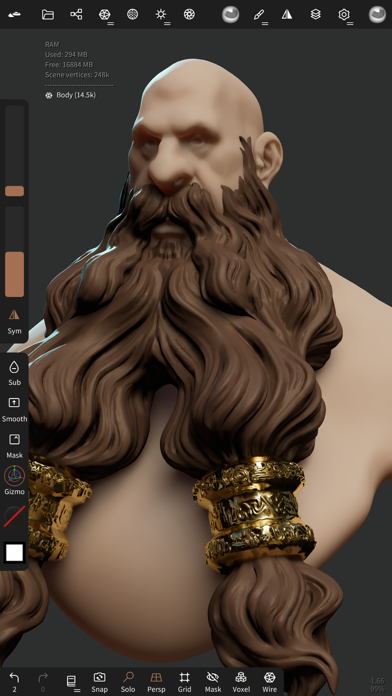
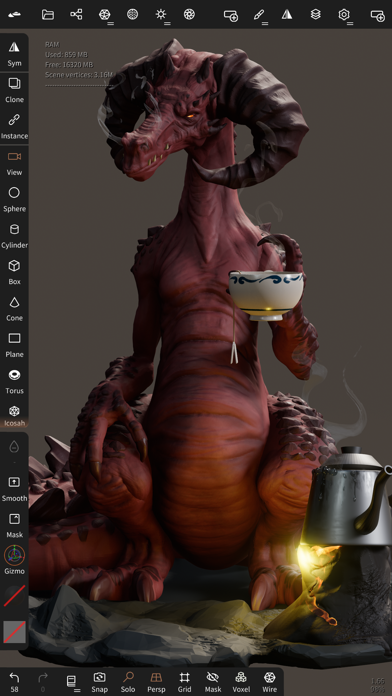
Read the store headline, screenshots and description. What problem is the app promising to solve?
Study the storefront ↗
Hexanomad · iOS
Explore the ad evidence, study the storefront, and build your next acquisition hypothesis.
01 / Creative research
Read the store headline, screenshots and description. What problem is the app promising to solve?
Study the storefront ↗Explore apps with direct store-link matches. Compare their hooks and formats without assuming the same approach works here.
Browse observed advertisers ↗Store rankings and revenue estimates describe market context. They do not establish ad spend, conversions or ROAS.
Review the market context ↗02 / Storefront & product
Study the product story and store experience behind the acquisition funnel.
The store evidence
US store price
$19.99
US rating
4.8 / 5
US rating count
14,285
Current version
2.9
2026-10-09 · Developer notes
• New tools - Elastic and Polish brushes - Arrange: spread objects along a line, circle or sphere - VDM brushes: capture a VDM from your sculpt, sculpt a new one, fix existing ones - Text primitive with Google Fonts - Link: live sync with Blender, ZBrush (GoZ) and other Nomad devices • Sculpting - Stroke trail, random intensity and color - Hold a stroke to snap it to a shape - Separate area and falloff normal filters - Tiled symmetry, symmetry from the pivot - Fix alpha: flip, rotate, clean borders - Nudge fold, Smooth keeps borders, Trim keeps topology • Curves and primitives - Edit curves with the Move tool - Curves: IK, sharpness, bevel …
Store metadata collected 2026-10-09 UTC · US storefront · Source record. Free may include in-app purchases. Public data does not update revenue estimates.


03 / Market context
Keep revenue, downloads and store rankings separate from advertising performance.
First of all, I’ll start positives. I have been bouncing around on 3-D software for a few months now, and I’ve found all of them very difficult to learn or they just simply don’t have the features I’m looking for. Blender Is great but it requires too much time and focused to learn for me, fusion 360 is decent, but it doesn’t have a sculpt feature, ect. Nomad has made the process of learning 3-D design, super easy and I’ve already made a few decent pieces! The interface is simple yet it has a lot of really good tools and functions. Now for the improvements that could be made. There are definitely some bugs in this app, including ones that occasionally affect the sculpting tools. They will either indent or add texture when they are supposed to do the opposite, etc. these bugs often require me to save the design and then restart the whole app. Also, occasionally, when I add an object, it just glitches out and I don’t have access to the. “Gizmo” feature, which basically allows me to edit and alter the shape entirely. I am also forced to restart for this glitch. Other than being buggy occasionally, I’m really love this software, and if you are a beginner or just looking for something more simple to use, I definitely recommend this.
Really well done. I find it much more approachable than ZBrush when I tried it way back when. This app is quite powerful with what it can do, and isn’t a massive overload of complexity. Only one thing that bothers me is when dealing with primitives, before ‘validate’ (strange word to use but ok), my tendency is to try to scroll the toolbar on the right vertically as I would scroll the usual modeling toolbar. Unfortunately this drags & rearranges the tools without any long press/jiggle or anything. I’d prefer long press to rearrange as is pretty standard UI design practice (and as is also the case for entries the Scene panel in Nomad). Update: auto-save should just happen silently without a popup by default. Save a recoverable file that can be reloaded on launch if a crash was detected, like how MS Excel might do it, for example. If a crash was detected, prompt the user, explain that the app didn’t close properly; show a preview of the last auto-save and ask if they want to reload it. Unfortunately one of my kids was getting into Nomad, but found auto-save annoying & disabled it (not knowing you could just silence the popup), and lost her work due to a crash… so now she “hates” it. Ugh.
Let me start with the positives. This software has so many capabilities that other similar softwares don’t. It is easy to work with, very customizable, and produces great quality renders at high numbers of faces. Easily the best software out there for the IPad Pro. One minor issue is that the software lacks the ability to more finely control the topology of models. Often i will find formations of quads that are unnecessary, or that meet in weird ways and create visible seams on my models upon smoothing. However, using dynamic topology is an easy workaround if the character you’re sculpting doesn’t need to be animated. Materials could also use more customization options, and UVs would also be nice, but the main issue i have with this software is how much battery it drains. It drains battery so fast that even when plugged into the wall, the charging cannot keep up with the power demands. Overall an amazing software (nearly on par with some professional sculpting softwares ive worked with before) but is not very optimized in terms of power usage.
• Sculpting tools Clay, flatten, smooth, mask and many other brushes will let you shape your creation. You can also use the trim boolean cutting tool...
| Name | Price | Type |
|---|---|---|
| Quad Remesher | $15.99 | One-time |


