Check the acquisition promise
Read the store headline, screenshots and description. What problem is the app promising to solve?
Study the storefront ↗
Good To Hear · iOS
Explore the ad evidence, study the storefront, and build your next acquisition hypothesis.
01 / Creative research
Read the store headline, screenshots and description. What problem is the app promising to solve?
Study the storefront ↗Explore apps with direct store-link matches. Compare their hooks and formats without assuming the same approach works here.
Browse observed advertisers ↗Store rankings and revenue estimates describe market context. They do not establish ad spend, conversions or ROAS.
Review the market context ↗02 / Storefront & product
Study the product story and store experience behind the acquisition funnel.


03 / Market context
Keep revenue, downloads and store rankings separate from advertising performance.
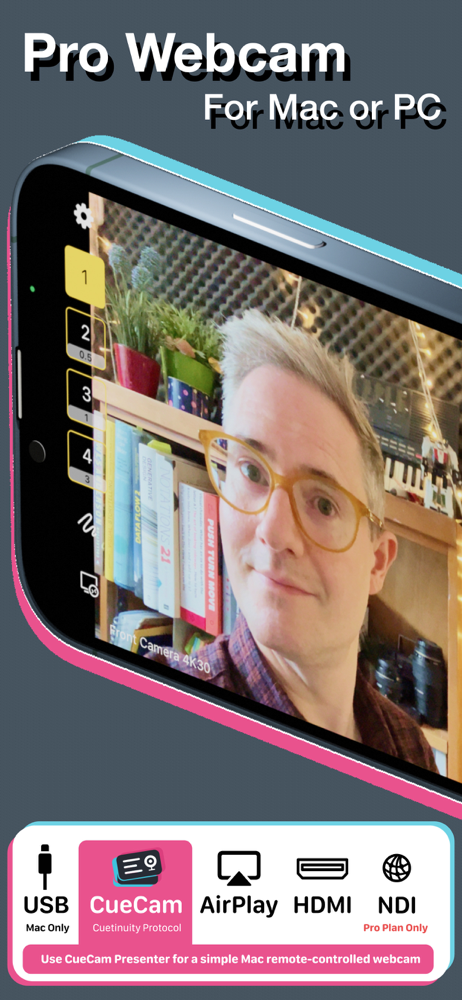
I had searched and searched for an app that could give clean HDMI output to use iPhone as live video source for streaming. FilmicPro was the first I found that could do it, but not with cinematic mode. This app offers clean HDMI, USB, and Airplay modes. (Airplay at 4K!). With an $8 add-on, you can have Portrait "Cinematic mode" and can control the f-stop for level of blurred background, as well as manually focus. The only thing missing in it is ability to manually adjust exposure WHEN in Portrait mode. (It offers full control of ISO and Shutter outside of Portrait mode). Thanks to 'Good to Hear Ltd' for making this fantastic app!
This is the app I’ve been looking for, literally for years. I just want a clean feed from my iPhone camera on another device. There are other apps that will do this, but to my knowledge this is the only one that can do it wirelessly and in 4K. In addition, this app is being continuously developed and improved in 2021, unlike other similar apps which have been left to slowly rot. If you’re only going to get one paid app like this, this is the one to get!
I bought this app to use with ECamm but I’m not real tech-savvy so I couldn’t figure out how to make the camera display vertically. I watched hours of you tube videos, reached out in different Facebook groups, reached out to ECamm, blah blah blah. No help. Finally decided to reach out to the developer & no kidding-had a personal response & the solution in my inbox in less than half an hour! (Simple fix-choose “allow vertical video” in the app settings on my phone.) Thank you!!!
Your iPhone's camera is better than any webcam you can buy. Shoot puts it to work. Use Shoot as a camera source for Zoom, Teams, Google Meet, OBS, Ec...
| Name | Price | Type |
|---|---|---|
| Shoot Basic | $8.99 | One-time |
| In-App Recording | $12.99 | One-time |
| Telestrator | $14.99 | One-time |
| Pro Essentials | $17.99 | One-time |
| Pro Essentials Lifetime | $19.99 | One-time |
| Lifetime Updates Upgrade | $69.99 | One-time |
| Lifetime Updates | $99.99 | One-time |