Check the acquisition promise
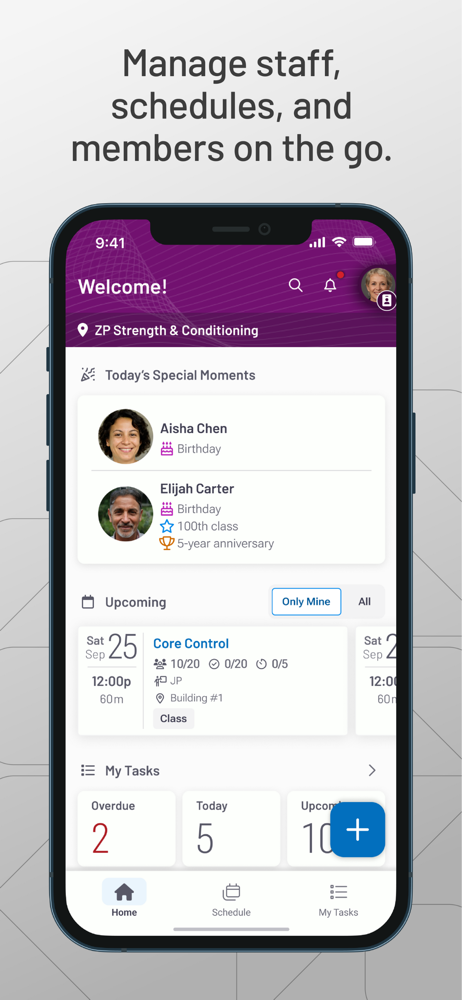
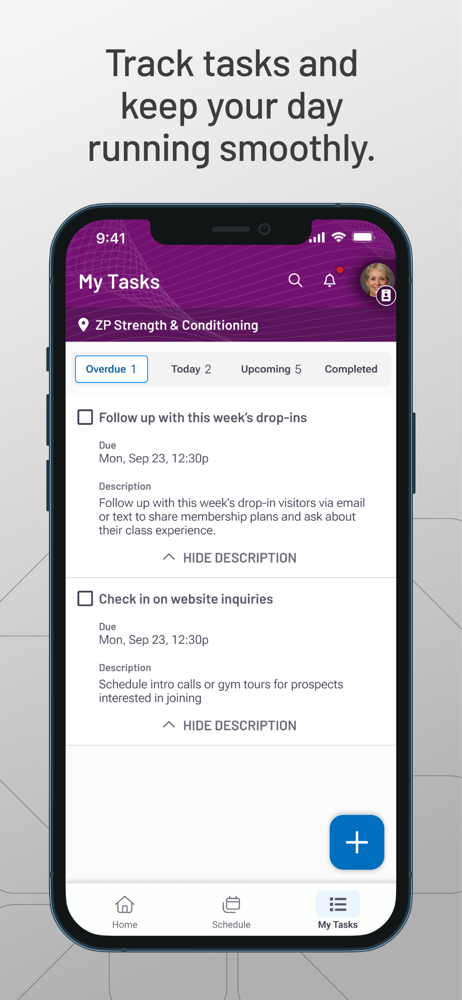
Read the store headline, screenshots and description. What problem is the app promising to solve?
Study the storefront ↗
Daxko LLC · iOS
Explore the ad evidence, study the storefront, and build your next acquisition hypothesis.
01 / Creative research
Read the store headline, screenshots and description. What problem is the app promising to solve?
Study the storefront ↗Explore apps with direct store-link matches. Compare their hooks and formats without assuming the same approach works here.
Browse observed advertisers ↗Store rankings and revenue estimates describe market context. They do not establish ad spend, conversions or ROAS.
Review the market context ↗02 / Storefront & product
Study the product story and store experience behind the acquisition funnel.



03 / Market context
Keep revenue, downloads and store rankings separate from advertising performance.
The old app was great as a centralized kiosk on an iPad. This new app is scaled for a phone so if you’re using an iPad as a kiosk to check people in, check out retail items etc. it doesn’t look great and is hard to use. Functionality is the only thing that matters for a small Business owner using front facing management software and this new app misses the mark. You can keep all the new bells and whistles but keep some of the things from the old app that tangibly worked for us. IE the member check in experience, the retail check out, daily class schedule. The new UI ain’t doing it.
We use the staff app at a martial arts school. The old app was great because you could see the list of students by face and add them to the class. This new version requires you to enter them by name if they haven’t checked in on their own, which isn’t always best when you have to stop the flow of class to ask for a new kid to remind you their name rather than just enter them by photo. It was also way more convenient to just scroll the list of monitors and tick them all off if they were present. Now you have to enter them each by name and it takes longer.
Zen planner has been a very frustrating app to use for the last two years, there’s generally always something going wrong with this app or even the software, I switched over to a new CRM and it feels like simple planner is something that was made in the early 2000s, it was frustrating to have to switch over, but I’m glad I did
The new Zen Planner Staff App has everything you know and love—plus more. We’ve rebuilt the Staff App from the ground up to make managing your day f...