Check the acquisition promise
Read the store headline, screenshots and description. What problem is the app promising to solve?
Study the storefront ↗
Evolve Medical Systems, LLC · iOS
Explore the ad evidence, study the storefront, and build your next acquisition hypothesis.
01 / Creative research
Read the store headline, screenshots and description. What problem is the app promising to solve?
Study the storefront ↗Explore apps with direct store-link matches. Compare their hooks and formats without assuming the same approach works here.
Browse observed advertisers ↗Store rankings and revenue estimates describe market context. They do not establish ad spend, conversions or ROAS.
Review the market context ↗02 / Storefront & product
Study the product story and store experience behind the acquisition funnel.




03 / Market context
Keep revenue, downloads and store rankings separate from advertising performance.
This app has a lot to offer. I like how you can add specific tags and notes per reading, scroll through previous readings, see them graphed, etc. The phone is much easier to use and navigate than the watch. On the phone, as soon as you add sys, it automatically moves to dia, then pulse, then weight, and finally tags and other useful information. HOWEVER, on the watch, you have to select each section individually. That’s a tiny screen. There are four individual spaces you must select before you can add data. And it won’t save until you have entered data for each space. If you have big fingers, it’s tedious work. The watch does show similar stats when you scroll through the screen. One way shows you an average and deviation for the sys/dia for the last month. The other way shows your most recent three data entries. It would make more sense if the first entry you saw was your most recent, though. It would make it easier to try to deduce what has personally or environmentally changed between the two readings to better understand their differences. You could always go to the phone to see the information, but it’s not immediately available on the data history. You need to select each entry individually to see tags and determine if you want to read corresponding notes. I really appreciate the ability to use the watch for data entry, but it’s more time consuming than just using my phone. (So I guess I just need to keep better track of my phone.)
I’ve been using this app for a few years. It’s pretty basic but it does the job. Provides data numerically and in chart form which is helpful. My gripes include: 1/ Unattractive, bulky design. 2/ Awkward UI forces order of entry at beginning, so while I may have most of the data for the end of a reading, I can’t enter it until the BP is recorded at the very beginning. 3/ Creating history reports is limited and not intuitive. PDF format is fine but there are few options for saving/sharing destination. I’d like to save directly to Drive but it’s not an option. I have to email it to myself, then save to Drive from there. I get the option to send direct to doctor via email, but my doc communicates via a portal, not email. So it’s a 3-step process to save to my own files, and a 4-step process to share with my doctor. Screen data is displayed in color indicating optimal, normal, grade 1, 2, 3, etc. according to limit values, however, history reports are generated in BW (the SmartBP logo is in color, though), making it impossible to glean anything from a quick glance. But the charts come in handy as a remedy. Date range selection takes some getting used to - you have to adjust the year before month/day or your attempts are rejected w/o explanation. There are other little niggly things, but you’ll have your own after you use it for awhile. All in all, I think it’s the highest rated app for BP tracking - I would have rated 3.5 instead of 4 if I had the option - and I obviously haven’t 86ed it. Like I said, it basically does the trick.
It's amazing to me how few BP apps include the ability to track factors that might be contributing to BP problems! The flexibility of the tagging features in this app allows you to tag & track - then graph- whatever you want: stress levels, salty diet, major public events (I noticed my BP spike for days after Las Vegas shooting), specific medications or supplements, caffeine intake, etc. It has helped me learn that for me, salt seems almost irrelevant and stress is about 80% of the problem. I'm now tracking Toprol closely as I think I might be having an uncommon but not unheard of paradoxical reaction, with more Toprol raising my BP. DEVELOPER SUGGESTIONS: ... TAGGING: It would be really helpful if tags could be ordered; if not, it would be helpful if list were at least alphabetized. Also would like to be able to ditch some of the tags provided by app......DEFAULTS: Being able to set defaults for measurement site and measurement location would speed input nicely!......BONUS: The ability to have multiple profiles would be nice. Some of us have non-smartphone-using elderly parents to track! Thanks for a great app!!
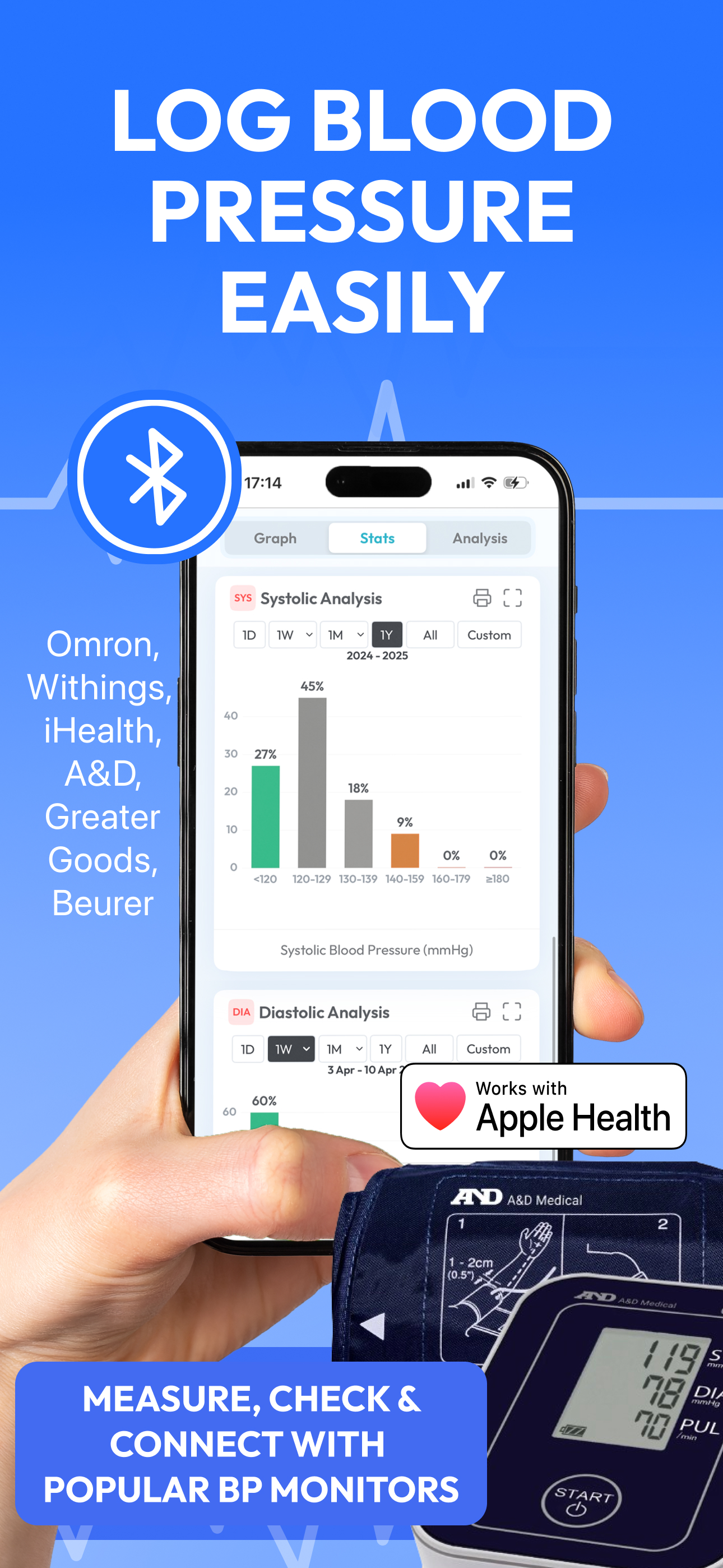
SmartBP® is a blood pressure app that enables you to log, monitor, evaluate, and share BP reports using iOS devices and Apple Watch. In addition, Smar...
| Name | Price | Type |
|---|---|---|
| Multi user profile | $5.99 | One-time |
| Weekly | $5.99 | Weekly |
| SmartBP Premium monthly | $14.99 | Monthly |
| SmartBP Premium monthly | $19.99 | Monthly |
| Annual 50%off | $19.99 | Yearly |
| Premium Annual Subscription | $27.99 | Yearly |
| SmartBP Premium Annual | $39.99 | Yearly |
| SmartBP Premium Annual | $49.99 | Yearly |
| SmartBP Promo Premium Lifetime | $59.99 | One-time |
| premium ad-free version with cloud services enabled | $99.99 | One-time |