Check the acquisition promise
Read the store headline, screenshots and description. What problem is the app promising to solve?
Study the storefront ↗
Connect Holding II LLC · iOS
Explore the ad evidence, study the storefront, and build your next acquisition hypothesis.
01 / Creative research
Read the store headline, screenshots and description. What problem is the app promising to solve?
Study the storefront ↗Explore apps with direct store-link matches. Compare their hooks and formats without assuming the same approach works here.
Browse observed advertisers ↗Store rankings and revenue estimates describe market context. They do not establish ad spend, conversions or ROAS.
Review the market context ↗02 / Storefront & product
Study the product story and store experience behind the acquisition funnel.


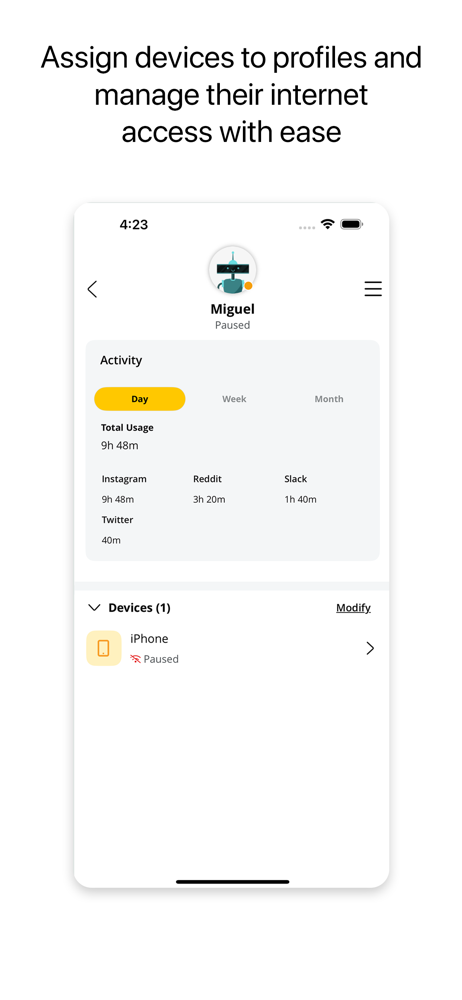


03 / Market context
Keep revenue, downloads and store rankings separate from advertising performance.
As my title suggests, the app works fine. There’s no connectivity issues is easy to set up. It’s straightforward, etc. Where it lacks is it’s not very robust. You can’t create separate networks within your network for example a guest network. You can’t give select devices a priority on the network, etc.
I had been with the Internet provider for years before Bright Speed came to my area. The service I had lagged, and went down constantly and it was so frustrating, but I didn’t have any options. Since we changed to Bright Speed we haven’t had any issues with lagging, and we run several devices at a time. I just had someone from my former service provider come out and try to get me to switch back to them because we have our cell service with them. They offered discount on our phone service and I told them that their Internet service was not as good as Bright Speed and I couldn’t do it, even for the discount.
This app is okay when it works. The devices connected to my network disappear from the network map even though they are still connected to the network. I have a printer that isn’t showing up but prints just fine over the network. I went from 13 devices connected to 4 in the blink of an eye. Turned off a TV and lost 9 devices off the network map. All appear to still be connected to the actual network. They just don’t show on the network map. Also there doesn’t appear to be anyway to edit devices icons. I have 2 TVs that show up as media devices. Would like to see the network map to distinguish between devices connected by WiFi and Ethernet. These are small issues but I would expect the app to work better.
Brightspeed WiFi provides subscribers with the tools to secure and take control of their home Wi-Fi network. Protect your home with app features like...