Check the acquisition promise
Read the store headline, screenshots and description. What problem is the app promising to solve?
Study the storefront ↗
Kaverk Development · iOS
Explore the ad evidence, study the storefront, and build your next acquisition hypothesis.
01 / Creative research
Read the store headline, screenshots and description. What problem is the app promising to solve?
Study the storefront ↗Explore apps with direct store-link matches. Compare their hooks and formats without assuming the same approach works here.
Browse observed advertisers ↗Store rankings and revenue estimates describe market context. They do not establish ad spend, conversions or ROAS.
Review the market context ↗02 / Storefront & product
Study the product story and store experience behind the acquisition funnel.


03 / Market context
Keep revenue, downloads and store rankings separate from advertising performance.
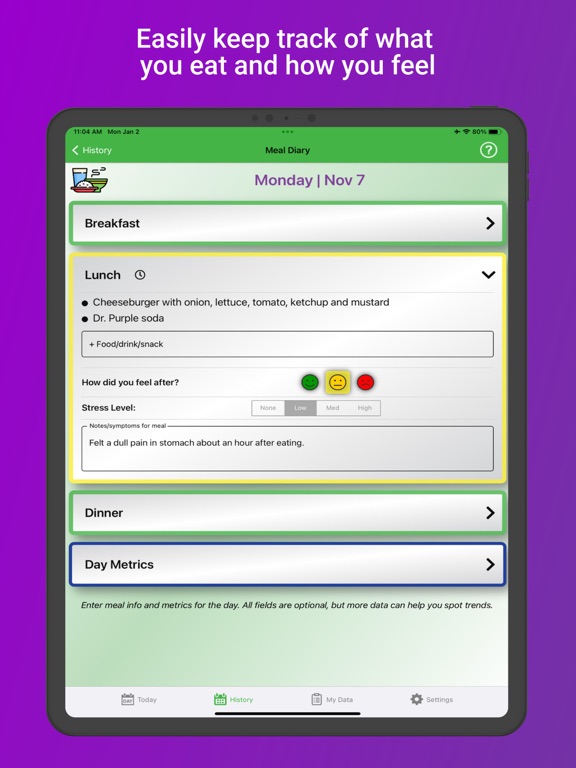
This app is exactly what I wanted to take note of what I eat and follow that information up with any discomfort or digestive problems. I didn’t want to have to enter a lot of specifics, just a fast record to help identify trigger foods. The format for data entry is straightforward. Results are posted in an accessible manner. I knew going in that this app would not share info across devices. That didn’t seem like a deal breaker when I paid for the app outright. That said, I am now really wishing I could post to my iPhone as well as my iPad and have the information sync. I continue to use the app on my iPad to my great satisfaction, but if the developers ever make that syncing possible I will do my dance of joy! Thank you for a solid product.
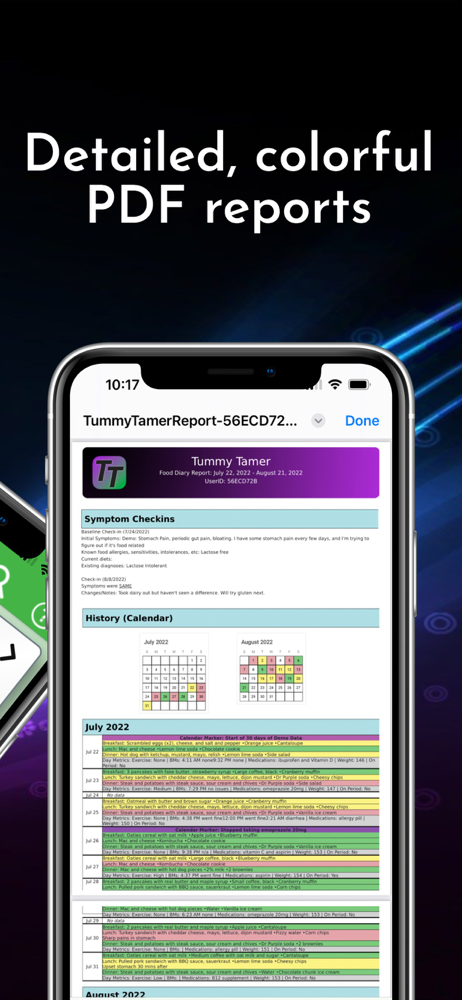
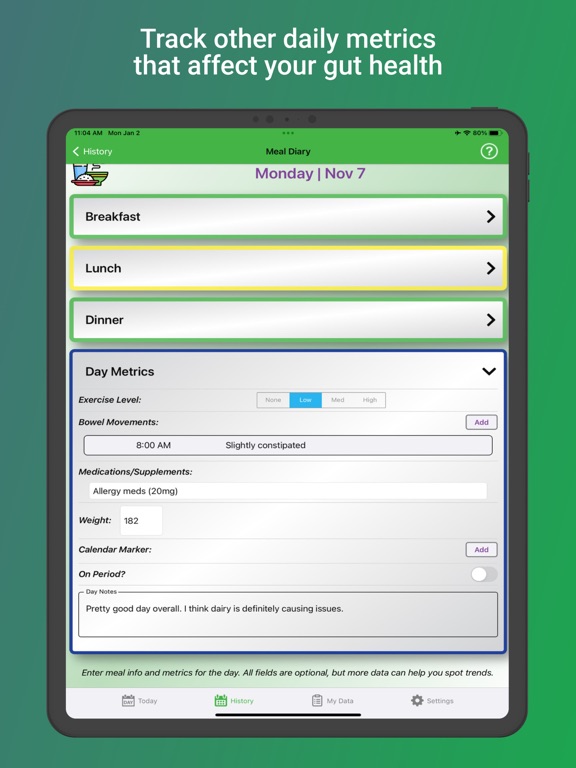
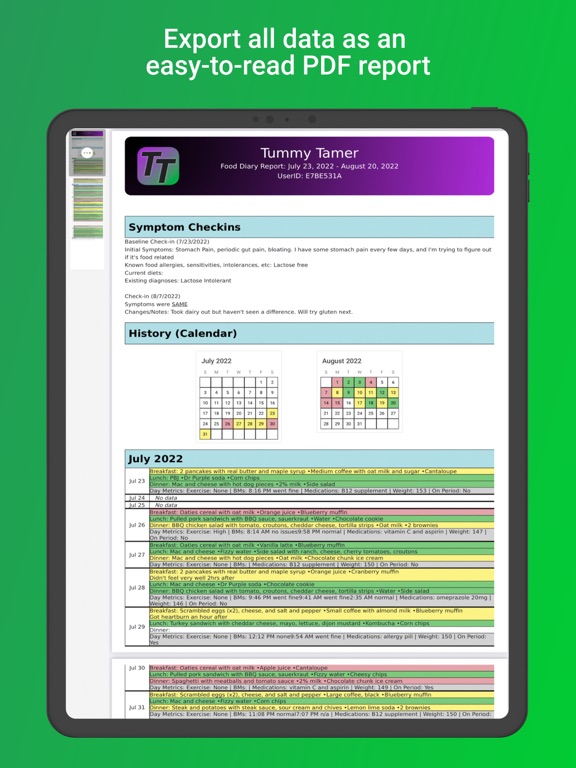
My pain management specialist and nutritionist recommended I track my food to see what is causing my inflammation and joint pain. They recommended the “elimination diet” where you eat only a few foods, then bring back food a bit at a time to find “the culprits.” It’s IMPOSSIBLE to do without tracking everything—and Tummy Tamer made this SO EASY! Just tap breakfast, use the mic, (no need for typing) and it also tracks things like exercise, stress, stomach issues etc. LOVE THIS! And I love the color codes for good and bad days, and being able to make (and send) reports to my medical providers! THANKS!
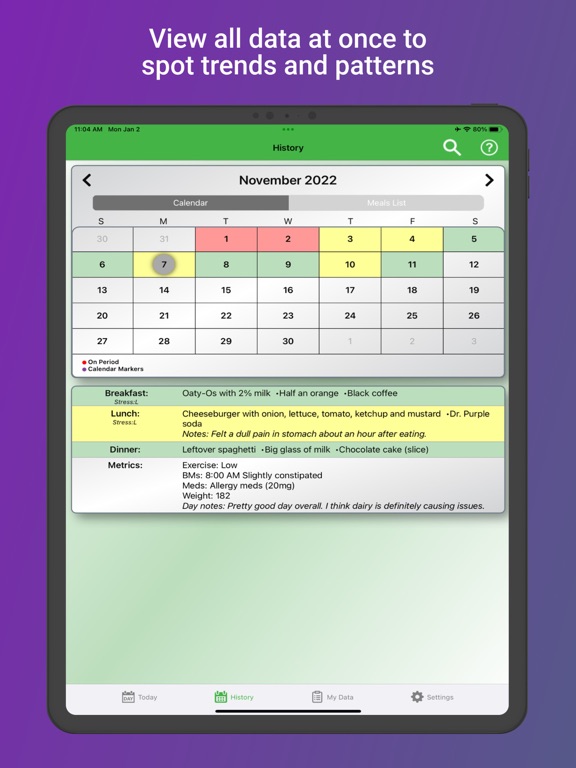
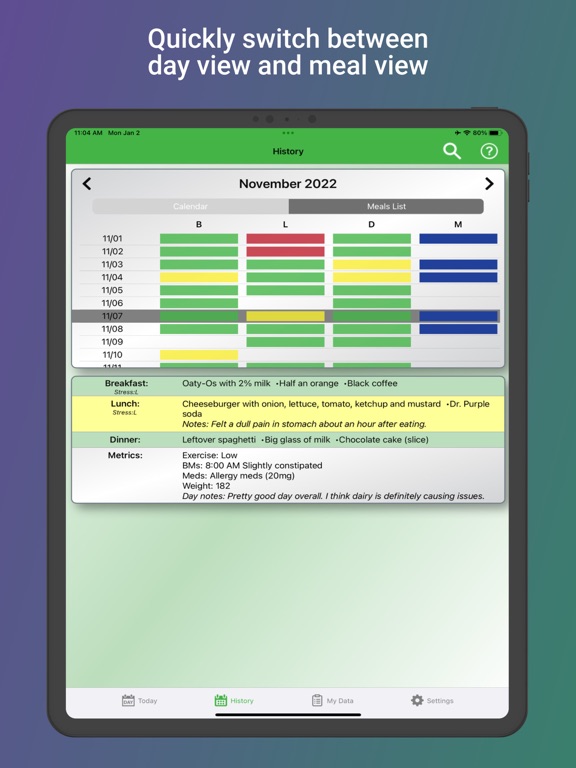
I’ve kept food diaries on paper before, recording what I ate, when I ate it, and how I felt after. They were helpful, but difficult to see patterns. I like the simple green/yellow/red color scheme this app uses to categorize meals and days. I also like the free-form food entry that lets me type whatever I want. Other apps make me add something to their “library“ of foods before I can enter it. Tummy Tamer doesn’t have the frills of other dieting apps, but it gives me exactly what I need and has already helped me identify some trigger foods.
An intuitive food diary meant to help you uncover food sensitivities and triggers. Easily track your food and drink intake, symptoms throughout the da...
| Name | Price | Type |
|---|---|---|
| One Month Subscription | $2.99 | Monthly |
| Pro (3 months) | $2.99 | Quarterly |
| Three Month Subscription | $6.99 | Quarterly |
| Pro (12 months) | $9.99 | Yearly |
| Pro (Lifetime) | $19.99 | One-time |
| Lifetime Unlock | $24.99 | One-time |