
Check the acquisition promise
Read the store headline, screenshots and description. What problem is the app promising to solve?
Study the storefront ↗
Zeasn Info Technology Co., Ltd. · iOS
Explore the ad evidence, study the storefront, and build your next acquisition hypothesis.
01 / Creative research
Read the store headline, screenshots and description. What problem is the app promising to solve?
Study the storefront ↗Explore apps with direct store-link matches. Compare their hooks and formats without assuming the same approach works here.
Browse observed advertisers ↗Store rankings and revenue estimates describe market context. They do not establish ad spend, conversions or ROAS.
Review the market context ↗02 / Storefront & product
Study the product story and store experience behind the acquisition funnel.



03 / Market context
Keep revenue, downloads and store rankings separate from advertising performance.
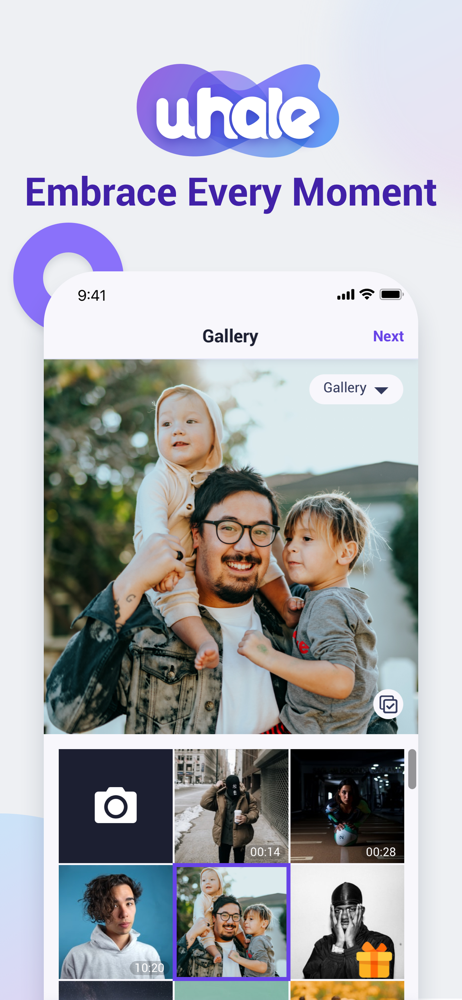
As the title say, the app does what it’s supposed to. It shares photos with Uhale electronic photo frames, which are also good. I received one for Christmas and have had a good experience with it. That being said, the app is missing a lot of quality of life features that make it very frustrating to use at times. Chief amongst these issues is the inability to remove photos from selection after you’ve reached the cropping and uploading stage of the process. You can select multiple photos to add to a frame, but once you get to the uploading stage and realize you accidentally clicked a photo you don’t want to share (and you WILL, the selection screen is ridiculously sensitive, adding to this frustration) you have to return to the selection screen, scroll through your camera roll to find the picture you want to remove, then remove it. Then you’ll go back to the upload screen and realize you accidentally selected 4 more photos looking for the one you wanted to remove! For the love of whatever god you pray to, add the ability to remove selections in the upload screen. It would make this app so much better. This should be a process you barely have to think about, but it can and will become a hassle very quickly at times.
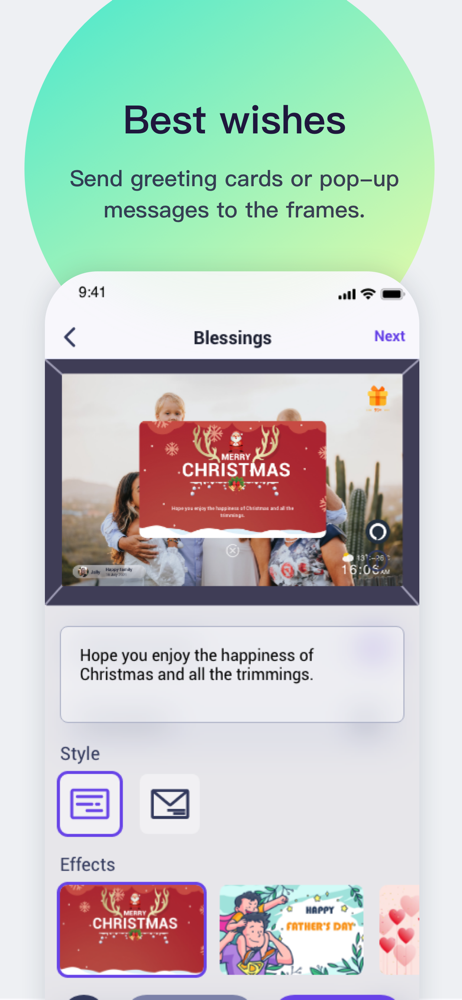
This frame and app are well designed and intuitive to use. The frame screen is a touchscreen, so you don’t have to learn how to navigate using buttons on the side. The ability to edit many settings is a wow factor. As the frame owner, you can choose how sent pictures are displayed, which ones you don’t want to see, what to display on the screen in addition to the photos (weather, temp, time, sender, etc) choose do display photos from a select sender, remove a sender, change volume of alerts, volume of sent videos, and many more. As a sender from the app, I can see which photos/videos I already sent, add captions to the photos before I sent them (captions are displayed on the frame when the photo is displayed) and withdraw photos I already sent. I can also send “greetings” with a variety of common themes (holidays, Birthdays, etc) with an option to show as text only or a “greeting card”. The only 2 things I have not found how to do is 1) Configure my own “playlists” (like “summer vacation” or other) so I can group photos into playlists and play them. 2) be notified if I missed a greeting or it expired on the main photo display. I can go into the display setting and view past greeting, but there is no badge icon to let me know I have unviewed greetings. Both above are minor - I am VERY happy with this frame and app!!
I began getting my frame hung and reading the info. This is my first at the newer technology. I have the Kodak 7 inch frames with the cards installed. The instructions were straight forward and 1 registered 3 Friends/ Family members and once the frame was bonded and the friends sent some pictures just a little sampling. We identified some that had pixelated and choosing the picture orientation, some choices cot parts of the pictures off. I told her which ones since they have the control. They sent a couple of videos created with 3rd party software that were 2 minutes, they were received and played including the music. Looking forward to continue reading and me to load some pictures and videos.
The Uhale APP is an application that syncs your album to an electronic digital Photo frame from your phone. After binding the photo frame with the inv...


