Check the acquisition promise
Read the store headline, screenshots and description. What problem is the app promising to solve?
Study the storefront ↗
Limitliss LLC · iOS
Explore the ad evidence, study the storefront, and build your next acquisition hypothesis.
01 / Creative research
Read the store headline, screenshots and description. What problem is the app promising to solve?
Study the storefront ↗Explore apps with direct store-link matches. Compare their hooks and formats without assuming the same approach works here.
Browse observed advertisers ↗Store rankings and revenue estimates describe market context. They do not establish ad spend, conversions or ROAS.
Review the market context ↗02 / Storefront & product
Study the product story and store experience behind the acquisition funnel.


03 / Market context
Keep revenue, downloads and store rankings separate from advertising performance.
It takes a little bit of work to add social profiles or emails for all of the people in your contacts list, but the payoff is awesome! Having done this painstakingly by hand in the past for just a subset of my contacts, $4.99 for this app was well worth worth the time I would’ve otherwise spent trying to do this myself. Great work, Casey! Would love to see the following in future updates: - connect to the Facebook API, so I can select other photos of my contacts from Facebook to save myself from the temporary filters everyone seems to use - LinkedIn integration, for all my work-only contacts. I’m guessing you could connect to LinkedIn and grab profile photos from there for contacts that I’ve configured a LinkedIn account on?
I’m a lawyer with a great memory for my own clients’ names and faces, but I have a terrible memory for the faces and name of the lawyers I deal with. (My practice cover s a very wide geographic area.) I have always tried to find a picture of the other lawyers, but this means going to their websites, trying to find a picture, copying it, cropping it, pasting it, hoping all this works, and wasting as much as five or 10 minutes in the process. Of course pictures also get upgraded — even my own cousin’s avatar / picture was upgraded, but I didn’t know it until I ran this software. Best five bucks I’ve spent in a long time! I don’t “get“ the name, but when I ran it before paying for it, and saw what it would do, it became a no-brainer. From one Virginia lad to another, thanks for the great app!
I mean it’s no Fast Text, but it works exactly as advertised. And that’s why it’s 4 stars instead of 5. I recognize that how the app operates (scanning contacts on device only) is a core part of its design and choice of its designer, but for me, this makes it only marginally useful. I never enter social media info for my contacts. So unless this info is in there as a vestige from a prior Facebook sync (when that was possible) or because someone gave me a vCard that included it, Vignette won’t help. Out of 800+ contacts, it identified 19 updates — but I’m certain there are 100s more. Adding in social media info manually is a nonstarter for me (at that point, I might as well update the photos myself). I’d love to see an option to log in to these services to match contacts and grab photos (like how the old Facebook sync worked). That said, the app is free to download and will show you exactly what it will do for you before you have to pay (which is a great idea, executed well) — so no harm in trying it out!
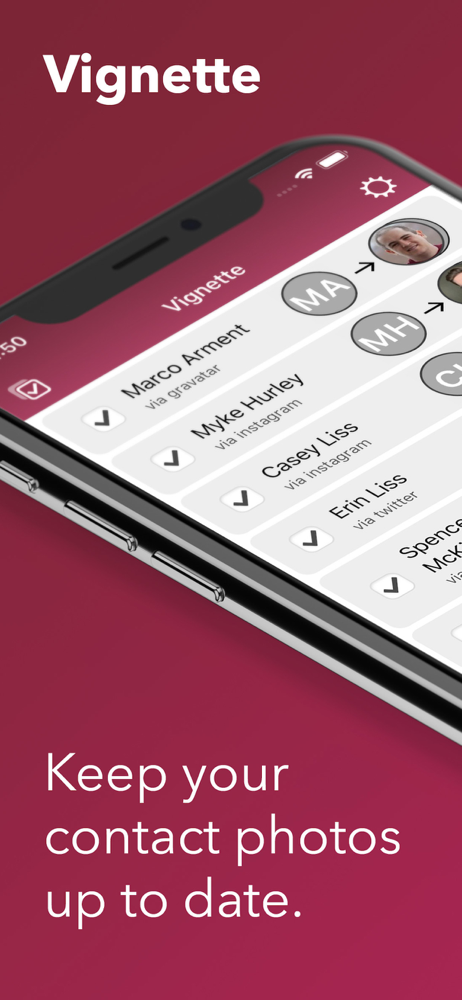
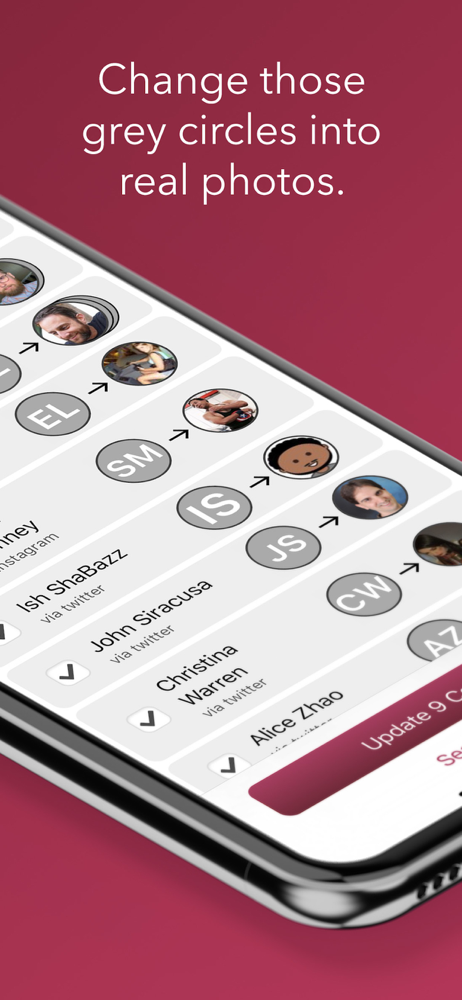
Vignette allows you to change all those ugly grey circles with initials into actual photographs. By searching Twitter, Facebook, Instagram, Github, a...
| Name | Price | Type |
|---|---|---|
| Save Updates | $4.99 | One-time |