
Check the acquisition promise
Read the store headline, screenshots and description. What problem is the app promising to solve?
Study the storefront ↗
Carlos Cabanero · iOS
Explore the ad evidence, study the storefront, and build your next acquisition hypothesis.
01 / Creative research
Read the store headline, screenshots and description. What problem is the app promising to solve?
Study the storefront ↗Explore apps with direct store-link matches. Compare their hooks and formats without assuming the same approach works here.
Browse observed advertisers ↗Store rankings and revenue estimates describe market context. They do not establish ad spend, conversions or ROAS.
Review the market context ↗02 / Storefront & product
Study the product story and store experience behind the acquisition funnel.


03 / Market context
Keep revenue, downloads and store rankings separate from advertising performance.
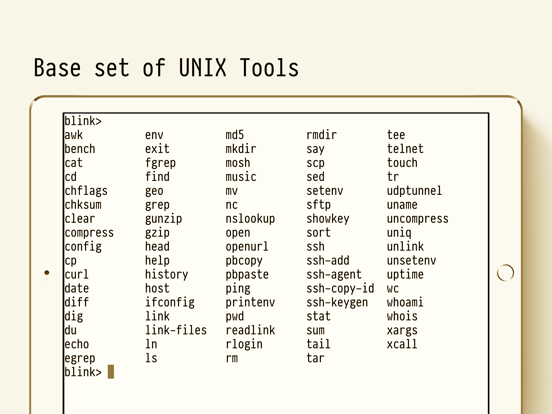
Blink is awesome and pretty much part of my daily routine. That said, the behavior changes pretty frequently and it’s not always better. The latest release (13.4) for example changes the way scrolling works. Is it cool that people can use a trackpad? Yes. Do I have one? No. So when the changes to support that feature change how terminal scrollback functions (something I use *all the time*), it’s troubling. Where I used to be able to go back in the buffer by pulling down the screen, now I just get the equivalent of an up-arrow at the command prompt or a mouse scroll in vim. I even commented on this in the TestFlight builds. The release comment suggests we move to tmux/screen to get scrolling. While that’s a great suggestion, it really shouldn’t be necessary to maintain the behavior from before the change. And really, even when I do use tmux, I don’t have mouse mode enabled so I get to change my flow (again) to manage scrollback and copy/paste. So, at the end of the day, Blink is very cool. It’s pretty much the best terminal app available for the iPad. Having mosh is also very cool. On the other hand, if I’m using Blink and mosh, I should not be forced to use tmux. I guess it’s back to plain old ssh for now; scrolling seems to work there. Well, at least until that changes.
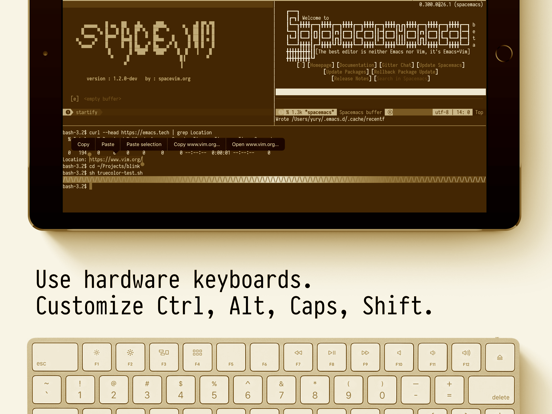
Blink is now my absolute go to for Mosh and SSH. The continued quality improvements just keep making it better. This latest round improves all kinds of keyboard capabilities making it on par with desktop keyboards and even works around Apple’s removal of the near-mandatory ESC key. What I really like is that the author hasn’t gone overboard with unnecessary features nor unnecessary minimalism. The app strikes the right balance and has the feel that they use their own application for real work. The performance and reliability is great — exactly what’s needed from a terminal application. It’s also with that Blink has a number of diagnostic tools in it as well for helping to solve network issues. (e.g. when a host isn’t responding, or when T-Mobile LTE won’t allow ssh and you should activate a VPN).
I’m a SSH newbie, learning how to create instances within the cloud, so I was both very interested in the Blink application for many reasons: being able to SSH into my instances using only my iPad (giving some definite freedom there!), and because of all the rave reviews that are out there. I had to learn quite a lot about public and private keys and moving them around for access, but I was able to successfully thanks to both Carlos Cabanero, who was exceedingly helpful and friendly, as well as a few community members who answered my question right away. Frankly, I was surprised to get such helpful answers, I felt embarrassed about asking things that I felt sure marked me as Newbie from a mile away :) But, anyways, now I’m able to SSH into my AWS EC2 instances and I couldn’t be happier..
This is the Legacy version of Blink Shell. Download the new free version Blink Shell instead from https://itunes.apple.com/app/id1594898306. Current...


