Check the acquisition promise
Read the store headline, screenshots and description. What problem is the app promising to solve?
Study the storefront ↗
Paint 98 · iOS
Explore the ad evidence, study the storefront, and build your next acquisition hypothesis.
01 / Creative research
Read the store headline, screenshots and description. What problem is the app promising to solve?
Study the storefront ↗Explore apps with direct store-link matches. Compare their hooks and formats without assuming the same approach works here.
Browse observed advertisers ↗Store rankings and revenue estimates describe market context. They do not establish ad spend, conversions or ROAS.
Review the market context ↗02 / Storefront & product
Study the product story and store experience behind the acquisition funnel.


03 / Market context
Keep revenue, downloads and store rankings separate from advertising performance.
Sad I have to give this app such a low review, I would really like to be able to use it :( The concept is great, I would love to have an app on my IPad to do sketchy MS Paint style sketches on, however… First off, the undo/redo buttons are a pain to get to, they’re in the settings. Incredibly inconvenient for someone like me, who is undoing and redoing things *literally* every couple seconds. Also, the whole “mouse” control thing makes sense, and I did find the spot in the settings where you can change it, but it is still incredibly hard to navigate and I was unable to finish even one little doodle. :( Last major thing I have to point out, is that after just using the app for about… five-ish(?) minutes, it had completely reset my canvas multiple times even though I definitely didn’t tell it to. :( Hope to see this app get a couple major updates at some point because I would really love to have an app similar to this just… useable. ^_^
This app is a very faithful recreation of MS paint, down to the flaws of it such as a lack of an opacity tool, layers, etc. but if you’re looking for MS paint on mobile this is it. The UI is a bit clunky and hard to use because it has buttons for right click and left click that you have to maneuver to use it but that’s just the way it goes about converting paint to phone. The only issue I really have is that trying to type numbers when resizing a canvas or section of the image or when choosing a color does NOT work at all. It just does not put the number you’re typing, for instance I was trying to resize the canvas up 200% and the app would not allow me to type a number higher than 100 without changing the number I typed to say 100. Idk what’s going on exactly behind the curtain but it’s essentially impossible to do anything on this app that requires typing numbers, and you can’t even copy and paste numbers from your clipboard to avoid having to deal with the bugginess.
I've seen other people comment on this, and I would also like to request that the undo & redo buttons are made better accessible. This app is obviously not intended for serious graphic design and more for fun doodles, and I love the overall layout (I have been looking for an MS paint substitute for a while), but my experience is definitely limited with how tedious it is to open the settings every time I want to undo, which is very frequent. Please fix this, if so I can see myself using this app a lot more in the future!
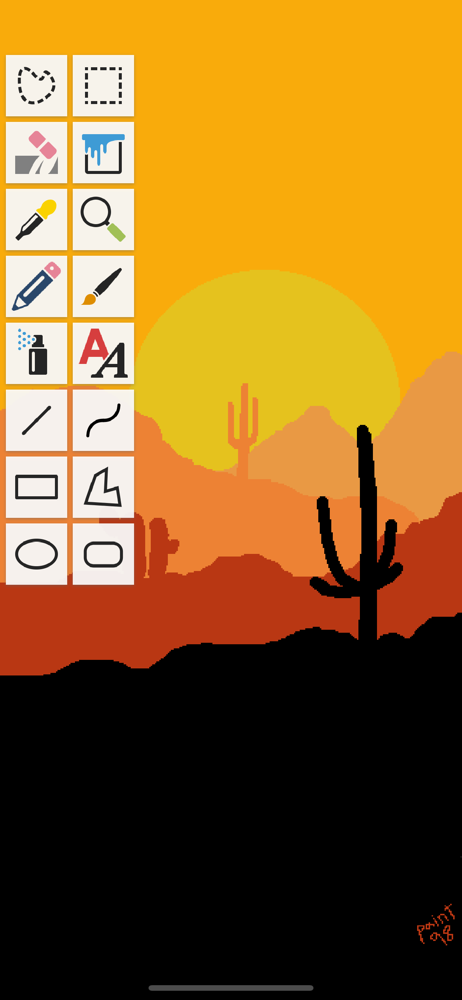
Paint 98 is a simple yet powerful drawing tool that lets you to create, edit and share images without all the complications of today's image editors....
| Name | Price | Type |
|---|---|---|
| Monthly Tip | $0.99 | Monthly |
| Tip | $0.99 | One-time |
| Ultra Tip | $4.99 | One-time |
| Annual Tip | $9.99 | Yearly |
| Super Ultra Tip | $9.99 | One-time |