Check the acquisition promise
Read the store headline, screenshots and description. What problem is the app promising to solve?
Study the storefront ↗
New Marketing Lab, Inc · iOS
Explore the ad evidence, study the storefront, and build your next acquisition hypothesis.
01 / Creative research
Read the store headline, screenshots and description. What problem is the app promising to solve?
Study the storefront ↗Explore apps with direct store-link matches. Compare their hooks and formats without assuming the same approach works here.
Browse observed advertisers ↗Store rankings and revenue estimates describe market context. They do not establish ad spend, conversions or ROAS.
Review the market context ↗02 / Storefront & product
Study the product story and store experience behind the acquisition funnel.




03 / Market context
Keep revenue, downloads and store rankings separate from advertising performance.
I’ve had this app for literally only 24 hours or less and almost immediately started having problems w it. I give it 2 stars because it does what it says it will do and it makes it easy to upload my photos to multiple apps with titles, keywords, descriptions, etc so that i dont have to type it out each time. BUT. After the first few photos being edited smoothly i encountered an issue where the app just crashes in the middle of editing or even right after i save the image which is super annoying because I then feel like i just wasted time writing out a long description & many keywords all for them to just be deleted. I would definitely like the app a lot more if it would stop crashing….
it does what it says it does and it removes all that Apple will let you remove. in case other people didn’t know Apple won’t let you remove absolutely everything so that’s not the developers problem that’s Apple‘s problem… As for the ads after you download a picture just exit out the app & reenter if u dont wanna pay to get rid of the ads instead of acting like a child in the reviews.
I’ve used this app for years without issue. About 3-4 weeks ago it stopped working as usual. After I select a photo and “remove all metadata” option, it now keeps all Exif data. 2 months ago, all of that would be deleted. So, if I re-select the same photo and use the “remove Exif” option, it will not remove the Exif. 2-3 months ago, I’d select a photo and all, & I mean all data was removed except for the photo itself. The photo metadata/Exif page was just blank. Not anymore. Now it looks like a CVS receipt after “remove all metadata” or “remove Exif” operations. This was a once great and simple app. It’s not working even after deleting and reinstalling it.
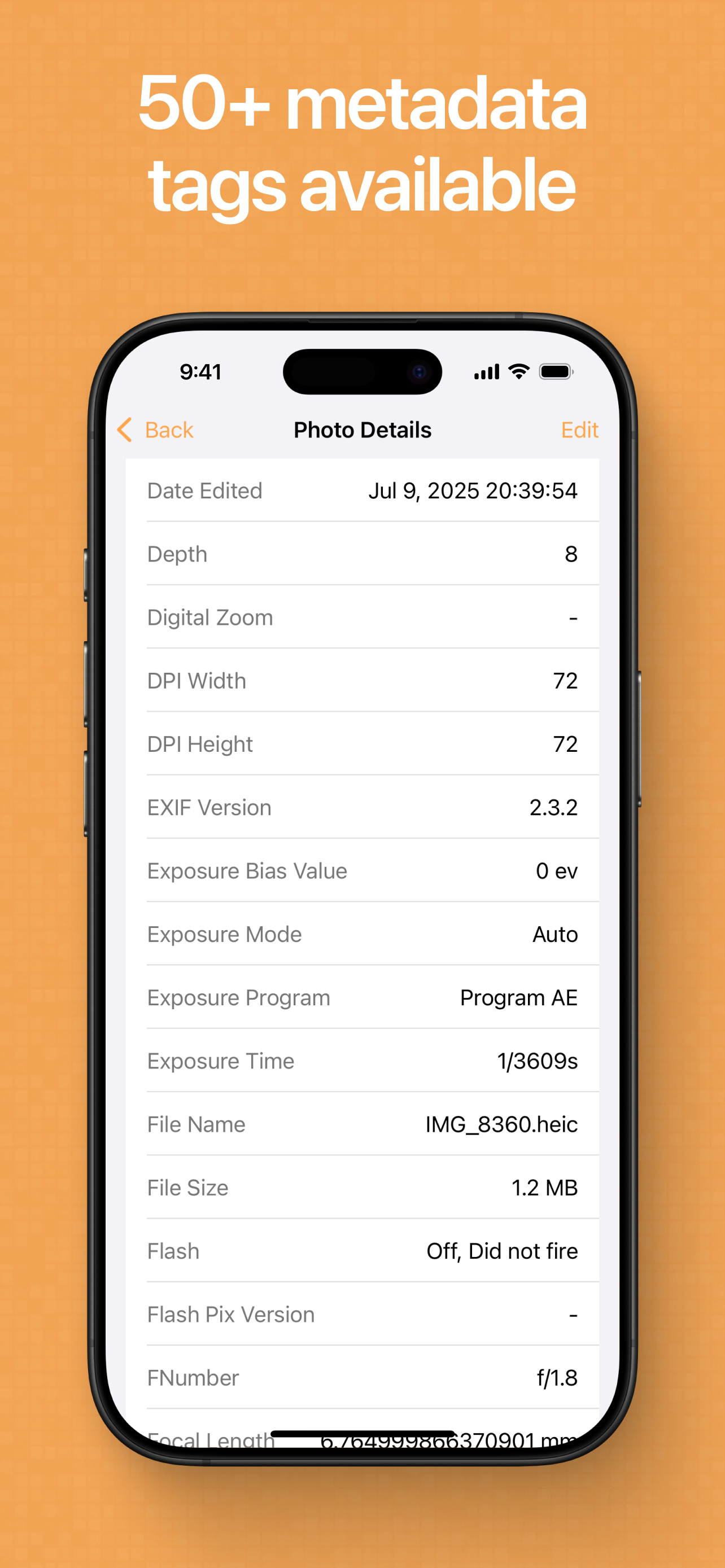
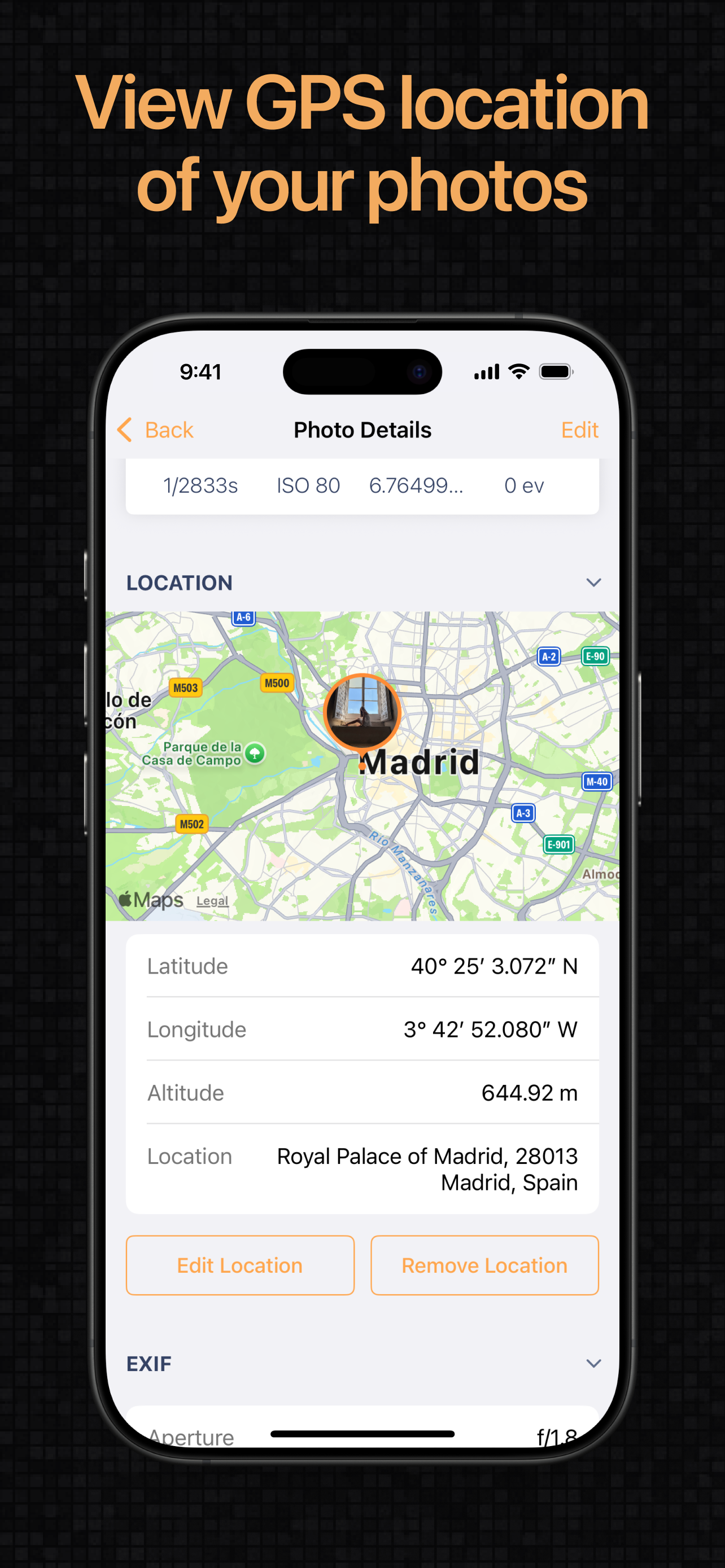
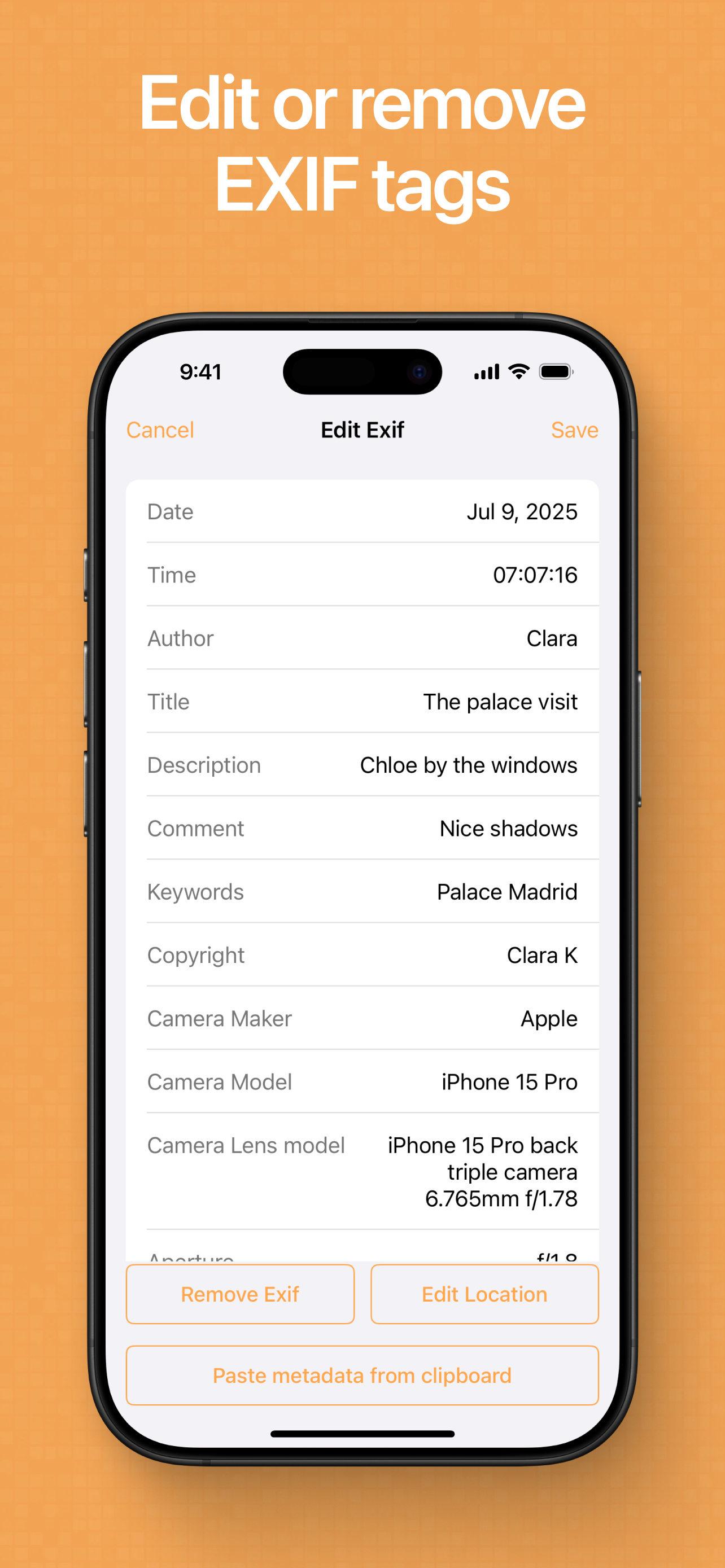
Exif Metadata lets you quickly and easily view, edit, and remove metadata, including GPS location, from your iPhone and iPad photos. It is a must-have...
| Name | Price | Type |
|---|---|---|
| Exif Metadata Pro (monthly) | $4.99 | Monthly |
| Exif Metadata Pro (annual) | $9.99 | Yearly |
| Exif Metadata Pro (lifetime) | $19.99 | One-time |