Check the acquisition promise
Read the store headline, screenshots and description. What problem is the app promising to solve?
Study the storefront ↗
Fluntro · iOS
Explore the ad evidence, study the storefront, and build your next acquisition hypothesis.
01 / Creative research
Read the store headline, screenshots and description. What problem is the app promising to solve?
Study the storefront ↗Explore apps with direct store-link matches. Compare their hooks and formats without assuming the same approach works here.
Browse observed advertisers ↗Store rankings and revenue estimates describe market context. They do not establish ad spend, conversions or ROAS.
Review the market context ↗02 / Storefront & product
Study the product story and store experience behind the acquisition funnel.





03 / Market context
Keep revenue, downloads and store rankings separate from advertising performance.
File size for me is a detail that I frequently need to know for when I’m uploading images to my website. It seems like such a simple need to fulfill! Trust me when I tell you that I've REALLY struggled to find any app that provides me with an accurate image file size. Ultimately I found EXIF Viewer Lite and it served all my needs well for several years. I should mention that my main (and perhaps only need) is to view the file size of an image using the share extension in the camera roll. This app did that well for several years...in fact I’d tested out several Exif types of apps and this was the best and fastest by a pretty significant margin. But of course Apple has to go and mess with ios every year...and apparently this year their iOS 13 is especially glitchy and buggy. So it should come as no surprise to that iOS 13 broke the ability to use EXIF Viewer Lite from the camera roll...or if not broken then this feature is hidden amongst all the other new and different options you now have for photos when you tap on the share extension (the rectangle with an arrow in upper right hand corner.) My rule is to spend 15 minutes looking for something like this that’s now missing or in finding some previously available but now removed functionality. Spending more time seems a waste since it shouldn’t be that difficult and it occurs so often with every new ios. I’ve done that and failed to find it. So...if anyone else sees this and knows how to bring this function back...please write your own review and let us know! Thanks in advance ;-)
This has been a great app but recently it has iTunes telling me this app needs to update and when iTunes tries to update it an "error 404" "there was a problem downloading EXIF Viewer Light by Fluntro" comes up... Can't update if the iTunes can't find it... just saying... otherwise thanks again for a great app!
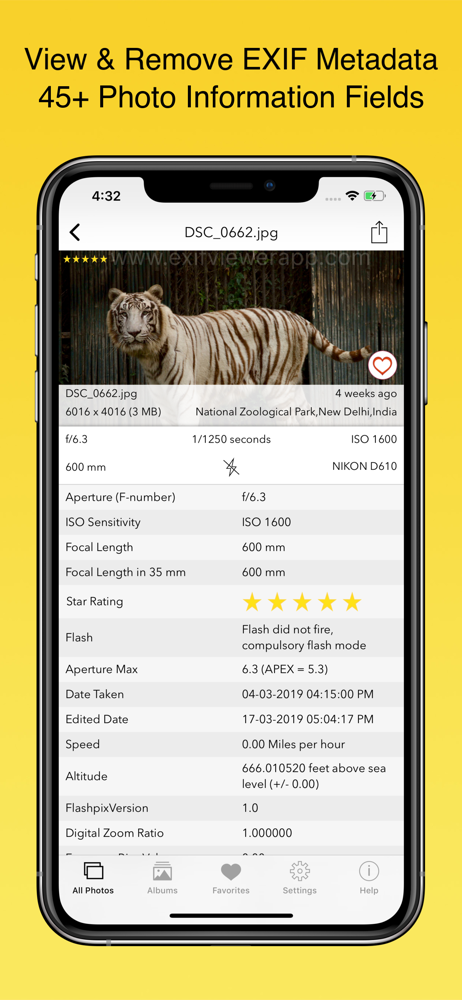
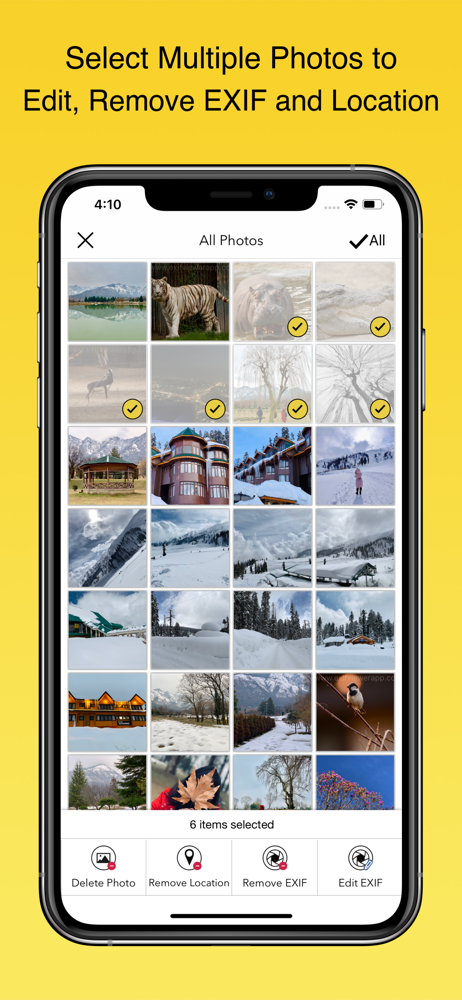
Thanks for providing this high quality free app. I tried a bunch of different ones and this one was my favorite. Easy to strip out EXIF data. Wish I could save the stripped image to an album, though.
Exif Viewer is beautiful and well crafted app for professional photographers who are serious about their work. This app also contain ExifViewer Photos...