Check the acquisition promise
Read the store headline, screenshots and description. What problem is the app promising to solve?
Study the storefront ↗
Camojojo · iOS
Explore the ad evidence, study the storefront, and build your next acquisition hypothesis.
01 / Creative research
Read the store headline, screenshots and description. What problem is the app promising to solve?
Study the storefront ↗Explore apps with direct store-link matches. Compare their hooks and formats without assuming the same approach works here.
Browse observed advertisers ↗Store rankings and revenue estimates describe market context. They do not establish ad spend, conversions or ROAS.
Review the market context ↗02 / Storefront & product
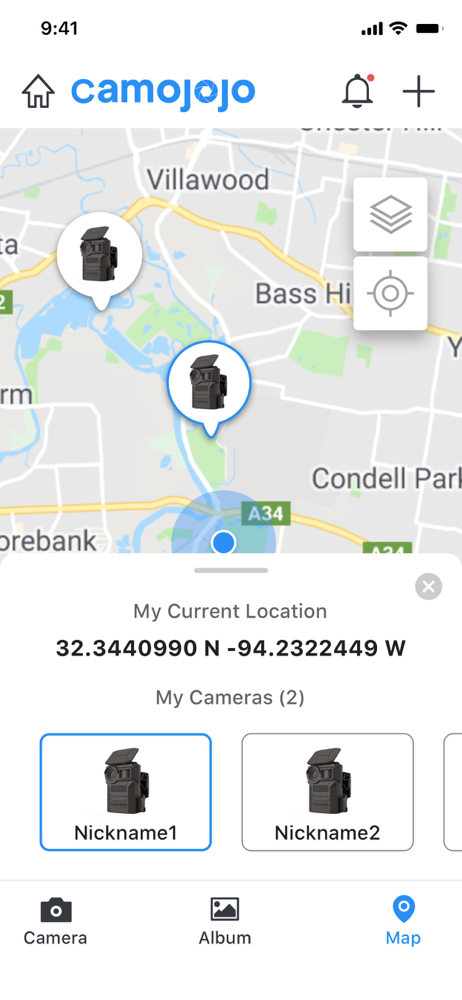
Study the product story and store experience behind the acquisition funnel.


03 / Market context
Keep revenue, downloads and store rankings separate from advertising performance.
OK if you’re looking for an app that works and you’re able to see photos and set your settings and connect to it in real time, then you can stop right here and don’t read any further One thing I must say right a punk is that the solar panel connected with the rechargeable batteries using the USB on the solar panel works. But if you want any kind of output, that tells you that is charging forget it. But if you want functionality like: The ability to set settings and have that happen in real time forget it. If you want to multi, select more than 500 photos and delete them, forget it I have found the safest way to delete photos is to manually select no more than 100 at a time and delete because if you try to do much more than that, it may fail on you in an unexpected way and then you have to start over again. If you want to delete all your photos at one time, forget it. If you want access to the cloud service where your data is contained, and just download all your data of your photos and videos, forget it. i’ve had this device for almost 3 months now, and it is only locked up on the ones where you had the power cycle the device because the camera acted on the app as if it worked but nothing really worked and you’re able to tell that it’s not working because it stops triggering and then you have to wait and interminable amount of time. Just figure out that’s working again and even then you’re unsure It sure would be nice if they have a website where you can access all your data because it is a cloud-based service where they are storing all your data on we do live in the 21st century, just saying. And if you’ve read this far, I will be honest I have reached out to their support many many times and they have been responsive. Just expect the answer to be no most of the time.
Since the update 8/2/23, the App will not open and only crashes.
I had no problems connecting my camera. I also have no problems receiving photos and videos. However, there’s a bunch of minor issues like not being able to view photos in landscape on the app. Having to tap the screen like 4 times before you can watch a video, etc. Also, the status of the camera isn’t very accurate. Battery percentage only shows in intervals of 10% and there’s no indication if your solar panel is actually charging the camera in the app. For some reason too, the camera never shows as offline even if I turn it off, it’s always online. Lastly, the livestreaming feature is terrible. It takes at least 3 to 5 minutes to start the livestream even with very strong AT&T signal. When I tried to connect the first time, it booted me off after 3 seconds of viewing, now it can’t view the livestream again. Dark mode on the app would be nice too. Overall, the app works. It just doesn’t work very well.
The App is designed for the new generation trail camera - Camojojo trail camera. It brings you a different experience that the Camojojo allows receivi...
| Name | Price | Type |
|---|---|---|
| Basic/Monthly | $4.99 | One-time |
| HD Package | $4.99 | One-time |
| Live Package | $7.99 | One-time |
| Elite/Monthly | $7.99 | One-time |
| Cloud Service | $9.99 | One-time |
| Premium/Monthly | $11.99 | One-time |
| Basic/Yearly | $54.99 | One-time |
| Elite/Yearly | $84.99 | One-time |
| Premium/Yearly | $119.99 | One-time |
| 4-Pack Premium Yearly | $449.99 | One-time |