Check the acquisition promise
Read the store headline, screenshots and description. What problem is the app promising to solve?
Study the storefront ↗
SocialKit LTD · iOS
Explore the ad evidence, study the storefront, and build your next acquisition hypothesis.
01 / Creative research
Read the store headline, screenshots and description. What problem is the app promising to solve?
Study the storefront ↗Explore apps with direct store-link matches. Compare their hooks and formats without assuming the same approach works here.
Browse observed advertisers ↗Store rankings and revenue estimates describe market context. They do not establish ad spend, conversions or ROAS.
Review the market context ↗02 / Storefront & product
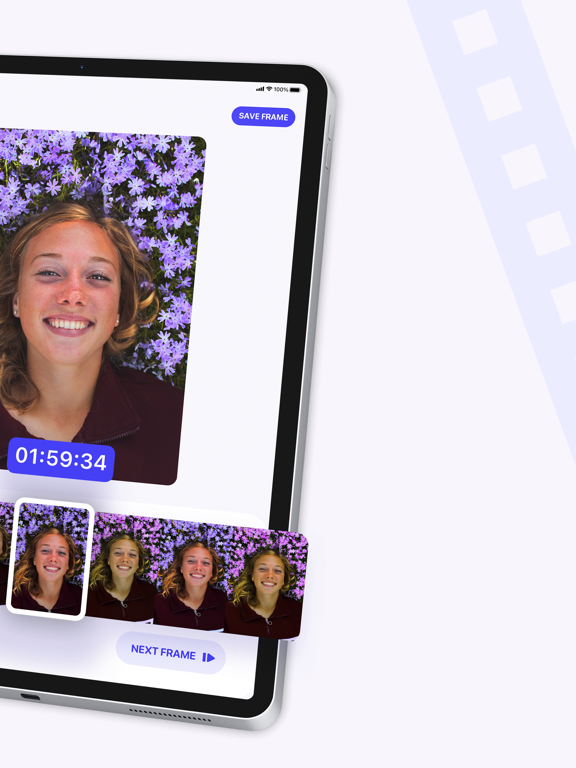
Study the product story and store experience behind the acquisition funnel.




03 / Market context
Keep revenue, downloads and store rankings separate from advertising performance.
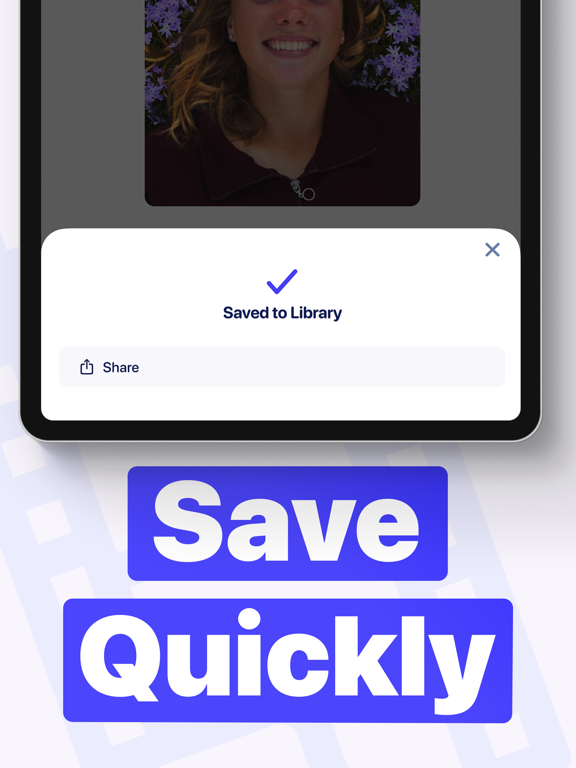
I have been loving this app and using it religiously for the past six months at least ….probably longer. I just upgraded my phone from an eight to a 12 mini and now every time I try to save a picture that I have made or upload to Instagram, it just shows a black screen; in my photo library, and on Instagram. I tried researching through the Apple community and online, but I couldn’t find anything that was matching my circumstances. I’ve only got it to save one photo and it was actually from my old phone so I had to upload the video from my iCloud to my old phone just to make a photo with this app. like I said, I’ve only been successful once. I’m still working on it but I’m very frustrated at this point because all I do is make video and then pull pictures from it so I may be screwed for this week’s content. I noticed the picture wasn’t completely done uploading before I tried to share or save and sometimes it would close out the app before it got done saving…. so I believe it’s the app that’s having issues. Just seems to be a coincidence that it happens. Only happen when I upgraded phones…. HD or 4K quality! Idk.
This is a fantastic app! It is so easy and smooth. I like taking pictures of animals at night, and it is so much easier to video them than time a flash, and now I can extract a photo perfectly! The one suggestion I would make is to copy the location data on the video to the extracted photo. The photo comes up having no location, which can be frustrating.
I like your apps so clean interface, but I have one problem hopefully to fix it, the problem is if you have a video 1080p 60fps when you slide to the middle of the video you will see like to be lag or if i use it if I click next frame or previous frame it seems to be lag or it doesn’t work you should try this and you will know what I mean and also if you using your finger to slide also the same you need to fix this problem and I wish if you can make the video playing while I select the photo from the video it will be so useful, at the end thanks for making this useful apps ❤️
Video to Photo is the easiest way to extract Full HD frames from your videos. Videos are loaded directly from your Camera Roll to the Video to Photo...
| Name | Price | Type |
|---|---|---|
| Unlimited HD Frame Saves! (Weekly) | $0.99 | Weekly |
| Unlimited HD Frame Saves! (Monthly) | $1.99 | Monthly |
| Unlimited HD Frame Saves! (Weekly) | $1.99 | Weekly |
| Unlimited HD Frame Saves! | $2.99 | One-time |
| Unlimited HD Frame Saves! (Weekly) | $2.99 | Weekly |
| Unlimited HD Frame Saves! (Weekly) | $2.99 | Weekly |
| Unlimited HD Frame Saves! (Annual) | $3.99 | Yearly |
| Unlimited HD Frame Saves! (Monthly) | $5.99 | Monthly |
| Unlimited HD Frame Saves! (Monthly) | $5.99 | Monthly |
| Unlimited HD Frame Saves! (Annual) | $9.99 | Yearly |