Check the acquisition promise
Read the store headline, screenshots and description. What problem is the app promising to solve?
Study the storefront ↗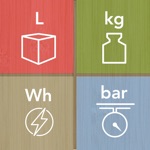
VisTech.Projects LLC · iOS
Explore the ad evidence, study the storefront, and build your next acquisition hypothesis.
01 / Creative research
Read the store headline, screenshots and description. What problem is the app promising to solve?
Study the storefront ↗Explore apps with direct store-link matches. Compare their hooks and formats without assuming the same approach works here.
Browse observed advertisers ↗Store rankings and revenue estimates describe market context. They do not establish ad spend, conversions or ROAS.
Review the market context ↗02 / Storefront & product
Study the product story and store experience behind the acquisition funnel.


03 / Market context
Keep revenue, downloads and store rankings separate from advertising performance.
Does what it says it will with no problems. Completely intuitive with no weird issues, which is rare.
This is very limited in the types of conversions it handles. The four shown on the logo aren’t representations of the type, they are the types. Not only that but each type converts into a tiny set of units possible. As if to make up from what’s missing from the tools the UI feels like it’s overcompensating by spreading out a ridiculous amount. I don’t think this can justify the space on my devices- it’s just too limiting with a cumbersome UI.
iPad and iPhone both running iOS 14.4 - This app now works great! In the past I left a negative review as I could not use this app with dark mode on my devices as the input data was the same color as the background. The issue is now fully resolved and this app works great. Developer is very responsive and has fully resolved the issue. My thanks to the developer for a simple to use app that works great. Job well done!
Convert units effortlessly with our powerful and intuitive unit conversion app. Seamlessly convert between length, area, volume, angle, weight, temper...