
Check the acquisition promise
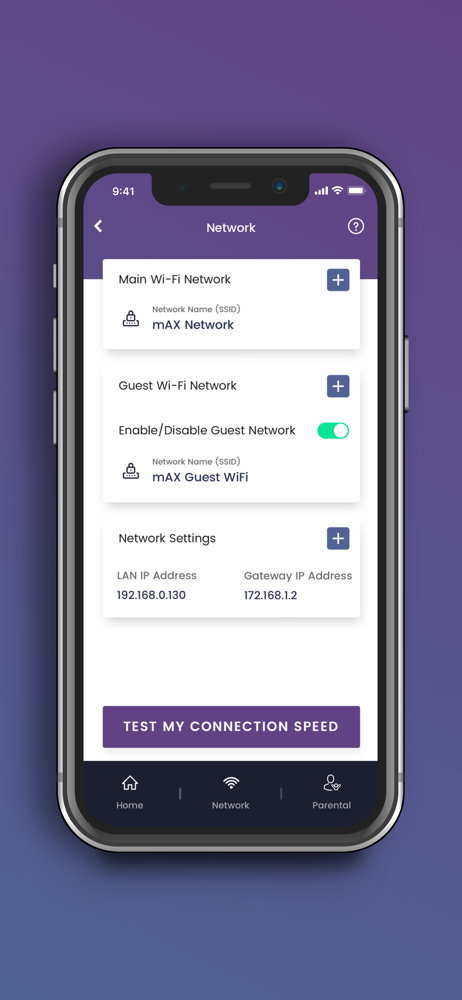
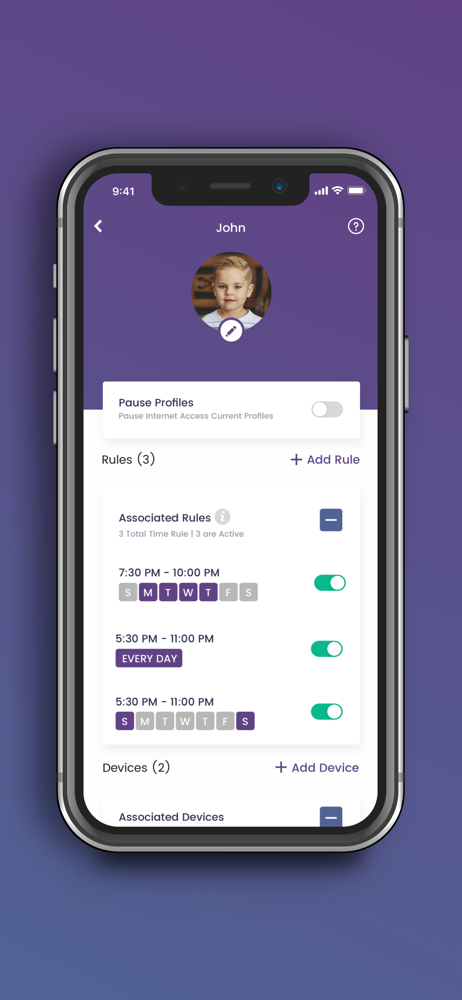
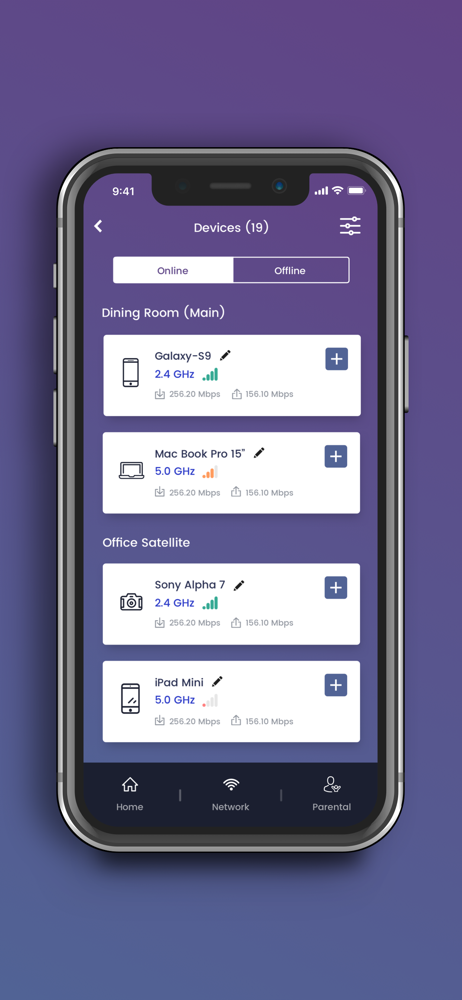
Read the store headline, screenshots and description. What problem is the app promising to solve?
Study the storefront ↗
ARRIS Group, Inc. · iOS
Explore the ad evidence, study the storefront, and build your next acquisition hypothesis.
01 / Creative research
Read the store headline, screenshots and description. What problem is the app promising to solve?
Study the storefront ↗Explore apps with direct store-link matches. Compare their hooks and formats without assuming the same approach works here.
Browse observed advertisers ↗Store rankings and revenue estimates describe market context. They do not establish ad spend, conversions or ROAS.
Review the market context ↗02 / Storefront & product
Study the product story and store experience behind the acquisition funnel.




03 / Market context
Keep revenue, downloads and store rankings separate from advertising performance.
I was using an Xfinity modem because for some reason it was $25/mo to rent their modem with unlimited data, but $30/mo to pay for unlimited data when using your own modem. A truly scummy decision from the wonderful higher ups at that company. Anyway, I eventually bit the bullet to pay the extra $5 to use my own equipment because my Xfinity modem (no matter how many replacement models I got) would constantly pause devices in my home kicking them offline. My PS5, both my Switches, and my Desktop were all hard wired with Cat6 cables and I’d still end up in the NAT 2 lobbies and that’s when I was allowed to play for more than 5 minutes before getting unceremoniously kicked thanks to the pause feature. Bought a G36, plugged it in, and all of a sudden all my devices are NAT type 1, my internet is super fast, my latency is generally in the low 10s of milliseconds and nothing ever randomly disconnects. I guess I see why the Xfinity provided modem was the cheaper option seeing as it is by far the worst option. I am genuinely shocked that I have literally zero internet problems, I figured some of the speed issues on the devices that weren’t pausing all the time were related to issues with the signal coming into my house, but no, of course not. The ISP supplies you with absolute junk, strong arms you into using it, and then provides next to no support for their garbage product.
This is first time I will be throwing a hardware device(router) because of worst app experience. I was forced to upgrade my current app, surfboard to surfboard central. Surfboard app was also buggy but was atleast working, new app doesn’t work at all. I don’t understand the logic of forcing users to migrate to new app when you still have so much complains about app. I spends hours and days and tried to get it working and even tried factory reset multiple times. Couple of times, app connected successfully to router but very next day, I have to repeat the process again. I can not even control the internet to specific devices with new app as I don’t see any user profile options that is mentioned is their documentation so Forget about parental controls through app. When app was connected luckily for couple of hours, the only use of app is to see connected devices with 80% as unknown. I am really frustrated and trashing my 6 months old router and will add little bit more money towards net gear or linksys router. Atleast, I don’t want to use use any product from a company who don’t care about the customers. I am sorry to say though even college undergraduates can develop better app with proper testing. So much surprised that a company like Arris released this app without proper testing. Never gonna use any arris products in future
All the negative reviews were my experience also. Stay far, far away from Surfboard. Setup is convoluted- you need WiFi to set up the WiFi???which is rather impossible if you don’t have data to access. The new app doesn’t do anything. When you try to test internet speeds, it says it can’t establish connection. All the connected devices show as “unknown” and on the new app you can no longer see the IP address of the device, so it’s like playing whack-a-mole trying to figure out which device you’re naming…and then it resets again. Not that it matters, because the parental control option doesn’t help and you can’t pause and unpause devices like in the old app, when that worked. There is so little on this app at all, it seems like they had a deadline to get it up and running, so they loaded the template they had and never went back and completed it. And this is the upgraded version? Another note, my modem went completely south when I changed to the new app, and while the ARRIS customer service lady was nice enough, she acted like they were doing me a big favor by replacing a broken unit that was still under warranty, but customers have to pay the shipping cost through FedEx, which if you are desperate, as most people would be in these times of working from home and electronic school work, for overnight (which took 2 business days -4 total) cost $60 for something that weighs less than a pound. All this makes me wish I had just gotten the modem through xfinity, though I’m sure those have their share of problems.
Thank you for purchasing a SURFboard product! Simply download this application, select the device model, and follow the on-screen instructions to setu...


